
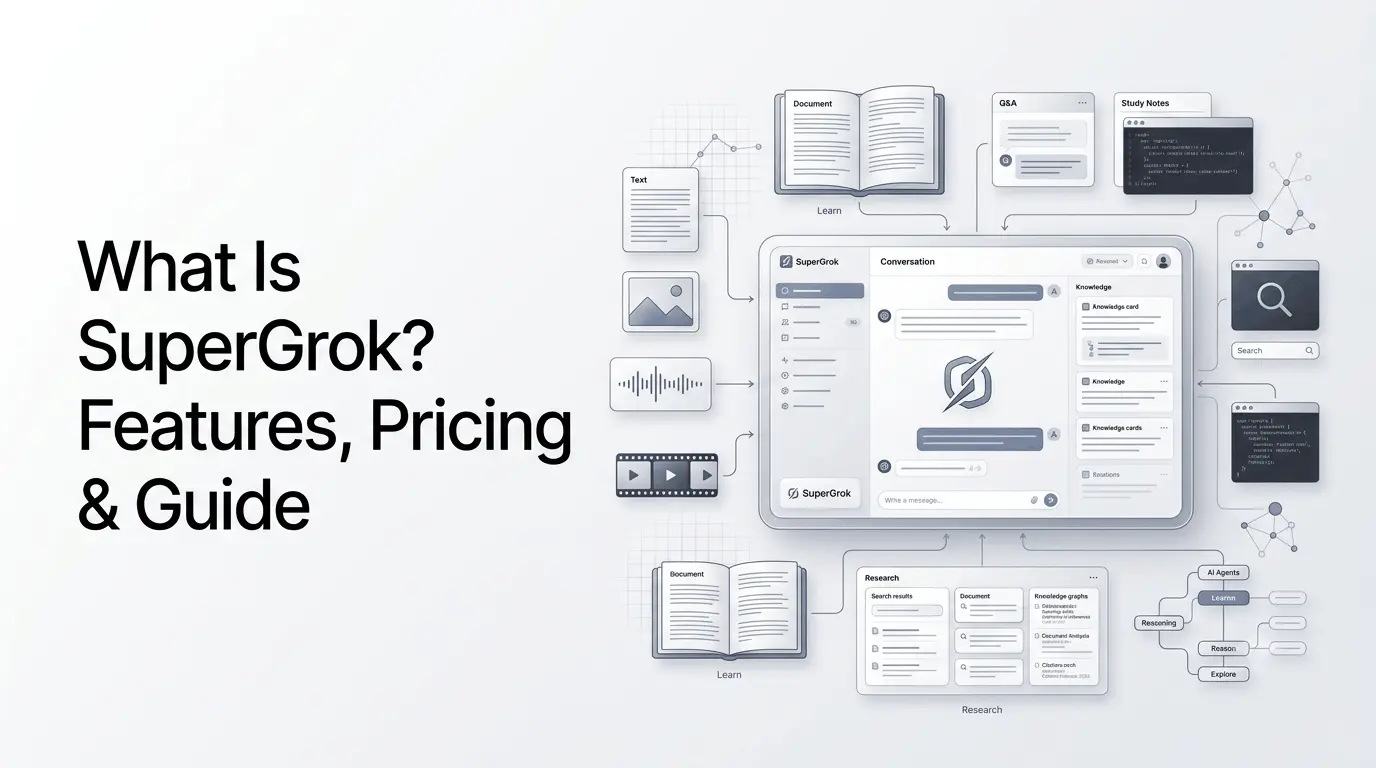
In today’s rapidly changing digital age, the application of AI in learning is transforming the way that people learn and improve their abilities. One of them is SuperGrok.
SuperGrok is just one of the most popular.
It is regarded as the most efficient solution for all students, offering personalised, interactive, engaging, and flexible learning experiences. What is SuperGrok? What exactly is its purpose, and why has it gained attention in the educational and technology sector?
This article gives a complete overview of the capabilities and benefits, and also provides examples of use as well as answers to the most commonly asked questions.
What is SuperGrok?
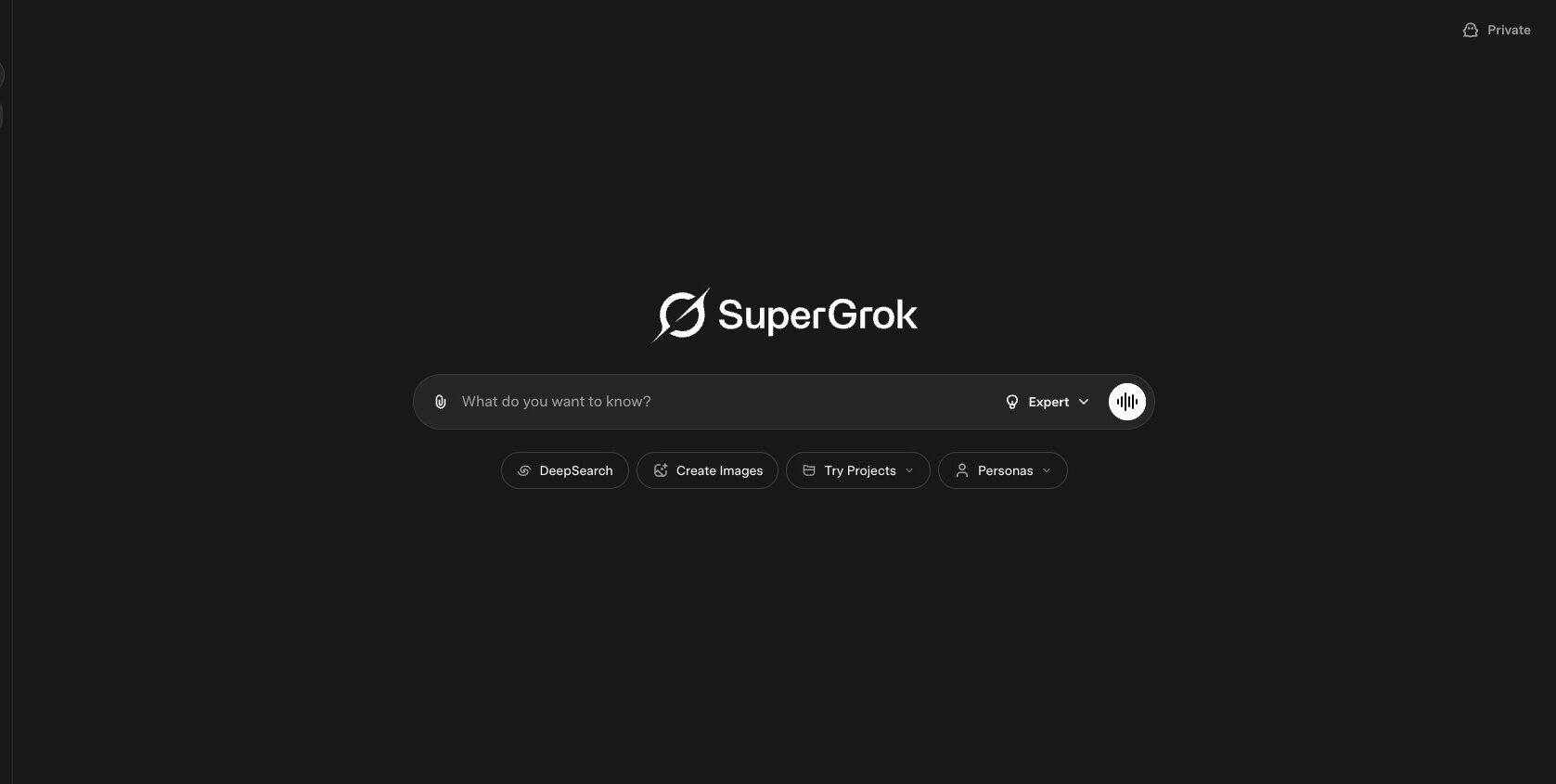
SuperGrok is xAI’s premium subscription for its Grok AI assistant.
The current Grok ecosystem is available on the web and through iOS and Android apps. xAI says Grok can be used for conversation, research, writing, problem solving, image and video creation, voice interaction, file analysis and connections to external tools. Paid SuperGrok plans increase usage limits and unlock additional capabilities.
For someone using Grok primarily for learning, the difference between free Grok and SuperGrok is therefore less about getting a completely different AI and more about how much access and which advanced capabilities are available.
Is SuperGrok a Learning Platform?
Not in the traditional sense.
A conventional learning platform usually provides structured courses, lessons, assignments, assessments, progress tracking and sometimes instructor support.
SuperGrok does not primarily operate that way.
Instead, it can function as an AI learning assistant. For example, a student can ask Grok to:
- Explain a difficult concept in simpler language
- Create examples and practice questions
- Analyze uploaded study material
- Summarize a PDF
- Compare competing theories
- Help debug programming exercises
- Conduct current web research
- Create a personalized study plan
- Quiz the user interactively
- Continue a topic through follow-up questions
This distinction is important because searches for “SuperGrok learning platform” can otherwise create the impression that xAI operates a dedicated education service.
How Does SuperGrok Work?
SuperGrok works through the Grok ecosystem rather than through a separate educational application.
A typical learning workflow might look like this:
Question → Explanation → Follow-up → Practice → Feedback → Deeper Research
For example, instead of asking:
“Explain photosynthesis.”
A learner could ask Grok to explain photosynthesis at a specific academic level, provide an analogy, create five questions, evaluate the answers and then identify the concepts the learner needs to review.
The conversation-based approach makes the experience more flexible than a fixed lesson.
Grok also supports file uploads, allowing users to work with PDFs, images, spreadsheets, code, audio and other supported content.
SuperGrok Features
SuperGrok’s current capabilities extend considerably beyond basic question answering.
1. Access to Grok 4.6
xAI’s current pricing page lists Grok 4.6 among the models available with SuperGrok.
This matters for learning because a more capable reasoning model can be useful when the question requires several steps rather than a simple factual response.
Potential applications include:
- Mathematics
- Programming
- Scientific concepts
- Research
- Technical writing
- Data interpretation
- Complex problem solving
However, model capability does not mean every answer is automatically correct. Important academic, scientific or professional information should still be checked against authoritative sources.
2. Higher Usage Limits
One of the central benefits of SuperGrok is higher usage compared with free access.
xAI describes SuperGrok as providing higher rate limits across features. The current documentation also describes paid SuperGrok plans as drawing from a shared weekly usage allowance across products.
This can be particularly relevant for intensive learning sessions.
A user might spend a single session:
- Uploading course material
- Asking dozens of questions
- Generating practice exercises
- Reviewing answers
- Researching related subjects
- Creating summaries
Usage limits can therefore matter more to heavy learners than simply having access to another AI model.
3. Real-Time Web and X Search
Grok can search the web and public X posts for current information.
xAI’s current Grok page describes real-time web and X search as part of the product, while its documentation identifies web and X search among Grok’s capabilities.
This can make SuperGrok useful for subjects where information changes frequently.
Examples include:
- Technology
- AI developments
- Current events
- Company announcements
- Product releases
- Software documentation
- Industry research
For academic work, however, users should distinguish between a search result, a social-media post and a primary source.
4. File and PDF Analysis
Grok supports file uploads, including PDFs, images, spreadsheets, code and audio. Users can ask the model to analyze, extract or summarize information from these files.
This creates several practical learning workflows.
For example:
Upload textbook chapter → Ask for explanation → Generate questions → Take quiz → Review mistakes
A researcher could instead upload a report and ask Grok to identify:
- Main findings
- Methodology
- Key limitations
- Important statistics
- Areas requiring further investigation
5. Voice Mode
Grok supports voice interaction.
For learning, voice can change the interaction from a conventional typed chatbot into a conversational tutoring experience.
A user could ask follow-up questions verbally, request another explanation or discuss a topic without repeatedly typing prompts.
6. Image and Video Generation
SuperGrok currently includes image and video generation among its listed capabilities.
These capabilities are not primarily educational, but they can support visual learning.
For example, a user could ask for:
- A historical scene visualization
- A scientific diagram concept
- A geography illustration
- A product-design concept
- A visual explanation of a technical system
Generated visuals should still be treated as explanatory aids rather than authoritative scientific diagrams unless their accuracy has been independently verified.
7. Connectors
Grok supports connectors that allow it to interact with supported external services and data.
The current xAI documentation lists integrations such as Google Drive, Gmail and Google Calendar, Outlook, SharePoint, OneDrive, Microsoft Teams and Salesforce, along with custom MCP tunneling.
For learning and research, this can be useful when relevant information is stored across multiple sources.
For example, a user could potentially work with documents stored in a connected service instead of manually copying information into a conversation.
The exact availability and permissions depend on the connected service and account configuration.
How Can SuperGrok Be Used for Learning?
SuperGrok becomes more interesting as a learning tool when users treat it as an interactive tutor rather than simply an answer generator.
Personalized Explanations
Different learners need different levels of explanation.
A useful workflow is to tell Grok:
- What you already understand.
- What you find confusing.
- Your desired level of difficulty.
- Whether you want examples or exercises.
For example:
“Explain machine learning assuming I understand basic statistics but have never trained a model. Start with a simple example, then gradually introduce technical terminology.”
This produces a more targeted learning interaction than simply asking, “What is machine learning?”
Interactive Quizzing
Instead of reading a summary passively, users can ask Grok to become a quiz assistant.
A practical prompt could request:
- One question at a time
- No answer until the user responds
- Increasing difficulty
- Explanation after each answer
- A final list of weak areas
This creates a feedback loop rather than a one-way information exchange.
Learning From PDFs
Students and professionals can upload supported documents and use Grok to work through them.
A useful workflow is:
Document → Summary → Important concepts → Questions → Quiz → Revision
This can be especially helpful when a document is lengthy and the learner needs to identify the sections that deserve closer attention.
Learning Programming
Grok can also act as a programming study assistant.
For example, users can ask it to:
- Explain code line by line
- Identify programming errors
- Suggest debugging approaches
- Create practice problems
- Explain algorithms
- Compare programming techniques
- Review their solution
The most effective approach is usually to ask for explanations rather than simply requesting completed solutions.
That encourages understanding instead of turning the AI into an answer-replacement tool.
SuperGrok for Research
Research is another area where SuperGrok can be useful.
Grok’s ability to combine conversation with web and X search makes it suited to exploratory research, particularly when the topic involves recent developments.
A research workflow could be:
- Define the question.
- Ask Grok for the major subtopics.
- Search for current information.
- Identify primary sources.
- Compare competing claims.
- Upload relevant documents.
- Ask for a structured synthesis.
- Verify important claims against the original sources.
The last step is essential.
AI-generated research summaries should not automatically be treated as primary evidence. For academic or professional work, the underlying source should remain the authority.
SuperGrok for Students
Students can use SuperGrok for several different types of study activity.
| Learning task | Potential SuperGrok use |
|---|---|
| Concept learning | Explain difficult subjects at different levels |
| Revision | Create concise summaries |
| Practice | Generate questions and quizzes |
| Problem solving | Walk through multi-step problems |
| Programming | Explain and debug code |
| Research | Search current information |
| Document study | Analyze PDFs and notes |
| Language learning | Practice conversations and writing |
| Brainstorming | Generate examples and study ideas |
| Exam preparation | Create personalized revision exercises |
The important distinction is between using AI to understand a subject and using AI to complete assessed work without understanding it.
Students should follow their institution’s rules regarding AI-assisted assignments and examinations.
SuperGrok for Creators and Professionals
SuperGrok’s learning applications are not limited to formal education.
Professionals can use it to learn new tools, understand unfamiliar industries or research emerging technologies.
For example, a marketer could use Grok to learn:
- SEO concepts
- Advertising strategies
- Analytics
- AI tools
- Content workflows
- Market trends
A developer could use it to learn:
- New frameworks
- APIs
- Programming languages
- Software architecture
- Debugging techniques
A business professional could use it to understand:
- Industry reports
- Competitor developments
- New technologies
- Market terminology
- Business concepts
The conversational format is particularly useful when the user does not know exactly what question to ask next.
SuperGrok Pricing
xAI’s pricing page lists the individual SuperGrok plan at $30 per month. It also lists SuperGrok Plus at $100 per month.
The current pricing page describes SuperGrok as including:
- Grok 4.6
- Grok Bot access
- Connectors
- Higher rate limits
- Expert
- Image generation
- Video generation
SuperGrok Plus adds higher usage, 1080p video creation, faster responses and priority access.
xAI’s plan structure can change, so users should check the current pricing page before subscribing.
SuperGrok vs Free Grok
| Feature | Free Grok | SuperGrok |
|---|---|---|
| Grok access | Yes | Yes |
| Web access | Yes | Yes |
| X search | Yes | Yes |
| Voice | Yes | Yes |
| Grok 4.6 | Plan-dependent | Listed |
| Usage limits | Lower | Higher |
| Image generation | Available with limits | Higher access |
| Video generation | Available with limits | Higher access |
| Grok Bot | Plan-dependent | Listed |
| Connectors | Available | Available |
| Best suited to | Casual use | Heavy/advanced use |
The exact limits can vary, and xAI’s pricing page is the better source for the current plan matrix.
SuperGrok vs X Premium+
SuperGrok and X Premium+ can be confusing because the products are connected but are not exactly the same subscription.
SuperGrok is xAI’s premium Grok subscription.
X Premium+ is an X subscription that includes access to SuperGrok among its benefits. X’s current help documentation says Premium+ includes SuperGrok, Grok Bot and other X-specific benefits.
| Aspect | SuperGrok | X Premium+ |
|---|---|---|
| Main product | Grok/xAI | X |
| SuperGrok access | Yes | Included |
| Grok features | Yes | Yes |
| X Premium features | No | Yes |
| X ad benefits | No | Yes |
| X-specific features | No | Yes |
| Best for | Users focused on Grok | Users wanting Grok + X Premium features |
The best choice therefore depends on whether the user primarily wants the Grok ecosystem or wants Grok access bundled with X’s premium features.
SuperGrok vs Grok
Another common misconception is treating Grok and SuperGrok as two separate AI assistants.
They are not.
Grok is the AI assistant.
SuperGrok is a paid subscription tier that provides expanded access to Grok and additional capabilities.
xAI’s documentation describes Grok as its assistant available through the web and mobile applications, while its pricing page lists SuperGrok as a paid individual plan.
A simple way to understand the relationship is:
- Grok = AI assistant
- SuperGrok = premium access to Grok
What Is Grok Bot and How Does It Relate to SuperGrok?
Grok Bot is a newer agentic capability in the Grok ecosystem.
xAI introduced Grok Bot in August 2026 as a system of AI teammates that can work with their own computer, interact with tools and applications and continue working on tasks.
The current SuperGrok plan includes Grok Bot access according to xAI’s pricing page.
This is different from conventional AI tutoring.
A chatbot primarily responds to a user.
An agent can potentially perform actions and continue working through a task.
For learning, that distinction matters because Grok Bot is better understood as an agentic productivity capability, not as a dedicated educational feature.
What Are the Limitations of SuperGrok for Learning?
SuperGrok can be useful for learning, but it should not replace critical thinking or authoritative educational material.
AI Can Be Wrong
Grok can produce incorrect information or misunderstand a question.
For subjects such as medicine, law, science and finance, users should verify important claims against authoritative sources.
It Is Not a Complete Course Platform
SuperGrok does not replace:
- Structured curricula
- Qualified instructors
- Formal assessments
- Accredited certificates
- Laboratory experience
- Institutional teaching
Its strength is flexible interaction rather than structured education.
Usage Limits Still Matter
Paid access provides higher limits, but it does not mean unlimited usage. xAI’s documentation says paid plans operate with usage allowances, and higher tiers provide progressively more access.
AI Can Encourage Passive Learning
There is also a behavioral risk.
If a learner constantly asks AI for the answer rather than attempting the problem first, the tool can reduce the amount of active thinking involved.
A better workflow is:
Attempt → Ask for guidance → Solve → Check → Review
rather than:
Ask → Copy → Move on
How to Use SuperGrok as a Learning Assistant?
A strong learning workflow can be built around five stages.
Step 1: Establish Your Current Level
Tell Grok what you already know.
For example:
“I understand basic HTML and CSS but have never used JavaScript.”
Step 2: Set a Learning Goal
Define the outcome.
“I want to understand JavaScript fundamentals well enough to build a simple interactive webpage.”
Step 3: Learn in Small Sections
Ask Grok to teach one concept at a time instead of generating an enormous tutorial.
Step 4: Practice Without Immediate Answers
Ask for exercises and attempt them yourself.
Step 5: Ask for Feedback
Give Grok your solution and ask it to identify mistakes, explain why they are mistakes and suggest improvements.
This approach makes AI more useful as a learning partner rather than simply an answer engine.
Is SuperGrok Worth Using for Learning?
SuperGrok can be useful for learning when the user values interactive explanations, research, file analysis, higher usage limits and access to advanced Grok capabilities.
However, whether a paid subscription makes sense depends on how frequently those capabilities are needed.
Someone who occasionally asks basic questions may find free Grok sufficient.
A heavy user who regularly performs research, analyzes documents, works with code or uses advanced generation features may have a stronger reason to consider a paid plan.
The key distinction is that SuperGrok is an AI subscription that can support learning, not a replacement for a structured education platform.
Conclusion
SuperGrok is best understood as xAI’s premium subscription for Grok, rather than a standalone AI learning platform. Its learning value comes from the capabilities of Grok itself: conversational reasoning, real-time search, file analysis, voice, multimodal interaction and increasingly agentic tools.
For students, creators, developers and professionals, SuperGrok can work as a flexible AI learning assistant. It can explain difficult concepts, analyze study material, create practice exercises and help users research unfamiliar subjects.
But the distinction matters: SuperGrok provides AI-powered learning capabilities; it does not provide a traditional structured learning curriculum.
As xAI continues expanding Grok with capabilities such as Grok Bot and other tools, the platform is increasingly becoming a broader AI workspace rather than simply a chatbot.
Frequently Asked Questions (FAQs)
1. What is SuperGrok?
SuperGrok is xAI’s paid subscription offering for Grok. It provides higher usage limits and access to additional capabilities such as Grok 4.6, image and video generation, Grok Bot and connectors, depending on the plan.
2. Is SuperGrok an AI learning platform?
Not officially. SuperGrok is a premium Grok subscription rather than a dedicated education platform. However, Grok can be used as an AI learning assistant for explanations, research, quizzes, document analysis and personalized study.
3. Can SuperGrok help students learn?
Yes. Students can use Grok for explanations, revision, practice questions, programming help, document analysis and research. Important academic information should still be verified against reliable sources.
4. How much does SuperGrok cost?
As of September 16, 2026, xAI lists SuperGrok at $30 per month and SuperGrok Plus at $100 per month on its pricing page. Prices and plans can change.
5. What is the difference between Grok and SuperGrok?
Grok is the AI assistant, while SuperGrok is a paid subscription providing expanded access to Grok and additional capabilities.
6. Does X Premium+ include SuperGrok?
Yes. X’s current documentation says Premium+ includes access to SuperGrok along with additional X Premium+ benefits.
Also Read –
Grok AI: What Is It? Features, Models, Use Cases & More
Grok Tasks: xAI’s AI Assistant for Automated Monitoring
Grok 4.1: Instant AI Responses and Predictive Interaction
Grok AI Models: Complete Guide to Grok Models & Capabilities