

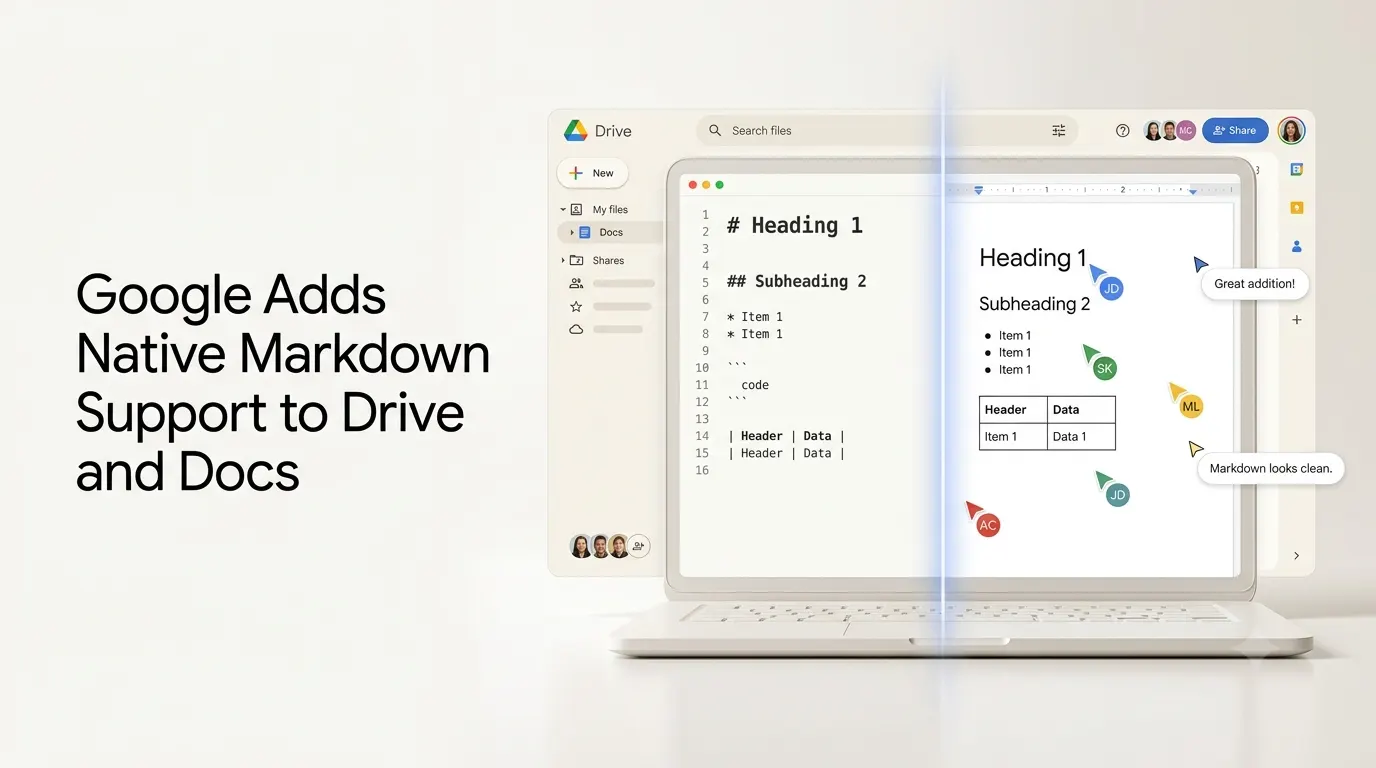
Google has introduced native Markdown support across Google Drive and Google Docs, allowing users to preview, edit, comment on and collaborate on .md and .markdown files without converting them into Google Docs files. The rollout began on October 5, 2026, and is being gradually extended to Google Workspace customers and personal Google account users.
The update addresses a long-standing limitation in working with Markdown inside Google’s productivity ecosystem. Previously, users could import or export Markdown through Google Docs, but opening an existing Markdown file as a Google document involved conversion rather than keeping the original file format intact. Google had already expanded Markdown capabilities in Docs in 2024, including Markdown import and export, but the new update goes further by allowing the .md file itself to remain the working document.
The change is particularly relevant to developers, technical writers and teams increasingly using AI tools that generate structured content in Markdown.
Quick Summary
- Google has added native Markdown support to Drive and Docs.
- Users can preview
.mdand.markdownfiles directly in Drive. - Markdown files can now be opened and edited in Google Docs without conversion.
- Users can comment, share and collaborate while retaining the Markdown file.
- The update is particularly relevant to developers, technical writers and AI-agent workflows.
- Google says Markdown is increasingly used for AI-generated documentation, specifications, READMEs and task lists.
- The rollout began October 5, 2026, with availability expanding gradually.
- Some Google Docs-specific formatting may not translate perfectly to Markdown.
What Google Markdown Support Adds?
The new Google Markdown support covers both Drive and Docs, but the two applications serve different purposes.
In Google Drive, Markdown files can now be viewed as rendered documents rather than simply treated as raw text. Google says the preview supports formatted content such as clickable links and structured tables. Users can switch between the Markdown source and the rendered preview when viewing a file.
In Google Docs, users can open a Markdown file directly and make changes without converting it into a Google Docs file. The underlying file continues to use the .md format while Docs provides the editing environment.
Google also brings its collaboration features to these files. Users can share Markdown documents with other people, add comments and work on the same file together, bringing collaboration capabilities that previously required a conversion workflow.
What changes for Markdown workflows?
| Before | With the new update |
|---|---|
| Markdown could be imported into Docs | Markdown files can be opened directly |
| Importing could convert the file | .md remains .md |
| Users often had to move between formats | Editing can happen directly in Docs |
| Collaboration was tied to the converted document | Comments and collaboration work on the Markdown file |
| Drive did not provide the same native rendered experience | Drive can show rendered Markdown previews |
Why Google Is Adding Native Markdown Support Now?
Google’s announcement specifically highlights the growing role of Markdown in workflows involving large language models.
Markdown is commonly used for structured information such as headings, tables, lists, specifications, README files, task lists and generated documentation. AI coding assistants and other AI systems frequently produce or consume Markdown because it provides structure without the complexity of heavier document formats.
That makes native Markdown support more relevant as AI-generated content increasingly moves between people and software tools.
A developer, for example, could have an AI tool generate a project specification in Markdown, store that file in Drive and then open it in Docs for human review and collaboration without first creating a separate Google Docs version.
The same workflow can apply to documentation, research notes, project plans and other structured text created or processed by AI systems.
Google’s own announcement describes the new Docs experience as enabling users and agents to collaborate on Markdown files without requiring people to work directly with Markdown syntax or repeatedly convert files between formats.
Google Markdown Support Removes the Conversion Step
The most significant practical change is that Google is eliminating the need to treat Markdown and Google Docs as separate versions of the same document.
Previously, Google Docs supported importing Markdown into a document and exporting documents back to Markdown. That was useful for interoperability, but the workflow could create an additional conversion step and potentially introduce formatting differences.
With the new implementation, the Markdown file remains the source file throughout the workflow.
That can be particularly useful for technical teams where Markdown is already the preferred format for documentation, repositories, specifications and AI-generated content. Instead of maintaining a Markdown version for machines and a converted Google Docs version for human collaboration, teams can work with the same .md file.
Markdown Support Has Some Formatting Limitations
Native editing does not mean every Google Docs feature can be preserved in Markdown.
Google warns that some Docs-specific formatting may change when working with Markdown files. Smart chips can become text or links, while web formatting such as HTML, font colors, highlights and text alignment are not preserved in the same way. Google recommends using version history if users need to restore an earlier version.
This means Markdown remains better suited to structured, portable text than to highly designed documents that depend heavily on Google’s proprietary formatting features.
For technical documentation, specifications, notes and AI-generated structured content, however, the trade-off is considerably less significant.
Availability and Rollout
Google began rolling out native Markdown support on October 5, 2026. The company says the rollout is gradual and can take up to 15 days for the feature to become visible to individual users.
The feature is available to all Google Workspace customers and users with personal Google accounts. Google says there is no administrator control for the feature and no end-user setting that needs to be enabled.
As a result, users who cannot yet open .md files directly in Docs may simply need to wait for the rollout to reach their account.
Why the Update Matters for AI Workflows?
The timing of the change is significant because Markdown increasingly sits between AI-generated content and human review.
AI models can generate structured Markdown for documentation, project plans, specifications and technical content, while people often prefer a visual editor for reviewing and discussing that material. Google’s update brings those two workflows closer together without requiring a format conversion.
For Google Workspace users, the practical result is a simpler path from AI-generated Markdown to human editing and collaboration. Instead of converting the file before sharing it, teams can keep the Markdown source intact while using Drive and Docs as the collaboration layer.
Google’s update therefore represents more than another Markdown formatting feature. It makes a widely used AI and developer content format a first-class file type inside two of Google’s most widely used productivity applications.
Also Read –
Google Workspace Studio: The New AI Agent Builder for Everyday Work
Source
Preview, edit and collaborate on Markdown files natively across Drive and Docs
View and edit Markdown (.md) files in Google Docs
Import and export Markdown in Google Docs