
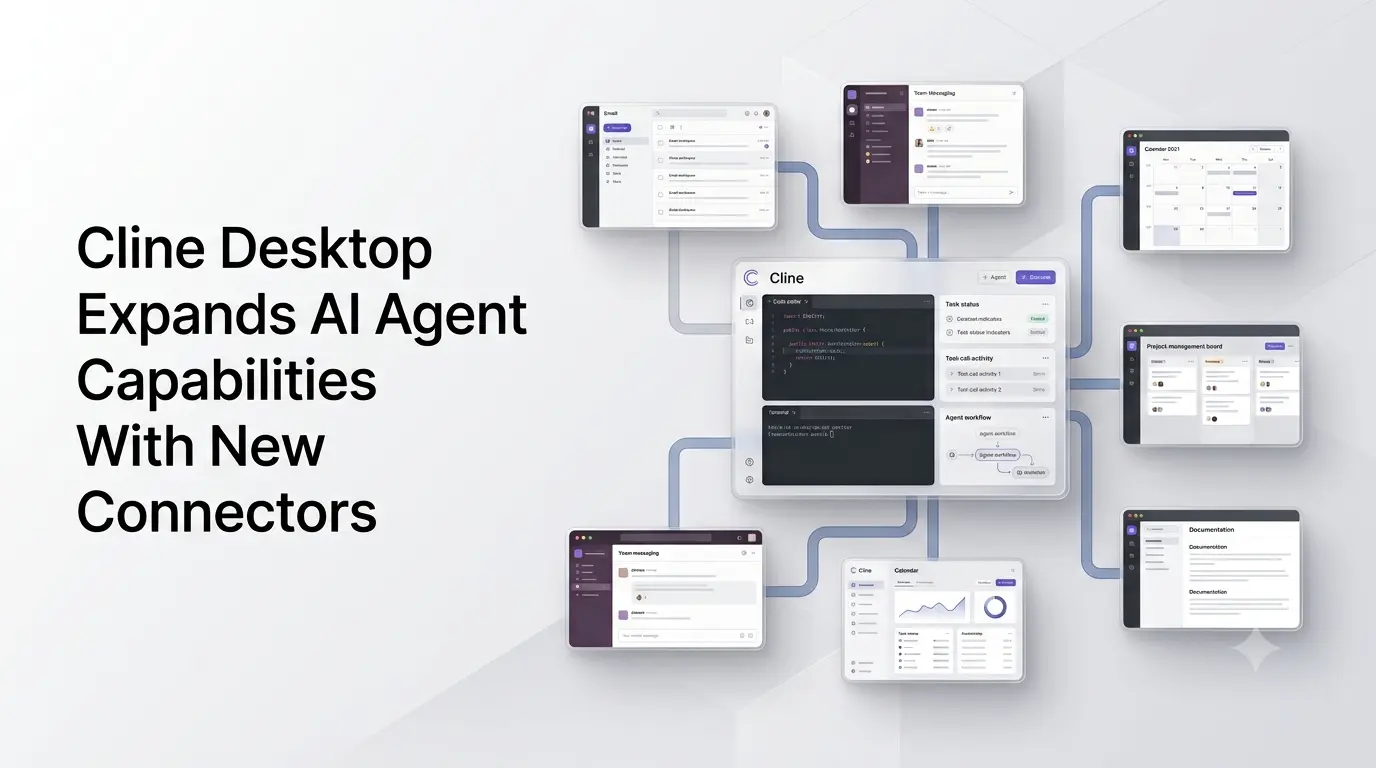
Cline Desktop is expanding beyond its role as a standalone coding workspace with a new Connectors system designed to let Cline agents work with external applications and services. The development gives Cline a broader way to retrieve information and use third-party tools as part of agent workflows.
The move is part of Cline’s wider shift from an AI coding assistant toward a more general agent workspace. Cline’s current Desktop architecture supports connectors alongside plugins, MCP servers and skills, allowing users to extend what an agent can access and do.
The supplied announcement also points to integrations with services used for communication, productivity and software development. While the broader connector functionality is verifiable, the exact list of newly available applications in the supplied post should be treated cautiously because Cline’s public documentation does not currently provide a matching authoritative announcement listing every named service.
Quick Summary
- Cline Desktop is expanding its agent capabilities with a new Connectors system.
- Connectors allow Cline agents to interact with external services and retrieve additional context.
- The feature complements Cline’s existing MCP servers, plugins and skills ecosystem.
- The development moves Cline beyond a conventional coding assistant toward a broader AI agent workspace.
- Cline’s model ecosystem also includes free options such as DeepSeek V4.1 Flash and Space Bunny Alpha.
- The exact list of services mentioned in the supplied social post should not be presented as fully confirmed without a matching official Cline source.
What Cline Desktop Connectors Do?
Cline’s connector architecture is intended to bridge external applications with Cline sessions by providing the agent with additional tools.
Rather than requiring a user to manually copy information from another service into a Cline conversation, connected services can expose relevant context and actions to the agent. Cline’s technical documentation describes a connector catalog, connection management and tool schemas that are loaded into new sessions.
This creates a different workflow from conventional coding assistants. Cline can potentially combine information from a connected service with the files, commands and other tools available in an agent session.
For example, an agent workflow could involve retrieving information from a connected project-management or communication service, analyzing it and then using that context while performing work inside a development environment.
Cline’s existing connector infrastructure also supports platforms such as Slack and Linear through its CLI, demonstrating that external-service integration is already part of the broader Cline architecture.
Cline Is Moving Beyond Traditional Coding Assistance
Cline originally became known as an open-source coding agent that operates inside development environments. Its capabilities include exploring codebases, editing files, running commands and using external tools.
The newer Desktop product extends that model into a dedicated application. Cline announced Cline Desktop in September 2026 as a native interface for working with open-weight models, with support for importing tasks from other coding agents, scheduling recurring work, plugins, MCP servers, skills, web access and voice input.
Connectors add another layer to that architecture.
The distinction is important: MCP servers, plugins and connectors are not simply different names for the same feature. Cline’s documentation treats them as separate extensibility mechanisms. The connector system provides a catalog and connection-management layer for external services, while MCP remains another way of supplying agents with tools.
That architecture allows Cline to assemble an agent environment around the task rather than limiting the agent to the local development workspace.
How External App Access Changes Agent Workflows?
The practical significance of connectors is that an AI agent can potentially operate with more of the context surrounding a user’s work.
A developer working on an application, for example, may have relevant information distributed across project-management software, communication platforms, monitoring systems and documentation tools. A connected-agent model can reduce the need to move that information manually between applications.
The supplied example of catching up on messages and asking an agent to prepare responses illustrates this broader direction. However, because the exact Gmail workflow in the supplied post could not be independently confirmed from Cline’s official documentation, it should not be presented as a documented production capability without additional primary-source confirmation.
What can be established is that Cline’s connector architecture is designed to expose external tools to agent sessions and that its current releases include a dedicated Connectors interface.
Cline’s Free Model Ecosystem
The connector development is also arriving alongside Cline’s expansion of its model options.
Cline currently offers access to a changing selection of models through its own ecosystem. Recent Cline material identifies DeepSeek V4.1 Flash among its free model offerings, while Cline has separately promoted Space Bunny Alpha as a free model.
Space Bunny Alpha is particularly notable because its model identity remains undisclosed publicly. Cline has described it as a fast reasoning model intended for coding and agentic workflows, with multimodal capabilities and a large context window.
Because Cline’s free-model lineup can change, availability should be checked in the current Cline model selector rather than treated as a permanent list.
What the Connector Expansion Means for Cline?
The connector system points toward a broader definition of an AI coding agent.
Instead of an agent operating primarily on source code and a local terminal, Cline is building an environment in which models can work with multiple sources of context and multiple categories of tools. Its current Desktop architecture combines models, scheduled tasks, plugins, MCP servers, skills, web capabilities and connectors in one application.
That approach is particularly relevant to agentic software development because many development tasks already depend on information outside the codebase. Bugs may be discussed in communication tools, work may be tracked in project-management systems, incidents may appear in monitoring platforms and requirements may live in documentation.
Connecting those systems gives an agent more context from which to execute a task, although the usefulness and safety of the workflow depend on what permissions each integration provides.
For users, the key development is therefore not simply another integration list. It is Cline’s attempt to turn Desktop into a more extensible AI agent workspace, where external services can become part of the agent’s working environment.
Cline’s latest Desktop releases show that this connector infrastructure is actively being developed, with the Connectors interface receiving search, refresh, installation and management capabilities.
Also Read –
DeepSeek V4.1 Flash: 552B MoE, Vision & Lower Costs
Source
Cline GitHub repository and documentation
Cline Desktop release information
Cline connector architecture documentation
Cline’s Cline Desktop announcement