
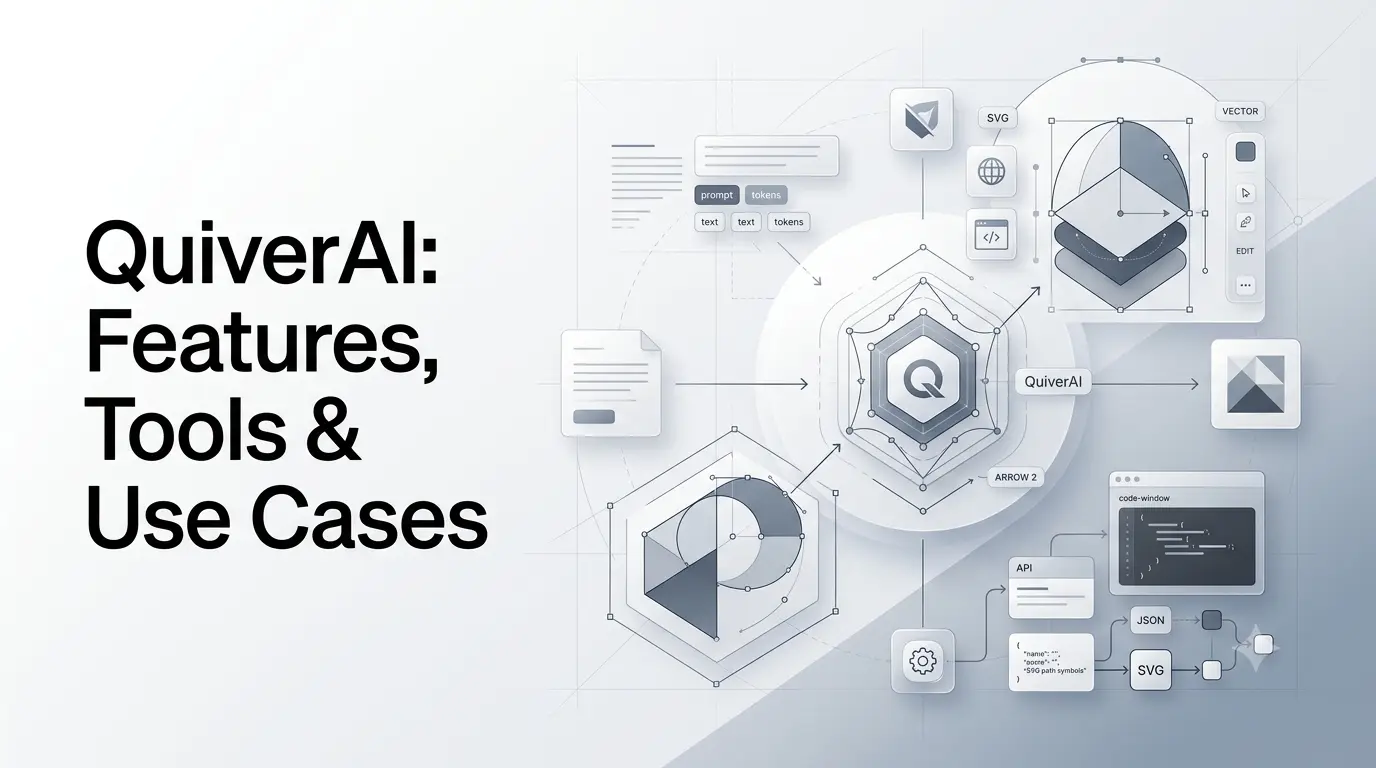
QuiverAI is an AI-powered vector design platform focused on generating, vectorizing, editing, and animating SVG graphics. Unlike conventional AI image generators that primarily produce raster images such as PNGs or JPEGs, QuiverAI is designed to produce structured, editable vector graphics that can be modified after generation.
The platform is built around QuiverAI’s Arrow family of models, with Arrow 2 now powering the company’s app and newer API workflows. QuiverAI also provides tools for developers, including an API, SDKs, an MCP server, and integrations designed to bring AI-generated SVG assets into software and agent workflows.
QuiverAI has expanded beyond simple text-to-SVG generation into a broader workflow involving conversational creation, canvas editing, vectorization, animation, and developer integrations.
What Is QuiverAI?
QuiverAI is an AI design platform that converts text prompts and raster images into editable SVG vector graphics.
Its core idea is different from traditional image generation: instead of producing only a flattened image, QuiverAI generates the underlying vector structure. That makes the resulting artwork suitable for further editing, resizing, recoloring, and integration into digital products.
The platform can be used through:
- The QuiverAI web application
- QuiverAI’s developer API
- SDKs and AI-development integrations
- MCP-based agent workflows
- Design and creative software integrations
The company’s broader goal is to build AI-native tools around vector graphics and visual code generation, rather than treating vector output as an afterthought to raster image generation.
What Does QuiverAI Do?
At its core, QuiverAI handles two major types of visual generation:
- Text-to-SVG generation — create vector graphics from a written description.
- Image-to-SVG vectorization — convert a raster image or reference into an editable vector representation.
The current QuiverAI product also adds conversational creation, canvas-based editing, and animation.
This makes the platform particularly relevant to workflows where the generated asset needs to be used as an actual design component rather than simply viewed as an image.
For example, a designer could generate a logo concept, refine it, change individual vector elements, recolor it, and export it for use on a website or marketing asset.
What Makes QuiverAI Different From AI Image Generators?
The biggest distinction is the output format.
Traditional AI image generators generally create raster images. A raster image is composed of pixels, so editing individual shapes can be difficult without additional design work.
SVG is different. It describes graphics using paths, shapes, groups, fills, strokes, and other structured elements.
That means an SVG can be:
- Scaled without the same pixelation problems associated with raster images
- Recolored
- Edited at the element level
- Integrated into websites
- Used as a UI asset
- Converted into other design formats
- Modified inside vector design software
QuiverAI’s approach therefore targets a different part of the design workflow.
| Capability | Conventional AI image generator | QuiverAI |
|---|---|---|
| Text-based generation | Yes | Yes |
| Raster image generation | Common | Not the primary focus |
| SVG generation | Usually limited or secondary | Core capability |
| Editable vector structure | Usually no | Yes |
| Image-to-vector workflow | Sometimes | Yes |
| Vector-focused design | Limited | Core focus |
| Canvas editing | Depends on product | Yes |
| AI-generated animation | Product dependent | Available in the QuiverAI canvas |
| API | Depends on provider | Yes |
| Agent/MCP integration | Varies | Yes |
The important point is that QuiverAI is not simply trying to compete as another general-purpose AI image generator. Its product is built around structured visual output.
How Does QuiverAI Work?
A simplified QuiverAI workflow looks like this:
Prompt or reference image → AI model → SVG structure → editing → export or integration
A user can describe an asset such as:
“Create a minimalist geometric logo using three interlocking circles.”
The system generates the visual asset as vector graphics rather than treating the result purely as a flattened bitmap.
The generated SVG can then be refined.
With the newer QuiverAI app, the workflow can begin with a conversation. The system can generate a creation, allow follow-up prompts, and open the result in a canvas where individual elements can be selected and modified.
This creates a workflow closer to:
Describe → Generate → Refine → Edit → Animate → Export
Rather than:
Prompt → Download image
QuiverAI Arrow Models
The Arrow model family is the technical foundation of QuiverAI’s vector-generation system.
Earlier releases included Arrow 1.0, Arrow 1.1, and Arrow 1.1 Max. QuiverAI introduced Arrow 1.1 in April 2026 as an improved generation model for structured SVGs.
The major change came in September 2026 with Arrow 2.
What Is Arrow 2?
Arrow 2 is QuiverAI’s newer model for generating precise, editable vector graphics.
The September 16, 2026 product update moved Arrow 2 into the QuiverAI application, while Arrow 1, Arrow 1.1, and Arrow 1.1 Max were retired from the app but remained available through the API.
QuiverAI describes Arrow 2 as providing improvements in generation speed, design quality, vectorization, animation, and asset creation.
A second model, Arrow 2 Telos, is also part of the new generation and is aimed at more demanding visual-generation workloads.
For users, the practical distinction is that Arrow 2 represents the newer generation of QuiverAI’s design intelligence, while the older Arrow models remain relevant primarily for API compatibility and existing integrations.
QuiverAI Features
1. Text-to-SVG Generation
The most important QuiverAI feature is the ability to generate vector artwork from natural-language prompts.
This can be useful for:
- Logos
- Icons
- Illustrations
- Diagrams
- Marketing graphics
- UI assets
- Brand elements
- Website graphics
Because the output is SVG, the result can be treated as a design asset rather than only a generated picture.
2. Image-to-SVG Vectorization
QuiverAI can also take a raster image and convert it into an SVG representation.
This is useful when a designer has an existing reference but needs a scalable vector version.
For example:
PNG logo → QuiverAI → SVG → editable design asset
This can reduce some of the manual work involved in recreating simple or moderately complex graphics as vectors.
The quality of the result will depend on the complexity of the source image and the structure required.
3. Editable SVG Output
Editable output is one of QuiverAI’s defining characteristics.
Generated artwork can be opened in the platform’s canvas and modified rather than being treated as a finished, immutable image.
The current app allows users to select and duplicate child elements, use undo history, zoom and fit the artwork, and refine creations through follow-up prompts.
4. Conversational Design
The September 2026 app update introduced a more conversational creation workflow.
Instead of starting exclusively with a traditional design interface, users can describe what they want and let the application create the artwork.
Follow-up instructions can then be used to refine the result.
For example:
- Prompt: “Create a modern coffee shop logo using a simple coffee bean symbol.”
- Follow-up: “Make the symbol more geometric.”
- Follow-up: “Remove the outer circle and use a two-color palette.”
This type of interaction makes iterative design more accessible to users who may not want to manually construct every vector element from scratch.
5. Canvas Editing
QuiverAI’s canvas provides another layer between AI generation and final production.
Users can manually modify generated artwork after the model creates it.
This matters because AI generation does not always produce the exact final asset required for publication.
A hybrid workflow can therefore be more practical:
AI creates the first version → human designer makes precise corrections.
6. SVG Animation
QuiverAI has also incorporated animation into its canvas workflow.
The platform can animate vector creations and replay the animation without requiring users to leave the environment.
This opens applications beyond static logos and illustrations, including:
- Animated icons
- Logo transitions
- Website graphics
- Product demonstrations
- Motion design experiments
- Lightweight web animations
QuiverAI’s website also identifies animation and typography as areas of its broader product direction.
7. Developer API
QuiverAI is not limited to designers.
Developers can integrate its vector-generation capabilities into their own products using the API.
The API provides endpoints for tasks including:
- Model discovery
- SVG generation
- SVG vectorization
- Responses-based workflows
The platform also provides an API management environment for keys, projects, usage, logs, billing, and organizational controls.
8. Open Responses Compatibility
One of the more important developer changes introduced in September 2026 is QuiverAI’s Open Responses-compatible endpoint.
The /v1/responses endpoint is backed by Arrow 2 and allows developers to work with function and custom tools.
This makes QuiverAI more interesting for applications in which an AI agent needs to create a visual asset as part of a larger workflow.
For example:
AI agent → understands request → calls QuiverAI → generates SVG → application receives asset → asset is inserted into website
That is different from simply opening a design application and manually generating an image.
9. MCP Support
QuiverAI also provides an MCP server for SVG generation.
MCP, or Model Context Protocol, is increasingly used to allow AI agents to interact with external tools.
QuiverAI’s MCP capability allows vector-generation functionality to be exposed to compatible agent workflows.
The company has also highlighted integrations with tools such as Cursor and Codex.
10. SDKs and Developer Tools
QuiverAI provides an official Node.js SDK and an AI SDK provider for the Vercel AI SDK.
It also provides a CLI workflow that can install generated SVG creations as React components.
That can be particularly useful for developers building websites, design systems, applications, and AI-powered products.
QuiverAI Real-World Use Cases
Logo Design
Logo creation is one of the most obvious applications.
A marketer or founder can generate several vector concepts from natural-language descriptions before refining one of them manually.
Because SVG is the target format, the resulting asset can potentially be adapted for:
- Websites
- Social media
- Presentations
- Product interfaces
- Marketing materials
However, generated branding should still be reviewed by a human designer, particularly when originality, trademark considerations, and brand consistency matter.
Marketing Graphics
Marketing teams can use vector generation for campaign assets, icons, simple illustrations, diagrams, and website graphics.
A useful workflow might be:
- Define the campaign style.
- Generate several SVG concepts.
- Select a direction.
- Modify colors and shapes.
- Export the final asset.
- Adapt the asset for different placements.
This can reduce the time required to create initial design variations.
Website and UI Assets
SVGs are common in modern websites and interfaces.
QuiverAI can therefore be relevant for:
- Icons
- Decorative illustrations
- Product graphics
- Empty-state illustrations
- Interface symbols
- Simple diagrams
The developer API makes this use case more interesting because visual generation can potentially become part of a software workflow instead of remaining a standalone design task.
Brand Systems
A business may need many related assets rather than one isolated image.
For example:
- Primary logo
- Secondary logo
- Icons
- Section illustrations
- Promotional graphics
- Product symbols
A vector-based AI workflow can help generate initial concepts while keeping the assets in a format that remains editable.
Converting Existing Graphics
Image-to-SVG conversion can be useful when a company has raster artwork that needs to become a scalable vector asset.
This could include older:
- Logos
- Icons
- Illustrations
- Diagrams
- Marketing graphics
The generated vector should still be inspected before professional use, especially when geometric accuracy is important.
AI Agent Workflows
The combination of an API, MCP support, and structured SVG output creates another use case: autonomous or semi-autonomous design workflows.
Imagine an AI marketing agent receiving this request:
“Create a product launch banner icon set using our existing brand style.”
The agent could potentially:
- Interpret the design brief.
- Call a vector-generation model.
- Receive SVG assets.
- Pass the assets to another workflow.
- Insert them into a website or marketing system.
This is where QuiverAI’s developer infrastructure becomes more significant than its standalone design interface.
QuiverAI for Developers
Developers can interact with QuiverAI through the API at api.quiver.ai/v1.
The platform supports model discovery and SVG generation/vectorization endpoints, while newer Arrow 2 workflows also support the Responses endpoint.
The API platform provides:
- API keys and service accounts
- Projects
- Usage monitoring
- Request logs
- Organization roles
- Billing controls
- Data controls
- Rate-limit information
This is useful for teams that want to treat AI-generated graphics as part of an application infrastructure rather than as a manual creative tool.
QuiverAI Pricing
QuiverAI’s pricing requires some care because the product changed significantly with the September 2026 Arrow 2 release.
The currently published QuiverAI pricing page lists:
| Plan | Published price | Included weekly app credits |
|---|---|---|
| Free | $0/month | 200 |
| Basic | $20/month | 1,000 |
| Pro | $40/month | 3,000 |
| Enterprise | Custom | Custom |
The same pricing page still describes Arrow 1.0, Arrow 1.1, and Arrow 1.1 Max as the app models, while QuiverAI’s September 16 changelog says Arrow 2 is now the app model and the earlier models have moved out of the app.
That means users should check the live billing interface before subscribing rather than assuming that every model detail on the public pricing page has already been synchronized with the latest product release.
API billing has also changed for the Arrow 2 generation. QuiverAI’s September 16 changelog says Arrow 2 and Arrow 2 Telos are billed according to measured token usage rather than the older fixed-credit model.
App subscriptions and API usage should therefore be treated as separate considerations when estimating costs.
Is QuiverAI Free?
Yes. QuiverAI’s published pricing includes a free tier.
The current public pricing page lists 200 weekly app credits for the Free plan.
However, free-tier usage has an important licensing limitation. QuiverAI’s terms state that generated content under the free tier is restricted to personal, non-commercial, non-revenue-generating use. That restriction does not apply to paid tiers.
For creators or businesses intending to use generated assets commercially, the applicable plan and terms should be checked before publishing the work.
QuiverAI vs Traditional Vector Design Software
QuiverAI does not necessarily replace traditional vector editors.
A conventional vector application gives the designer detailed manual control over paths, shapes, layers, typography, alignment, and other elements.
QuiverAI instead focuses on accelerating the creation process with AI.
| Workflow | Traditional vector editor | QuiverAI |
|---|---|---|
| Manual vector construction | Strong | Available through editing |
| AI generation | Usually secondary | Core capability |
| Text-to-vector | Limited or plugin-dependent | Core feature |
| Image-to-vector | Often available | Core feature |
| Conversational creation | Limited | Core workflow |
| Editable SVG output | Yes | Yes |
| AI-assisted iteration | Varies | Yes |
| Agent/API workflow | Varies | Strong focus |
| Best suited to | Detailed manual design | AI-assisted vector creation |
In practice, the two approaches can complement each other.
QuiverAI can generate the starting point, while a dedicated design application can be used for final production work.
QuiverAI Limitations
QuiverAI’s vector-first approach is useful, but it does not eliminate the normal limitations of generative AI.
Complex designs may still need manual correction
A generated SVG can look correct while containing structures that require cleanup.
Designers should inspect:
- Paths
- Alignment
- Spacing
- Layer organization
- Typography
- Color consistency
- Unwanted elements
AI output is not guaranteed to be unique
QuiverAI’s terms explicitly warn that similar or identical content may be generated for different users.
That matters for commercial branding.
A company should not assume that an AI-generated logo is automatically unique or legally protected simply because it was generated for that company.
Generated content requires review
AI-generated graphics can contain errors or unexpected structures.
Human review remains particularly important for:
- Brand identities
- Product interfaces
- Commercial campaigns
- Trademarks
- Technical diagrams
- High-precision graphics
Pricing and model availability can change
QuiverAI is still developing rapidly. The September 2026 transition from the Arrow 1 family in the app to Arrow 2 demonstrates how quickly model access and pricing structures can change.
Users should verify current pricing and model availability before making purchasing decisions.
Is QuiverAI Worth Using?
QuiverAI is most relevant when the desired output is a usable, editable vector asset, rather than simply an attractive generated image.
It can fit particularly well into workflows involving:
- Logo exploration
- SVG illustrations
- Icons
- Marketing assets
- Website graphics
- Vectorization
- AI-assisted design
- Design automation
- Developer tooling
- AI agents
The platform becomes especially interesting for developers because its API, MCP support, SDKs, and structured SVG output allow vector generation to become part of a larger software workflow.
For simple one-off image generation, however, a general-purpose image generator may be more appropriate.
Who Should Use QuiverAI?
Designers
Useful for rapidly generating starting concepts and editable vector assets.
Creators
Useful for logos, illustrations, icons, and digital graphics that need to remain scalable.
Marketers
Useful for quickly exploring campaign visuals and brand-related assets.
Developers
Useful when SVG generation needs to be incorporated into an application, website, design system, or AI workflow.
AI Agent Builders
The API and MCP capabilities make QuiverAI relevant for agents that need to create structured visual assets as part of larger tasks.
What Is the Future Direction of QuiverAI?
QuiverAI’s product development suggests a broader strategy than simply generating SVG files.
The company describes its work as building AI-native design tools around visual code generation.
Its recent development points toward three connected areas:
- More capable vector models
- Interactive AI-native design environments
- Developer and agent integrations
That combination could make AI-generated vector graphics useful not only for designers but also for software systems that need to create visual assets automatically.
The important distinction is that QuiverAI treats the vector representation itself as a first-class output.
Instead of:
AI → image
the platform is moving toward:
AI → structured visual asset → editable design → software integration
That is a considerably different model for AI-assisted design.
Conclusion
QuiverAI is built around a specific idea: AI-generated graphics become more useful when the underlying visual structure remains editable.
Its focus on SVG generation separates it from general-purpose AI image generators. The platform combines text-to-vector generation, image vectorization, conversational creation, canvas editing, animation, APIs, and agent integrations into a broader AI design workflow.
The September 2026 arrival of Arrow 2 represents an important stage in that development. QuiverAI is no longer positioned only as a tool for generating SVG files; its app and developer platform are moving toward an environment where AI can create, refine, edit, animate, and programmatically deliver structured visual assets.
For designers, creators, marketers, and developers who regularly work with vector graphics, that distinction makes QuiverAI a technology worth watching and testing.
Frequently Asked Questions About QuiverAI
1. What is QuiverAI?
QuiverAI is an AI-powered vector design platform that generates and vectorizes SVG graphics from text prompts and reference images. Its newer tools also support editing, animation, APIs, and agent-oriented integrations.
2. Is QuiverAI an AI image generator?
QuiverAI is an AI visual-generation platform, but its primary focus is vector graphics rather than conventional raster image generation. Its main output is editable SVG artwork.
3. What is Arrow 2 in QuiverAI?
Arrow 2 is QuiverAI’s newer generation of vector-design models. As of September 16, 2026, Arrow 2 powers the QuiverAI app, while earlier Arrow models remain available through the API.
4. Can QuiverAI convert images to SVG?
Yes. QuiverAI supports image-to-SVG vectorization, allowing raster references to be converted into vector graphics.
5. Is QuiverAI free?
QuiverAI has a free plan. Its published pricing page lists 200 weekly app credits at $0/month. Free-tier generated content is restricted to personal, non-commercial use under QuiverAI’s terms.
6. Can developers use QuiverAI through an API?
Yes. QuiverAI provides an API for vector generation and vectorization, along with developer tooling such as an SDK, AI SDK provider, MCP support, and an API platform for managing keys, usage, projects, and billing.
Also Read –
QuiverAI Arrow 2 Launches With Editable SVG AI