

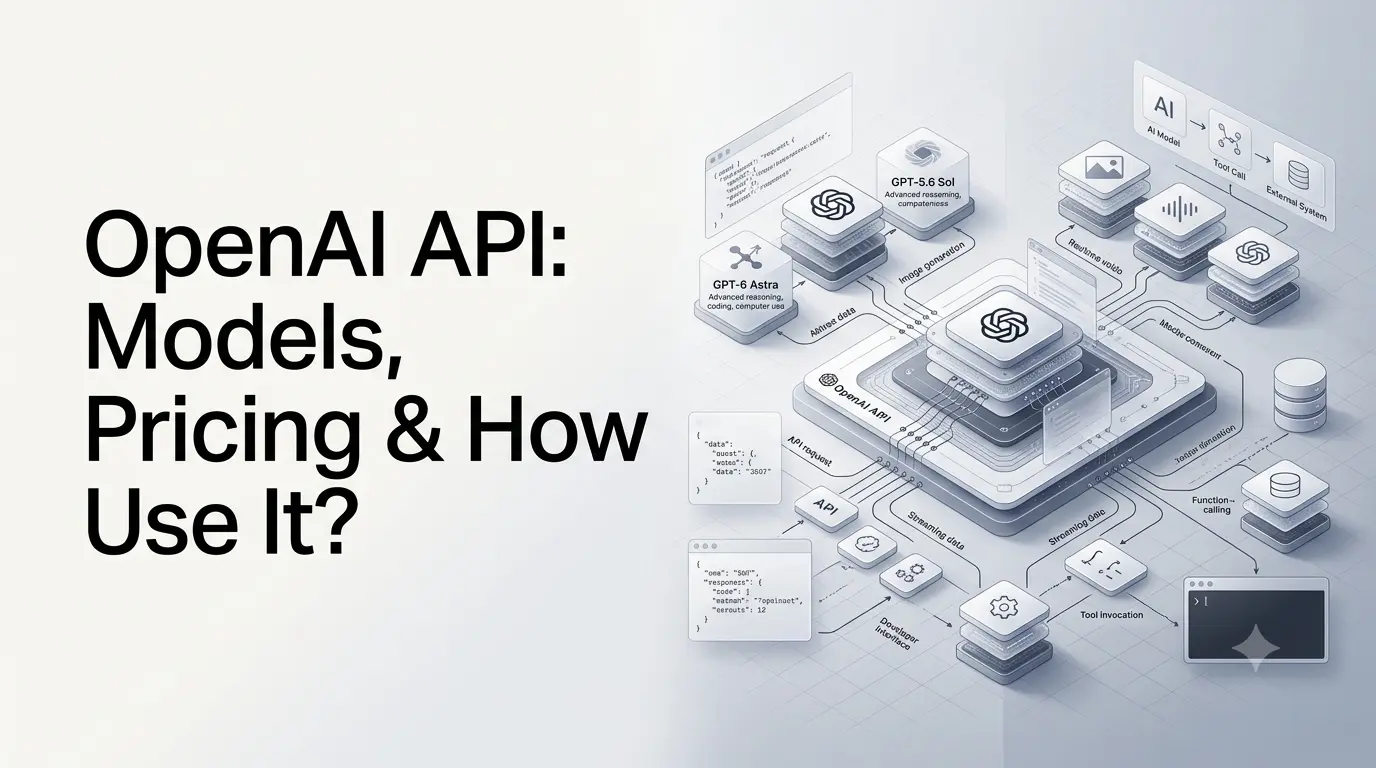
OpenAI API lets developers add OpenAI’s AI models and capabilities to websites, applications, SaaS products, internal tools, automation systems, and AI agents. Instead of using ChatGPT directly, developers send requests from their own software and receive model-generated text, structured data, tool calls, or other supported outputs.
OpenAI’s API includes GPT-6 Astra as its flagship model, alongside GPT-5.6 Sol, GPT-5.6 Terra, GPT-5.6 Luna, image-generation models, realtime and audio models, transcription models, and specialized models. The platform also provides capabilities such as web search, file search, computer use, function calling, structured outputs, streaming, and batch processing.
This guide explains what the OpenAI API is, which models are available, how pricing works, how to make your first API request, what features developers can use, and how to choose an appropriate model.
Quick Summary
- OpenAI API lets developers integrate OpenAI models into apps, websites, SaaS products, and AI agents.
- GPT-6 Astra is the flagship model for advanced reasoning, coding, research, computer use, and agentic workflows.
- Other GPT-5.6 models offer different performance and cost trade-offs for professional and high-volume workloads.
- Key features include Responses API, function calling, structured outputs, web search, file search, computer use, streaming, and Batch API.
- API pricing is primarily usage-based, depending on model, input tokens, output tokens, caching, and processing method.
- Developers can build chatbots, AI research tools, coding assistants, automation systems, data-extraction tools, and AI agents.
- API keys should be kept secure, and production applications should include validation, monitoring, permissions, and cost controls.
- Unlike ChatGPT, the OpenAI API is designed for developers who want to integrate AI into their own software and workflows.
What Is the OpenAI API?
The OpenAI API is a developer platform for integrating OpenAI models into software applications.
A typical workflow looks like this:
Your application → OpenAI API → AI model → response/tool call → your application
For example, an e-commerce application could send a customer’s question to an OpenAI model, receive a generated answer, and display that answer inside the company’s website.
Developers can also give models access to external capabilities. Depending on the model and API configuration, an application can allow the model to search the web, retrieve information from files, call functions in the developer’s software, use a computer environment, or return structured data.
The API is therefore more than a simple text-generation endpoint. It can serve as the intelligence and orchestration layer inside an application.
What Can You Build With the OpenAI API?
The API can be used for a wide range of applications, including:
- AI chatbots and assistants
- Customer-support systems
- Content and document-generation tools
- Coding assistants
- Research applications
- AI search experiences
- Document-analysis systems
- Data extraction and classification
- Voice applications
- Image-generation applications
- AI agents
- Workflow automation
- Internal business assistants
- SaaS products
- Educational applications
- Healthcare and scientific research workflows
- Marketing and sales automation
The important distinction is that the API gives developers building blocks. The developer is responsible for the application’s interface, business logic, permissions, databases, authentication, monitoring, and how the model is used.
Which OpenAI API Models Are Available?
OpenAI’s current API catalog is broader than a single GPT model. Models are organized around different workloads, including general reasoning, image generation, realtime audio, transcription, and specialized applications.
For general-purpose text and reasoning workloads, OpenAI currently highlights four main GPT-5.6/GPT-6 models.
| Model | Best suited for | Input / 1M tokens | Output / 1M tokens | Context window |
|---|---|---|---|---|
| GPT-6 Astra | Hardest reasoning, coding, agents and professional work | $10 | $50 | 1.05M |
| GPT-5.6 Sol | Complex professional workloads | $4 | $20 | 1.05M |
| GPT-5.6 Terra | Balance between intelligence and cost | $2 | $12 | 1.05M |
| GPT-5.6 Luna | Cost-sensitive, high-volume workloads | $0.20 | $1.20 | 1.05M |
Prices above are standard API text-token rates and can vary depending on caching, processing mode, long-context usage, regional processing, and other factors.
GPT-6 Astra
GPT-6 Astra is OpenAI’s current flagship API model for demanding end-to-end work.
It is designed for:
- Complex reasoning
- Software engineering
- Computer use
- Web and browser workflows
- Scientific work
- Research
- Professional tasks
- Long-running agentic workflows
- Document, spreadsheet, and presentation generation
The model has a 1.05-million-token context window and supports up to 128,000 output tokens.
Its API model ID is:
gpt-6-astraAstra supports reasoning effort levels from low through max. It also supports tools such as function calling, web search, file search, and computer use.
For developers building sophisticated agents or applications where the quality of reasoning matters more than the lowest possible token cost, Astra is the flagship option.
GPT-5.6 Sol
GPT-5.6 Sol is positioned as a flagship model for complex professional work.
Its standard pricing is:
- $4 per million input tokens
- $0.40 per million cached input tokens
- $20 per million output tokens
It has the same 1.05-million-token context window and 128K maximum output listed for the current GPT-5.6 family.
Sol can be a useful choice when an application needs strong reasoning but does not necessarily require the capabilities or cost profile of GPT-6 Astra.
GPT-5.6 Terra
GPT-5.6 Terra is positioned between high-end reasoning and cost efficiency.
Its standard pricing is:
- $2 per million input tokens
- $0.20 per million cached input tokens
- $12 per million output tokens
Terra can make sense for applications that process significant amounts of traffic while still requiring capable reasoning and multimodal input.
GPT-5.6 Luna
GPT-5.6 Luna is designed for cost-sensitive, high-volume workloads.
Its standard pricing is:
- $0.20 per million input tokens
- $0.02 per million cached input tokens
- $1.20 per million output tokens
That makes Luna substantially cheaper than Astra on a per-token basis.
Typical applications include classification, high-volume extraction, routine content transformation, simpler assistants, and other workloads where maximum reasoning capability is not always necessary.
Are There Specialized OpenAI API Models?
Yes. OpenAI’s model catalog also includes models designed for specific modalities and workloads.
The current catalog includes categories such as:
Image generation
OpenAI offers GPT-Image models for image generation and editing.
These can be used for applications such as:
- AI image creation
- Image editing
- Creative applications
- Marketing graphics
- Product visualization
- Design workflows
Realtime and audio
OpenAI provides models for realtime voice and audio experiences.
These are relevant to applications such as:
- Voice assistants
- Conversational agents
- Customer-service applications
- Speech-to-speech experiences
- Realtime translation
- Voice interfaces
Transcription
Speech-to-text models can convert audio into text and support transcription workflows.
Possible applications include:
- Meeting transcription
- Interviews
- Call analysis
- Voice notes
- Media transcription
- Realtime speech recognition
Specialized models
The catalog also includes models designed for areas such as cybersecurity and life sciences.
This means developers do not necessarily need to use a general-purpose GPT model for every API application.
What Are the Main OpenAI API Features?
The OpenAI API has evolved from basic text generation into a broader platform for building AI applications and agents.
Responses API
The Responses API is the central interface for creating model responses in current OpenAI development workflows.
A request can provide text or image input and receive generated output. The same interface can also connect the model with tools and external application logic.
For new applications involving reasoning, tool use, or multi-step interactions, the Responses API is particularly important.
Function calling
Function calling lets a model request that your application execute a predefined function.
For example, an online store could expose functions such as:
check_order_statussearch_productscalculate_shippingcancel_order
The model does not directly access the company’s database. Instead, it generates a structured function call, the application executes the function, and the result is returned to the model.
This creates a bridge between an AI model and an application’s existing systems.
Structured outputs
Structured outputs allow applications to request information in a defined format rather than relying entirely on free-form text.
For example, an application could ask the model to extract:
name
company
job_title
email
industry
This is particularly useful when model output needs to be processed automatically by software.
Web search
Models can use web search when an application needs current information rather than relying exclusively on the model’s training data.
This is useful for:
- Research tools
- News applications
- Market intelligence
- Current-events assistants
- Product research
- Search experiences
File search
File search allows an application to provide access to information contained in uploaded files.
This can be useful for:
- Internal company documentation
- Product manuals
- Research papers
- Legal documents
- Knowledge bases
- Customer-support material
Instead of placing an entire document collection into every prompt, applications can retrieve relevant information for the model.
Computer use
Computer-use capabilities allow supported models to interact with computer environments through available tools.
This can support workflows involving:
- Websites
- Software applications
- Forms
- Research
- Data entry
- Browser-based workflows
- Testing
Computer use is especially relevant to agentic applications because the model can go beyond generating instructions and participate in multi-step computer workflows.
Streaming
Streaming allows an application to receive output progressively rather than waiting for the entire response.
This is useful for:
- Chat interfaces
- Long responses
- Interactive assistants
- Voice applications
- Applications where perceived latency matters
Prompt caching
Prompt caching can reduce the cost of repeatedly sending identical portions of prompts.
This can be useful when an application repeatedly uses:
- Large system instructions
- Product catalogs
- Long reference material
- Repeated conversation prefixes
- Standard application context
Caching is particularly important for high-volume applications because input-token costs can accumulate quickly.
Batch API
The Batch API is designed for asynchronous workloads that do not require immediate responses.
OpenAI documents a 50% cost reduction compared with synchronous API processing, along with separate higher rate limits and processing within 24 hours.
Potential applications include:
- Large-scale classification
- Dataset processing
- Evaluation jobs
- Embedding generation
- Offline content processing
For workloads where immediate responses are unnecessary, batch processing can materially change the cost structure.
How Does the OpenAI API Work?
At a basic level, the process is straightforward.
1. Your application collects input
A user might enter:
Summarize this product description in three bullet points.
Your application receives the request.
2. Your backend sends the request to OpenAI
Your server sends the input, selected model, and any additional configuration to the OpenAI API.
3. The model processes the request
The selected model interprets the input and generates a response.
If tools are enabled, the model may also request a tool call.
4. Your application handles the response
Your application can display the answer, save it to a database, trigger another process, or pass the result to another system.
The architecture can therefore look like:
User → Your application → OpenAI API → Model → Tool/database/API → Model → Your application → User
This architecture is the foundation of many modern AI agents.
How Do You Use the OpenAI API?
A basic integration generally involves five steps.
Step 1: Create an OpenAI API account
Developers begin through the OpenAI developer platform.
An API key is used to authenticate API requests.
API credentials should be treated as secrets. They should generally be stored in environment variables or a secure secret-management system rather than hard-coded into a public website or frontend JavaScript application.
Step 2: Create an API key
After creating a project, generate an API key through the developer platform.
A typical environment variable is:
OPENAI_API_KEY="your_api_key"Do not publish the actual key in source code, GitHub repositories, browser JavaScript, screenshots, or client-side applications.
Step 3: Install an OpenAI SDK
OpenAI provides official SDKs that simplify API integration.
Common development environments include:
- Python
- JavaScript/TypeScript
- Other supported programming environments
- REST API integrations
Step 4: Select a model
For example:
gpt-6-astraThe appropriate model depends on the application’s requirements.
A developer building a high-end coding agent might choose Astra, while a high-volume classification system may be better suited to a lower-cost model such as Luna.
Step 5: Send a request
A basic Python example using the Responses API looks like this:
from openai import OpenAI

client = OpenAI()

response = client.responses.create(
    model="gpt-6-astra",
    input="Explain how an API works in simple terms."
)

print(response.output_text)
The important pieces are the OpenAI client, selected model, input, and response.
For production applications, developers normally add error handling, logging, authentication, rate-limit handling, usage monitoring, and application-specific validation.
OpenAI API vs ChatGPT: What’s the Difference?
ChatGPT and the OpenAI API use related OpenAI technology, but they serve different purposes.
| Aspect | ChatGPT | OpenAI API |
|---|---|---|
| Primary purpose | End-user AI application | Developer platform |
| Interface | ChatGPT application | API requests |
| Build into your own app | Not the primary purpose | Yes |
| API key required | No for ordinary ChatGPT use | Yes |
| Billing model | Subscription/plan based | Primarily usage based |
| Custom application logic | Limited compared with API | Full developer control |
| Tool integration | Available within ChatGPT | Developer-controlled |
| User interface | Provided by OpenAI | Built by developer |
A person who simply wants to use an AI assistant may not need the API.
A company building its own AI-powered product generally needs an API or another developer platform.
How Much Does the OpenAI API Cost?
The OpenAI API primarily uses usage-based pricing. The exact amount depends on the model, input tokens, cached input, output tokens, processing mode, and other applicable charges.
For the main current GPT models, standard rates are:
| Model | Input / 1M | Cached input / 1M | Output / 1M |
|---|---|---|---|
| GPT-6 Astra | $10 | $1 | $50 |
| GPT-5.6 Sol | $4 | $0.40 | $20 |
| GPT-5.6 Terra | $2 | $0.20 | $12 |
| GPT-5.6 Luna | $0.20 | $0.02 | $1.20 |
These are token prices, not monthly subscription prices.
Your actual bill depends on how much your application sends to and receives from the model.
What Are Tokens?
Tokens are units used to measure model input and output.
A request can contain input tokens from:
- User messages
- System/developer instructions
- Documents
- Conversation history
- Tool results
Output tokens are generated by the model.
Therefore, a system processing thousands of long documents can consume considerably more tokens than a small chatbot receiving short questions.
Does the OpenAI API Have a Free Tier?
Developers should not assume that API access works like a free ChatGPT subscription.
API usage is generally billed according to the applicable API pricing and account configuration. Model availability, rate limits, credits, and account eligibility can change.
Always check the current OpenAI pricing and billing documentation before estimating production costs.
How Can You Reduce OpenAI API Costs?
Several practical techniques can reduce API expenditure.
a) Choose the appropriate model
Do not automatically use the most expensive model for every request.
For example:
- Complex reasoning → Astra
- General professional workloads → Sol
- Balanced cost/performance → Terra
- High-volume, cost-sensitive tasks → Luna
b) Reduce unnecessary input
Large prompts cost money and can increase latency.
Avoid repeatedly sending information that the model does not need.
c) Use prompt caching
If large portions of a prompt remain unchanged between requests, caching can reduce input costs.
d) Use Batch API for offline jobs
When responses do not need to be immediate, Batch API processing can reduce costs by 50% compared with standard synchronous processing.
e) Control output length
Applications should avoid generating unnecessarily long responses.
A concise answer can be significantly cheaper than a long one when output volume is high.
What Is the Best OpenAI API Model?
There is no single best model for every application.
The appropriate model depends on the workload.
| Requirement | Potential choice |
|---|---|
| Maximum reasoning and complex agentic work | GPT-6 Astra |
| Complex professional tasks | GPT-5.6 Sol |
| Intelligence/cost balance | GPT-5.6 Terra |
| High-volume, cost-sensitive processing | GPT-5.6 Luna |
| Image generation/editing | GPT-Image family |
| Realtime voice experiences | GPT-Live / GPT-Realtime family |
| Speech transcription | GPT transcription models |
| Specialized scientific or cybersecurity work | Purpose-built OpenAI models |
The right way to select a model is to evaluate it against your actual workload rather than choosing solely from benchmark scores or model names.
What Are the Main OpenAI API Use Cases?
1. AI customer support
A business can combine an OpenAI model with its own knowledge base, CRM, order system, and support workflows.
The model handles natural-language interaction while application functions provide real business data.
2. AI content tools
Developers can build:
- Writing assistants
- SEO tools
- Summarization platforms
- Translation systems
- Content-repurposing tools
- Editing assistants
3. AI coding applications
Models can analyze code, explain errors, generate implementations, review changes, and participate in software-engineering workflows.
4. AI research tools
With web search, file search, long-context models, and reasoning, developers can build research applications that combine external sources with model analysis.
5. AI agents
Agents combine models with tools and application logic.
For example:
User request → planning → web search → database query → API call → analysis → action → final response
The model becomes part of a larger software system rather than simply answering a prompt.
6. Data extraction
Businesses can use structured outputs to convert unstructured documents into machine-readable information.
Examples include:
- Invoices
- Resumes
- Product catalogs
- Contracts
- Customer emails
- Reports
What Are the Limitations of the OpenAI API?
The API is powerful, but developers should not treat model output as automatically correct.
1. Models can make mistakes
Even highly capable models can produce incorrect information, misunderstand context, or generate plausible but unsupported statements.
Applications handling consequential information should use appropriate validation.
2. Costs can grow with usage
A prototype may be inexpensive while a production application processing millions of requests can generate substantial API costs.
Cost monitoring should therefore be part of the architecture.
3. Rate limits matter
API accounts have rate limits that vary according to usage tier and model.
Applications with high traffic need retry strategies, queues, concurrency controls, and appropriate capacity planning.
4. Tool calls add complexity
An AI agent that can call external systems is more powerful but also introduces additional failure points.
Developers need to consider:
- Authentication
- Permissions
- Tool validation
- User confirmation
- Error handling
- Data access
- Prompt injection
- Logging
- Security
5. Model behavior changes over time
OpenAI’s model catalog changes regularly. Models can be introduced, updated, deprecated, or replaced.
For production systems, developers should monitor the model lifecycle and consider pinned snapshots where consistency is important.
Is the OpenAI API Good for AI Agents?
The OpenAI API is particularly suited to agentic applications because models can reason, call tools, maintain context, work with files, search the web, and interact with computer environments.
GPT-6 Astra adds capabilities such as asynchronous tool calling, mid-turn steering, and the ability to change reasoning effort during a conversation while preserving relevant cached context.
A production agent might therefore operate like this:
- Receive the user’s objective.
- Break the objective into tasks.
- Search for information.
- Retrieve internal documents.
- Call business APIs.
- Analyze the results.
- Take an approved action.
- Verify the outcome.
- Return a final response.
The model itself is only one component. Reliable agents require strong software architecture around the model.
OpenAI API Security and Data Considerations
Security should be considered before connecting an AI model to production systems.
Developers should:
- Keep API keys server-side.
- Use least-privilege access for connected tools.
- Validate model-generated function arguments.
- Avoid exposing sensitive credentials to prompts.
- Monitor unusual API activity.
- Add human approval for high-impact actions where appropriate.
- Restrict computer-use environments.
- Validate outputs before executing automated actions.
OpenAI also documents Zero Data Retention availability for eligible API customers, but data-handling terms and eligibility depend on the account, product, endpoint, and configuration.
Organizations with sensitive data should review the current OpenAI data-processing documentation and contractual terms rather than assuming every API workflow has identical data handling.
What Changed With the OpenAI API in 2026?
The 2026 API platform reflects a broader shift from standalone language generation toward agentic and multimodal application development.
Major developments include:
- GPT-6 Astra as the current flagship model
- Larger context windows
- More capable reasoning
- Computer-use capabilities
- Improved tool orchestration
- Async tool calling
- Mid-turn steering
- Dynamic reasoning configuration
- Expanded multimodal models
- Realtime voice models
- Image-generation models
- More specialized models
- Greater emphasis on agentic workflows
The important change is architectural: developers can increasingly build systems where the model reasons about a task, uses tools, interacts with software, and returns a structured result instead of simply generating text.
OpenAI API: Practical Beginner Workflow
If you are new to the platform, a sensible progression is:
Start with a simple text request
↓
Learn the Responses API
↓
Add structured outputs
↓
Connect your own functions
↓
Add file search or web search
↓
Measure quality and cost
↓
Add monitoring and security
↓
Move to more complex agentic workflows
This approach is usually easier to manage than trying to build a fully autonomous AI agent immediately.
Who Should Use the OpenAI API?
The API is particularly relevant to:
- Software developers
- SaaS companies
- Startups
- Enterprises
- AI product teams
- Automation developers
- Agencies
- Researchers
- Developers building AI agents
- Businesses adding AI to existing software
Someone who only wants to chat with an AI does not necessarily need the API. The API becomes valuable when AI needs to become part of a product, workflow, website, or internal system.
Conclusion
The OpenAI API has evolved into a broad platform for building AI-powered software rather than simply an endpoint for generating text.
Its current model lineup ranges from GPT-6 Astra for demanding reasoning and agentic workloads to GPT-5.6 Luna for cost-sensitive, high-volume applications. Specialized models extend the platform into image generation, realtime voice, transcription, cybersecurity, life sciences, and other areas.
For developers, the biggest opportunity is not simply asking a model to generate an answer. The API can connect models with software, data, web search, files, business functions, and computer environments.
The best implementation therefore starts with the workload: choose the appropriate model, estimate token costs, design the tool architecture, validate outputs, protect credentials and sensitive data, and monitor the system as it scales.
Frequently Asked Questions (FAQs)
1. Is the OpenAI API free?
The OpenAI API is primarily a usage-based developer service rather than a free version of ChatGPT. Costs depend on the model and the amount of input and output processed. Check the current OpenAI pricing page for the latest rates and account-specific details.
2. What is the current OpenAI API model?
As of September 2026, OpenAI identifies GPT-6 Astra as its most capable API model for complex reasoning, coding, computer use, research, and professional work. Other GPT-5.6 models are available for different cost and workload requirements.
3. What is the cheapest current GPT model in the OpenAI API?
Among the main current GPT-5.6 models, GPT-5.6 Luna has the lowest standard token pricing at $0.20 per million input tokens and $1.20 per million output tokens.
4. Is the OpenAI API the same as ChatGPT?
No. ChatGPT is an end-user application, while the OpenAI API is a developer platform that allows applications to integrate OpenAI models into their own software.
5. Can I use the OpenAI API to build an AI chatbot?
Yes. Developers can use OpenAI models to build chatbots and assistants, then combine them with conversation state, application databases, function calling, file search, web search, and other tools.
6. Can I build an AI agent with the OpenAI API?
Yes. The API supports capabilities used in agentic systems, including reasoning, tool calling, web search, file search, computer use, structured outputs, and multi-step workflows. The surrounding application still needs to implement permissions, business logic, tool execution, and safety controls.
Also Read –
GPT-6 Astra: Features, Capabilities, Performance & What’s New?
Astra for Law: OpenAI Builds AI for Legal Work