

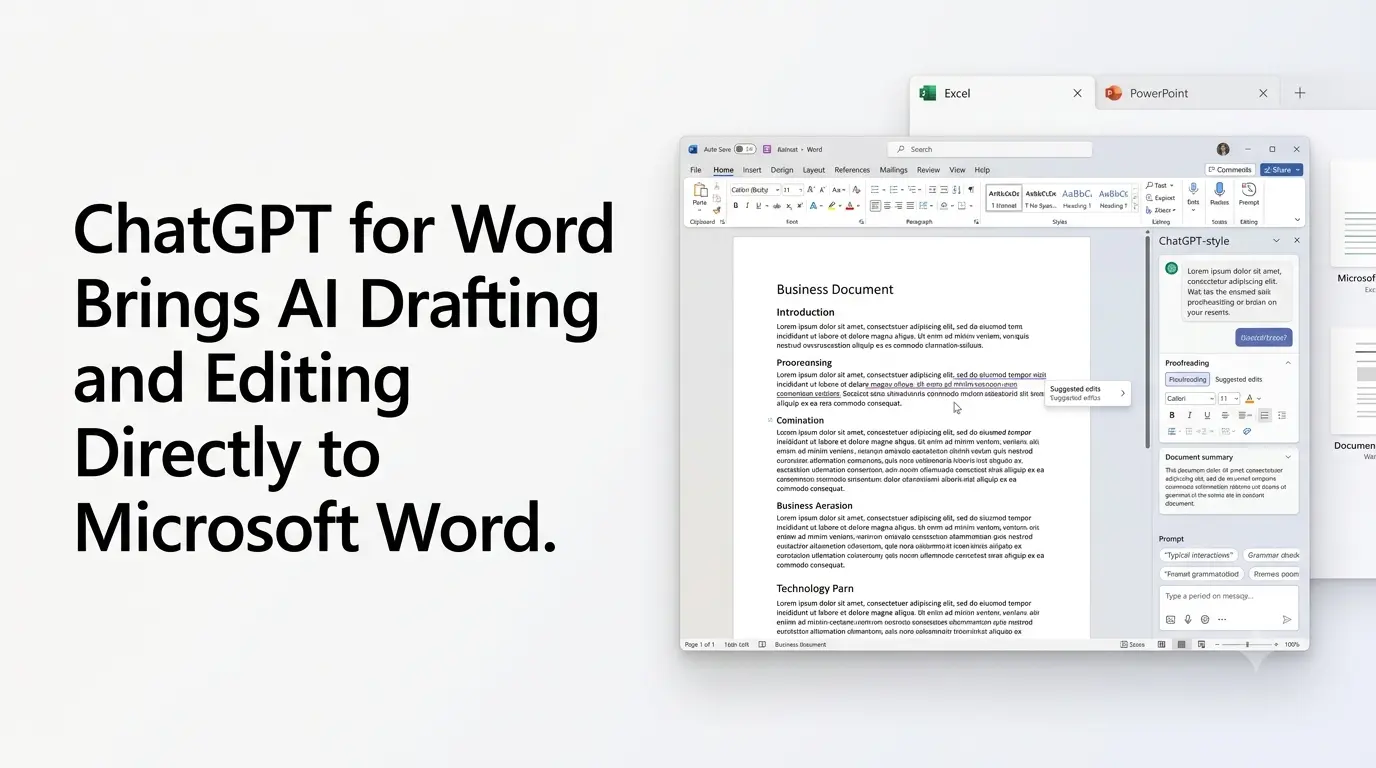
OpenAI has launched ChatGPT for Word, bringing its AI assistant directly into Microsoft Word through a native add-in. The feature became available on September 17, 2026, and allows users to draft, revise, proofread, and format documents without leaving Word.
The launch extends OpenAI’s workplace productivity strategy beyond the standalone ChatGPT interface. Instead of moving text between Word and a separate AI chatbot, users can interact with ChatGPT from a sidebar while working on the document itself.
OpenAI says ChatGPT for Word is available globally across Free, Go, Plus, Pro, Business, Enterprise, Edu, Teachers, and K– 12 plans, although usage limits and workspace controls vary by plan.
Quick Summary
- ChatGPT for Word is now available directly inside Microsoft Word.
- Users can draft, edit, proofread, summarize and format documents from the Word sidebar.
- It can use connected information from supported apps such as Outlook, SharePoint and Google Workspace, subject to permissions.
- The Word integration is available across ChatGPT plans, including Free, with applicable usage limits.
- Business and Enterprise users received a limited GPT-5.6 Sol preview in Word from September 17–30, 2026.
- ChatGPT for Word joins OpenAI’s existing Excel and PowerPoint integrations.
- The update expands ChatGPT’s role from standalone AI assistant to an integrated workplace productivity tool.
What Can ChatGPT for Word Do?
The Word integration is designed around common document-production tasks.
Users can start with rough notes and ask ChatGPT to turn them into a more structured document. It can also rewrite sections, strengthen an argument, proofread for grammar and repetition, identify inconsistent terminology, and help format documents.
OpenAI’s current examples include creating client recommendations from notes, preparing executive summaries, reviewing drafts for unclear language, and organizing operating plans into goals, owners, milestones, and open questions.
The system can also work with documents already open in Word. This makes the feature different from simply copying a passage into a browser-based chatbot because the AI is integrated into the document workflow.
However, OpenAI cautions that ChatGPT can make mistakes or unintended edits. Users are advised to review important facts, figures, and changes, while complex formatting, tables, and charts may still require manual refinement.
ChatGPT for Word Works From a Sidebar
ChatGPT for Word operates through a sidebar inside Microsoft Word.
After installing the ChatGPT add-in from Microsoft Marketplace, users open ChatGPT from Word and sign in with their ChatGPT account. Microsoft administrators may need to enable the add-in for organizational users.
The same Microsoft add-in also connects the ChatGPT experiences for Word, Excel, and PowerPoint, creating a more consistent interface across Microsoft’s major productivity applications.
The approach means users can keep their primary workspace open while using AI for tasks that would otherwise require switching between applications.
ChatGPT for Word Can Use Additional Context
OpenAI says ChatGPT for Word can incorporate additional context from connected applications where supported.
The Word product page lists sources including Outlook, SharePoint, Google Workspace and Dropbox as examples of connected apps that can provide relevant emails, files and team knowledge, subject to the user’s plan, permissions and workspace settings.
This expands the feature beyond simple proofreading or rewriting. A user could, for example, work on a document while grounding the task in information from connected business sources.
OpenAI also says users can apply reusable Skills to recurring document workflows. These can encode instructions and standards for tasks such as executive memos, research summaries, contract review, and document formatting.
That makes the Word integration relevant not only to individual writing tasks but also to repeatable professional workflows.
ChatGPT for Word Is Available on Free and Paid Plans
Unlike some enterprise-oriented AI integrations, ChatGPT for Word is not restricted to paid business customers.
OpenAI’s product page currently lists the integration as available globally across Free, Go, Plus, Pro, Business, Enterprise, Edu, Teachers and K– 12 plans. Usage remains subject to the limits associated with each plan.
OpenAI’s current pricing information also lists Excel, PowerPoint, and Google Sheets extensions as available to Free and Go users with limited access. At the same time, paid plans receive broader access depending on the plan.
For organizations, administrator settings can determine whether the add-in and connected apps are available to employees.
GPT-5.6 Sol Gets a Limited Word Preview
OpenAI is also using the launch to provide Business and Enterprise customers with a temporary preview of GPT-5.6 Sol inside ChatGPT for Word.
According to OpenAI’s current rate card, the preview runs from September 17 through September 30, 2026, and applies specifically to Word. The company says the preview does not affect the normal usage limits for those customers.
This gives business users an opportunity to test a higher-capability model directly within their document workflow before the preview period ends.
The GPT-5.6 family is already used across OpenAI’s broader ChatGPT, Codex, and API products, with Sol positioned as the higher-capability tier.
Word Joins ChatGPT’s Excel and PowerPoint Integrations
ChatGPT for Word is part of a broader expansion into Microsoft productivity applications.
ChatGPT for Excel allows users to build and update spreadsheets, analyze data across tabs, and work with formulas directly within Excel. OpenAI currently lists the Excel and Google Sheets experience as globally available across its consumer and business plans, subject to plan and usage limits.
ChatGPT for PowerPoint provides a similar workflow for presentations. Users can create slides from source material, revise existing decks, improve presentation structure, and keep the resulting slides editable in PowerPoint. The PowerPoint integration is also available globally across ChatGPT plans, subject to plan limits and workspace settings.
Together, the three integrations cover three of the most common workplace document types: documents, spreadsheets, and presentations.
What the Word Integration Means for AI Productivity?
The significance of ChatGPT for Word is less about introducing a new standalone AI model and more about moving AI assistance into an existing professional workflow.
Word remains the primary environment for creating and editing the document, while ChatGPT becomes an integrated layer for drafting, analysis, revision, and formatting. Users can therefore invoke AI assistance at the point where the work is being performed rather than moving content to another application.
OpenAI’s broader direction also points toward reusable workflows. Skills, connected applications and plan-level controls allow the Word experience to move beyond one-off prompts toward repeatable document processes.
There are still limitations. OpenAI warns that generated or edited content should be reviewed, and some complex document formatting may not be handled perfectly. The integration also does not automatically access files stored on a user’s computer outside the document and connected sources made available to ChatGPT.
For users who spend much of their working day inside Microsoft Word, ChatGPT for Word represents a shift toward AI assistance being embedded directly into the software where documents are created, reviewed, and finalized.
Also Read –
ChatGPT Atlas: The Future of AI-Powered Browsing
ChatGPT Ads Explained: What Users Should Know?
Source
- OpenAI — ChatGPT for Word
- OpenAI Help Center — ChatGPT Release Notes, September 17, 2026
- OpenAI Help Center — ChatGPT Rate Card
- OpenAI — ChatGPT for Excel and Google Sheets
- OpenAI — ChatGPT for PowerPoint