
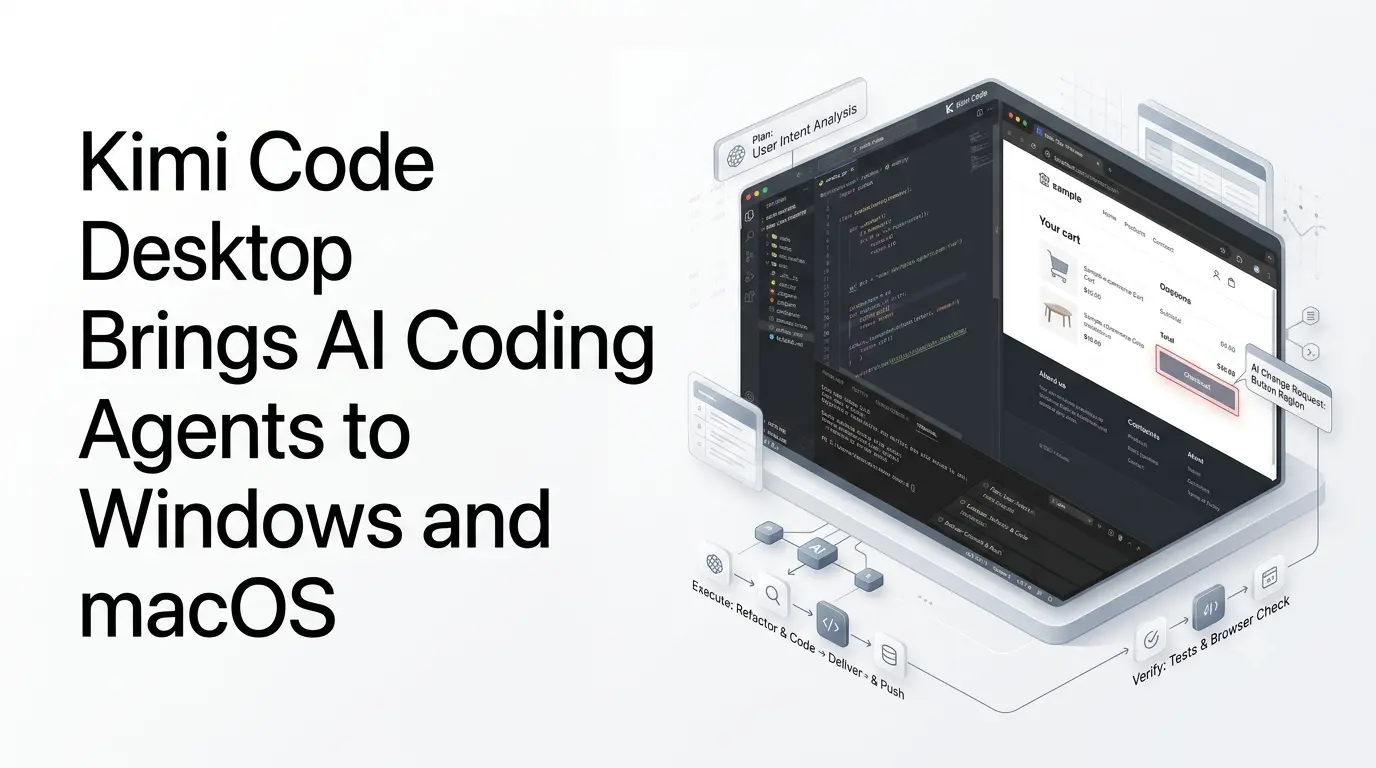
Moonshot AI has officially launched Kimi Code Desktop, bringing its Kimi Code AI coding agent from the terminal into a graphical desktop environment for developers on macOS and Windows. The application became available on September 17, 2026, and is designed to handle the workflow from opening a local project through code changes, testing and delivery within a single interface.
Rather than functioning as another code-completion editor, Kimi Code Desktop is built around an agent that can inspect a project, modify files, execute commands, use a browser and verify results. Kimi says the desktop application carries the Agent core of Kimi Code CLI into a graphical interface.
The launch gives developers another way to use Kimi Code without working primarily from a terminal. It also puts more emphasis on seeing and controlling what the coding agent is doing as it works.
Quick Summary
- Kimi Code Desktop is now available for Windows and macOS.
- It brings Kimi’s AI coding agent into a dedicated desktop interface.
- Developers can monitor agent actions, tool calls and file changes.
- It includes an integrated browser, terminal, file previews and code diffs.
- Plan, Goal and Swarm modes support different types of development tasks.
- Visual annotations let developers point to webpage or screenshot elements.
- Background tasks allow longer coding workflows to continue while developers work elsewhere.
- The desktop app can manage multiple projects and coding sessions from one interface.
What Kimi Code Desktop adds?
Kimi Code Desktop is available for macOS on both Apple Silicon and Intel, as well as Windows. Users can open a local project as a workspace, start a session and ask the Agent to read or modify code through conversation.
The desktop interface brings several parts of the development workflow together:
- Local project and workspace management
- AI-assisted code writing and modification
- File previews and change diffs
- Built-in terminal for verification
- Integrated browser
- Plan and Goal modes
- Swarm-based multi-agent tasks
- Background tasks
- Plugin support
- Session search and management
Kimi’s documentation describes the application as a conversation-to-delivery workflow rather than simply a chat interface attached to a code editor. Developers can describe a task, track the Agent’s execution, review changes and run verification commands before completing or reverting the work.
Kimi Code Desktop makes agent activity more visible
One of the more notable aspects of the desktop release is the visibility Kimi provides into the Agent’s actions.
The interface displays tool calls, thinking activity and the files changed during each turn. Developers can inspect the changes and provide additional instructions while a task is running. Kimi also provides approval cards for operations that require a user’s decision.
The desktop application includes three permission modes: Always Ask, Ask When Needed and Never Ask. This allows developers to choose how much control they want over operations performed by the Agent.
That approach is particularly relevant for agentic coding workflows, where an AI system can move beyond generating code and begin interacting with files, terminals and development environments.
Plan, Goal and Swarm modes
Kimi Code Desktop separates different types of development tasks into dedicated modes.
Plan mode lets the Agent analyze a task and propose an approach before making changes. Developers can review and refine the plan before execution begins.
Goal mode is designed for longer-running objectives involving multiple turns and checks. A goal can be paused, resumed or cancelled, allowing work to continue without requiring every step to be handled interactively.
Desktop also supports Swarm mode, which can divide independent investigation or modification work among multiple subagents. Progress is displayed in the Tasks or Subagent area.
Kimi’s documentation distinguishes this verified Desktop Swarm functionality from its separate experimental Tower multi-agent system documented for its Web and CLI environments.
A browser is built into the coding workflow
Kimi Code Desktop also integrates a browser directly into the application.
The browser appears in a right-hand panel, with tabs that remain associated with the session and share page context with the Agent. This lets developers look up documentation, inspect web applications and verify changes without moving between separate applications.
The browser received additional updates in Kimi Code Desktop 1.0.2 on September 19. Kimi added live representations of the Agent’s browsing activity, grouped activity summaries with sources, search using a configured search engine and additional browser controls.
The integration is particularly useful for web development, where the same task may require modifying source files, checking documentation and inspecting the resulting web page.
Visual annotations let developers point to what needs changing?
Another part of the desktop workflow is visual input.
Developers can capture screenshots and annotate them, select text, reference files with @ mentions and identify elements on web pages. The selected context can then be sent to the Agent as part of the task.
This changes how developers communicate certain UI problems. Instead of describing the location of an element entirely through text, a developer can point to the relevant part of a page or screenshot and provide a short instruction.
Kimi’s documentation says screenshot capture is supported on both macOS and Windows, with platform-specific shortcuts for capturing part of the screen.
The application is more than a graphical version of the CLI
Although Kimi Code Desktop is built on the Agent core of Kimi Code CLI, the two products are positioned differently.
The CLI is designed for terminal-first development and scripted workflows, while Desktop focuses on graphical project management, sessions, changes and terminal verification. The two can coexist on the same machine and share certain local configuration, including account, model, provider and plugin-related settings.
Kimi Code Desktop can also connect to third-party model providers. Its documentation says users can add a provider by entering an API key, base URL and model information through the provider settings.
The application also supports plugins. Kimi’s documentation lists extensions such as Kimi Computer Use, Kimi Browser Extension and Kimi Datasource, alongside support for custom plugin sources.
Availability and what developers can use it for
Kimi Code Desktop is currently available for Windows and macOS, including both Apple Silicon and Intel versions of macOS. The official Kimi Code download and documentation pages provide the installation options.
The application is aimed primarily at developers who want an AI agent to participate in more of the software-development process rather than simply generate snippets.
Its documented workflow covers tasks such as reading an unfamiliar codebase, implementing changes, running commands, checking results, reviewing diffs and working with web pages. Kimi Code itself can also search the web and read web content as part of its agent workflow.
The September 17 launch therefore represents a shift in how Kimi Code is delivered: the underlying coding agent is no longer limited to terminal-oriented workflows and is now packaged as a dedicated desktop environment where developers can manage projects, supervise agent activity and verify changes from one application.
With Kimi Code Desktop now available on Windows and macOS, Kimi is positioning its coding agent as a broader development workspace rather than only a command-line programming tool.
Also Read –
Kimi K2.5: Open-Source Visual Agentic Intelligence Explained
Source
Kimi Code – official product page
Kimi Code Desktop – Quick Start
Using the Kimi Code Desktop App