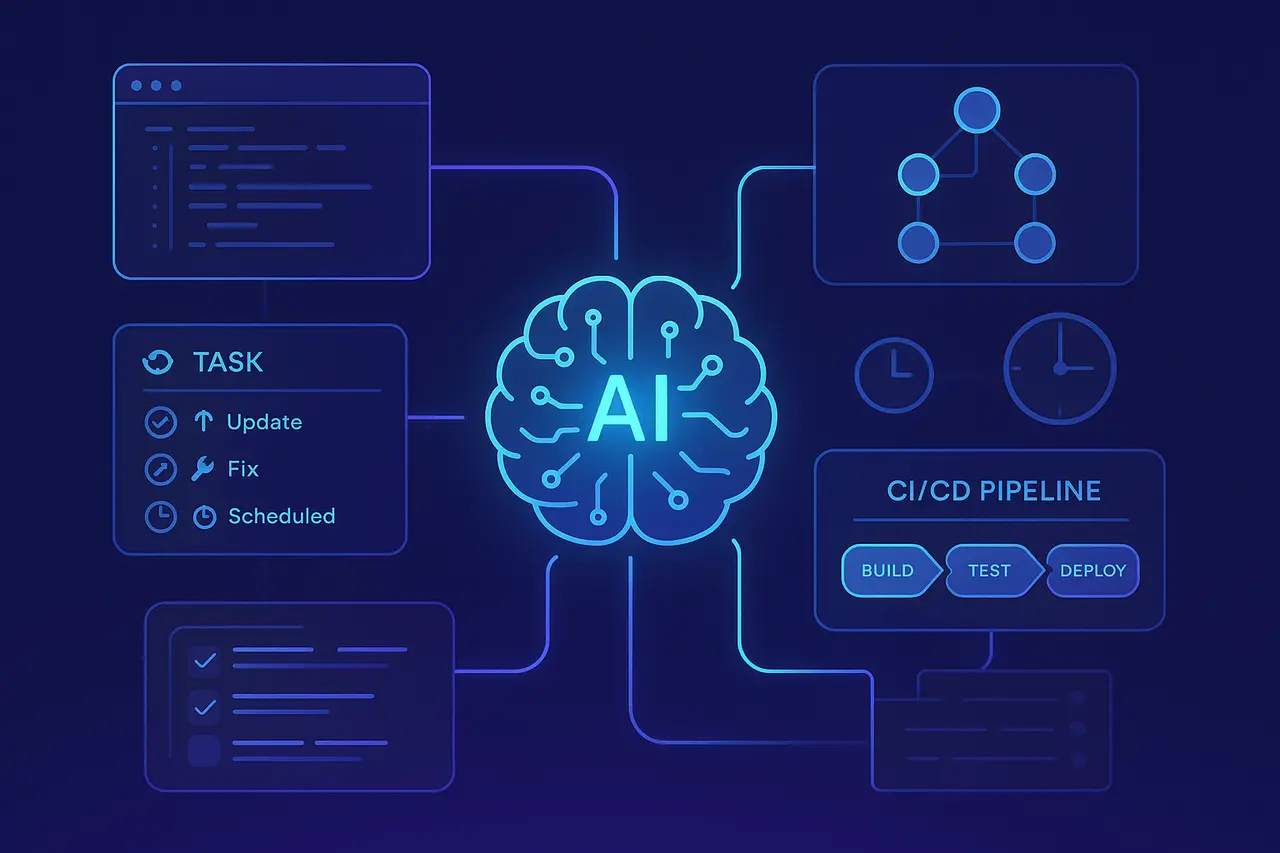
Automation is now a necessity for modern development teams striving to ensure code quality, reduce technical debt, and improve workflows. Although traditional CI/CD tools support task scheduling, they typically lack contextual intelligence and require manual continuous monitoring. Jules Scheduled Tasks introduces a more efficient approach, allowing automated, AI-driven maintenance that runs on a stable schedule. From daily dependency updates to weekly cleaning, Jules automates repetitive engineering tasks so developers can focus on more valuable work. This is an essential shift in software maintenance that isn’t only scripted, but is intelligent and adaptive. It is also deeply embedded in the development cycle.
In this article, we will explore Jules Scheduled Tasks, how they automate recurring development workflows, and why they are transforming modern software maintenance.
What Are Jules Scheduled Tasks?
Jules scheduled tasks is a feature of Jules, Google’s autonomic AI agent for coding, that allows developers to automate regular maintenance and quality tasks in their codebases. Instead of manually scheduling routine tasks, such as updating dependencies, fixing lint issues, or running cleaning sweeps, you can define the task once, and Jules performs it based on a preset timer. This ability extends the primary benefit of Jules’ autonomous, asynchronous code improvement to scheduled maintenance, helping teams ensure code quality consistency while reducing time and errors.
Scheduled Tasks was launched in December 2025. The feature is now available for all Jules users.
Why Scheduled Automation Matters in Modern Dev Workflows?
Modern software teams face constant pressure to ensure their codebases remain healthy. Dependencies deteriorate, lint errors accumulate, TODOs languish, and tinode slowly begins to decay. Using traditional methods requires developers to track and perform these tasks manually, or to incorporate them into complex CI/CD pipelines using tools and cron jobs. Both are fragile, time-consuming and vulnerable to human error.
When you use Jules’ scheduled tasks, the automation can become contextually aware and AI-driven. Jules isn’t just running a script; it understands the repository’s context, implements best practices, and even opens pull requests and suggests fixes. This helps maintainers move towards continuous improvement rather than occasional firefighting.
- Convergence: Tasks follow a consistent schedule every night, either weekly or monthly, to ensure that maintenance does not get lost in the shuffle.
- Developer The Focus: Teams can spend less time on tedious chores and instead focus on the development of core features.
- AI-Enhanced Quality: Jules leverages your program’s knowledge to provide informed updates rather than simply applying changes.
How Jules Scheduled Tasks Works?
Using scheduled tasks in Jules is simple and was designed by engineers who are comfortable with GitHub or cloud-based workflows.
- Pick the repository: On Jules’ dashboard, select the repository that you wish to automate.
- The Task: Specify the job that you would like Jules to do, for instance, a “weekly dependency upgrade” or “nightly code cleanup.”
- Choose the frequency: Choose the frequency at which the task will be executed: weekly, nightly or monthly intervals.
- Automated Execution: Jules wakes up at the set times, executes the task on its own, and then creates a pull request with the changes. This way, you’re in control.
- Review and Merge: Your team members examine the pull requests you have proposed and then merge them once they are ready.
Once scheduled, tasks continue to run on autopilot with no manual intervention.
Typical Use Cases for Scheduled Tasks
Scheduled Tasks can be very flexible and adaptable to various aspects of maintenance of software and quality assurance:
Dependency Management
Maintaining dependencies up to date is vital to ensure safety and compatibility. A weekly dependency check could automatically bump versions and suggest updates via pull requests, reducing the risk of manual work.
Linting and Formatting
Style drift in code can affect readability and lead to inconsistencies. Scheduling nightly lint and formatting checks will ensure that the codebase’s style is consistent and that developers do not have to keep track of running the tools.
Backlog Cleanup
Older projects build up TODO comments and commented-out code. They can also be found in the configuration settings for relics. Monthly backlog sweeps can address these issues and keep the repository running smoothly.
Test Coverage Assurance
While it’s not a replacement for an integration with Testing infrastructure, scheduled tasks can automatically refresh or refine tests regularly, allowing teams to identify problems earlier.
Scheduling Best Practices
To maximise the value from Jules’ scheduled tasks, here are some valuable suggestions:
- Start small: Begin with a couple of essential tasks (e.g. weekly updates to dependencies) and grow when you realise value.
- Be consistent with the Team’s Workflow: Set tasks for times that are less disruptive to the team, such as outside the most crowded collaboration hours.
- Monitoring Pull Requests: Although Jules opens PRs on its own, a human user ensures that the changes meet project objectives.
- Timing: While not all jobs require the same frequency. More efficient repos can benefit from both nightly and daily tasks, whereas older libraries may require monthly attention.
Comparison With Traditional CI/CD Tools
Traditional CI/CD (Continuous Integration/Continuous Deployment) tools like Jenkins, GitHub Actions, CircleCI, or GitLab CI enable periodic jobs via configuration files and cron-like schedules. Jules Scheduled Tasks differs from other scheduling tools in significant ways:
In essence, CI/CD scheduling functions as an automated, declarative process, while Jules is a sophisticated, action-oriented automation powered by AI.
Security and Privacy Considerations
If you’re automating code changes, security and privacy are crucial. Jules is designed to work on code in secure environments.
- Isolated Execution: Tasks run inside secure cloud VMs, protecting repository data.
- Review Workflow: Pull requests let humans review before merging.
- Controlled Access: Integration with GitHub uses authenticated access, allowing teams to control access rights.
The assurance that, while automation is effective, it cannot bypass vital security checks.
Integrating Scheduled Tasks With Your Development Ecosystem
Scheduled Tasks function well with other elements that are part of the development procedure:
- GitHub Workflows: Utilise Jules Scheduled Tasks with GitHub Actions to automate build and testing.
- Issue Trackers: Links the results of scheduled tasks to bug trackers such as Jira and Linear to track the audit trail.
- ChatOps: Connect to Slack or Teams to receive alerts regarding automated PRs.
- APIs and CLI tools: Use the Jules API or CLI to blend scheduled automation with custom workflows or scripts.
By combining autonomous AI automation with your existing toolchain, the development process is more robust and scalable.
The Future of AI-Powered Dev Workflows
Jules Scheduled Tasks represents a paradigm shift in how routine maintenance is viewed in software engineering. Instead of relegating maintenance tasks to regular sprints or leaving them to developers’ goodwill, teams can now delegate them to an AI agent that understands code and quality requirements. This improves productivity, reduces technical debt, and enables continuous delivery pipelines with lower manual overhead.
As AI agent coding evolves, features such as Scheduled Tasks point to more intelligent, autonomous DevOps processes in which humans focus on strategy and creativity. At the same time, AI handles repetitive, routine tasks.
Final Thoughts
Jules Scheduled Tasks offers a practical, forward-looking approach to one of the most significant issues for software engineers: maintaining an up-to-date, healthy codebase without causing excessive developer stress. By combining predictable scheduling with context awareness, AI automation enables developers to improve consistency, reduce manual work, and avoid the accumulation of technical debt that often goes unnoticed.
When autonomous AI systems develop capabilities such as Scheduled Tasks, they will play an increasing role in the development workflow, helping teams work faster, deliver more consistently, and ensure higher-quality code at scale. For companies looking for an efficient way to support continuous development, Jules provides a strong foundation for future AI-powered development.
Frequently Asked Questions
1. What is a ‘Scheduled Task’ in Jules?
A ‘Scheduled Task’ is a regular automated job defined in Jules that executes on a set schedule (nightly, daily, weekly, or monthly) and handles maintenance or code quality tasks in your repository.
2. Do I have to write scripts for Scheduled Tasks?
No. Instead of writing scripts for the tasks, you create them using the Jules dashboard. The AI agent interprets your instructions and completes the task.
3. What does Jules suggest as modifications?
If a task is scheduled to run, Jules performs the work and then opens a pull request with the proposed changes for your review before merging.
4. Can Scheduled Tasks be adapted to different frequency levels?
Yes, you can select from standard schedules such as weekly, nightly, or monthly. Then, you can adjust it according to your team’s workflow requirements.
5. Does my code remain secure when using Scheduled Tasks?
Yes. Jules manages tasks in secure cloud environments. He only makes changes via pull requests after reviewing to ensure that your code remains protected and safe.
6. What is the difference between this and CI/CD cron jobs?
In contrast to conventional cron jobs, which simply execute scripts, Jules Scheduled Tasks are AI-driven and context-aware, enabling greater automation through learning and code modification.
Also Read –
Google AI Smart Glasses Launch in 2026: Features & Details
Google Nano Banana 2 Flash: What to Know About the Upcoming AI Image Model