The introduction of happycapy offers a fresh way to run agent-driven, code-based workflows directly in a web browser. Created as an agent-native computing system, it lets users run Claude Code in a private Sandbox without requiring specific hardware on the computer, such as a Mac Mini. With a browser-based, user-friendly visual interface, happycapy hopes to make autonomous coding tools more portable, accessible, and suitable for everyday use.
This article describes what HappyCap is and why it is essential, how it functions, and how it can be used within the ever-changing world of tools for development using agents.
What Is Happycapy?
Happycapy is a web-based, agent-native computing system designed to execute Claude Code through an integrated agent workflow. This system is based on a simple process:
- The Claude Code for the agent responsible for coding
- Clawdbot is a middle agent layer for execution
- Happycapy as the user’s browser-based computer experience
In essence, happycapy is an ultra-light virtual computer designed to work with AI agents and not conventional desktops. Its focus is on execution isolation, visualization, and, instead of full emulation, of operating systems.
Why the Happycapy Agent-Native Computer Matters?
Running AI software agents usually requires local computers, cloud VMs, or complicated setup processes. Happycapy overcomes these limitations by shifting the agent’s execution to the controlled environment of a browser.
The primary reasons this method is essential include:
- Hardware Independence: There is no requirement to have a Mac Mini or an always-on local machine
- Capability: The same agent workspace from any location
- Lower Friction of Setting: No manual provisioning of the environment
- Broader Accessibility: Designed for non-expert users, such as developers
By abstracting the infrastructure for users, happycapy aligns with the trend towards agent-first model-based computing.
How Happycapy Works?
Agent-Native Architecture
Happycapy was designed to work with agents, not applications. Instead of starting traditional programs, the users interact with agents and outputs.
The workflow generally follows this format:
- User launches happycapy within an internet browser
- Claude Code runs inside a private sandbox
- Clawdbot oversees the execution of agents and tasks
- The GUI shows agent actions and the results of their skills.
This structure guarantees that every session is distinct, repeatable, and safe.
Private Sandbox Execution
Every HappyCap session takes place inside a sandbox in private, that is to say:
- Execution of code is a separate process for each user
- No dependence on personal computers
- Lower chance of interference between sessions
This sandboxing model is beneficial for those working with autonomous or experimental code generation.
Key Features of Happycapy
1. Browser-Based Agent Computer
Happycapy runs entirely in the browser, removing the need for dedicated or permanent hardware or servers. Users can begin or end sessions whenever they want.
2. Claude Code Availability Anywhere
Claude Code can be run at any time, anywhere, as long as a browser is accessible. This eliminates the traditional limitations on particular devices.
3. GUI for Everyday Users
In contrast to terminal-heavy agents that use terminals, happycapy has a graphic GUI with the following features
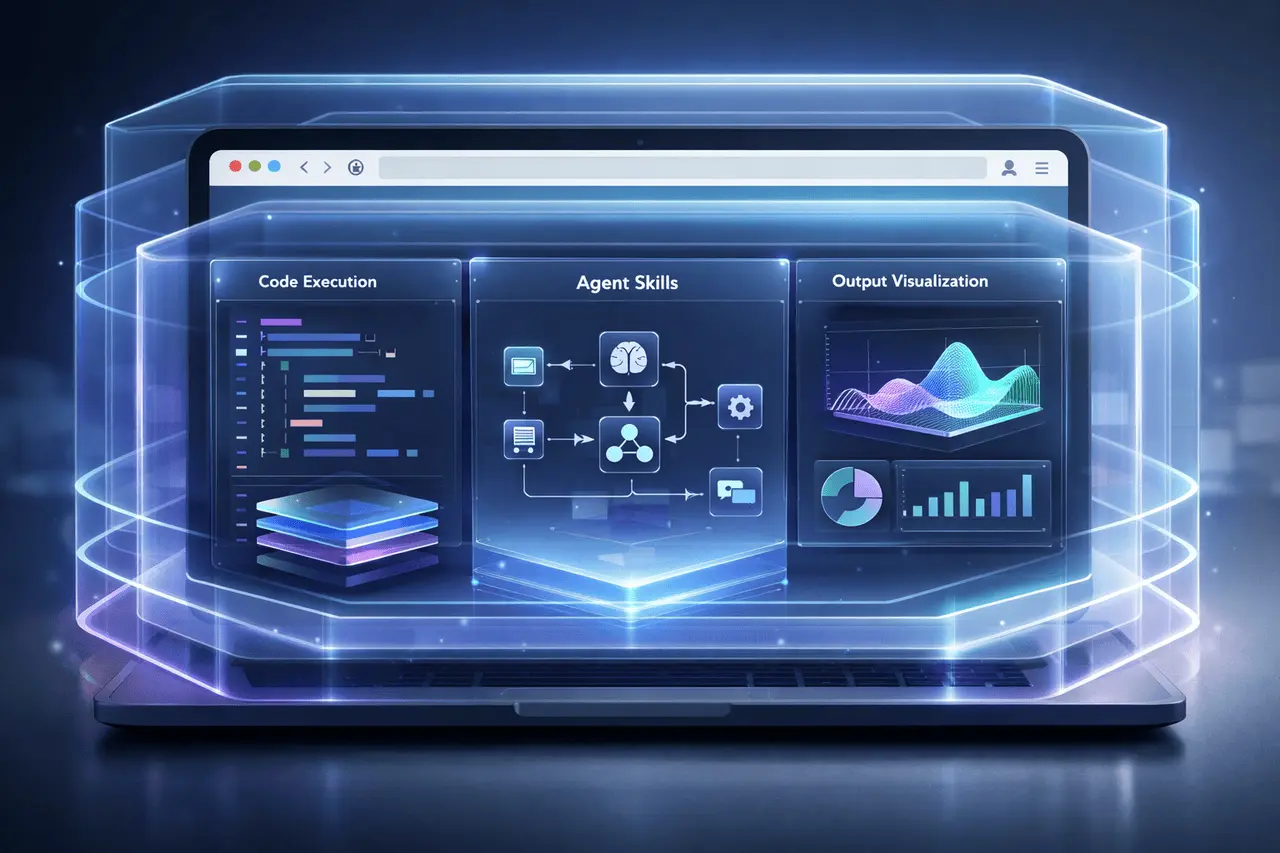
- Visualizes the skills of agents
- Shows outputs from intermediate to final
- Agent behavior is more straightforward to comprehend
This removes the hurdle for those unfamiliar with command-line workflows.
4. Skill and Output Visualization
Happycapy focuses on transparency by demonstrating:
- What skills does an agent invoke
- What tasks are broken into smaller pieces
- The outputs created in each step?
This visibility enables debugging, learning, and trust in workflows driven by agents.
Feature Comparison Table
| Feature | Happycapy | Traditional Local Setup |
|---|---|---|
| Hardware required | None beyond a browser | Dedicated local machine |
| Setup complexity | Minimal | High |
| Agent isolation | Private sandbox | Depends on configuration |
| GUI support | Built-in | Often terminal-based |
| Portability | High | Limited |
Real-World Applications
Happycapy’s agent-native design makes it relevant across multiple use cases.
Developer Workflows
- Rapid prototyping using Claude Code
- Testing agent behavior without local installation
- Devices can be switched without disrupting the continuity of the workflow
Education and Learning
- Visualizing how the coding agents work
- Teaching agent-based programming concepts
- Reducing setup friction for students
Lightweight Automation
- Running short-lived agent tasks
- Exploring autonomous coding patterns
- Exploring new agent capabilities safely
Advantages vs Limitations
| Aspect | Advantages | Limitations |
|---|---|---|
| Accessibility | Browser-based, no hardware lock-in | Requires stable internet |
| Usability | Visual GUI for clarity | Less control than full local OS |
| Security | Private sandbox per user | Not a full enterprise isolation model |
| Flexibility | Agent-first workflows | Focused on Claude Code use cases |
Practical Considerations for Users
Before implementing happycapy users should think about:
- Connectivity: Browser-based execution depends on reliable network access
- Description: It is best used for tasks with agents, as opposed to the full-on desktop experience
- Workflow-Friendly: Ideal for learning, experimentation, and light development
For those already working with agent-based code, HappyCap is a great tool to make access easier and reduce operational costs.
My Final Thoughts
Happycapy is a step towards an agent-native computing model, in which AI agents are treated as first-class citizens rather than mere extensions of conventional systems. By allowing Claude Code to run in a secure, browser-based sandbox with an intuitive interface, the happycapy program removes hardware limitations. It makes it easier to access automated programming workflows.
As agent-driven development continues to build platforms such as happycapy, it illustrates how browser-native, agent-focused environments will determine the future of artificial intelligence-assisted computing.
FAQs
1. What is an agent-native computer?
An agent-native computer is a computing environment designed around AI agents rather than traditional operating systems or applications.
2. Do I need a Mac Mini or a local server to run happycapy?
No. Happycapy is entirely browser-based and does not require dedicated hardware.
3. Are there any happycapy games that are suitable for non-developers?
Yes. The interface’s graphic design is intended to make it easier for everyday users to understand agents’ capabilities and outputs without technical expertise.
4. How can code execution be kept in the privacy of code execution?
Each session is run in a private sandbox. It isolates code execution from others.
5. Can happycapy replace a complete development machine?
Happycapy has been designed to work with agent-driven workflows and experiments, but it is not a complete replacement for the traditional development workstation.
Also Read –
ATLAS Scaling Laws for Multilingual Language Models