

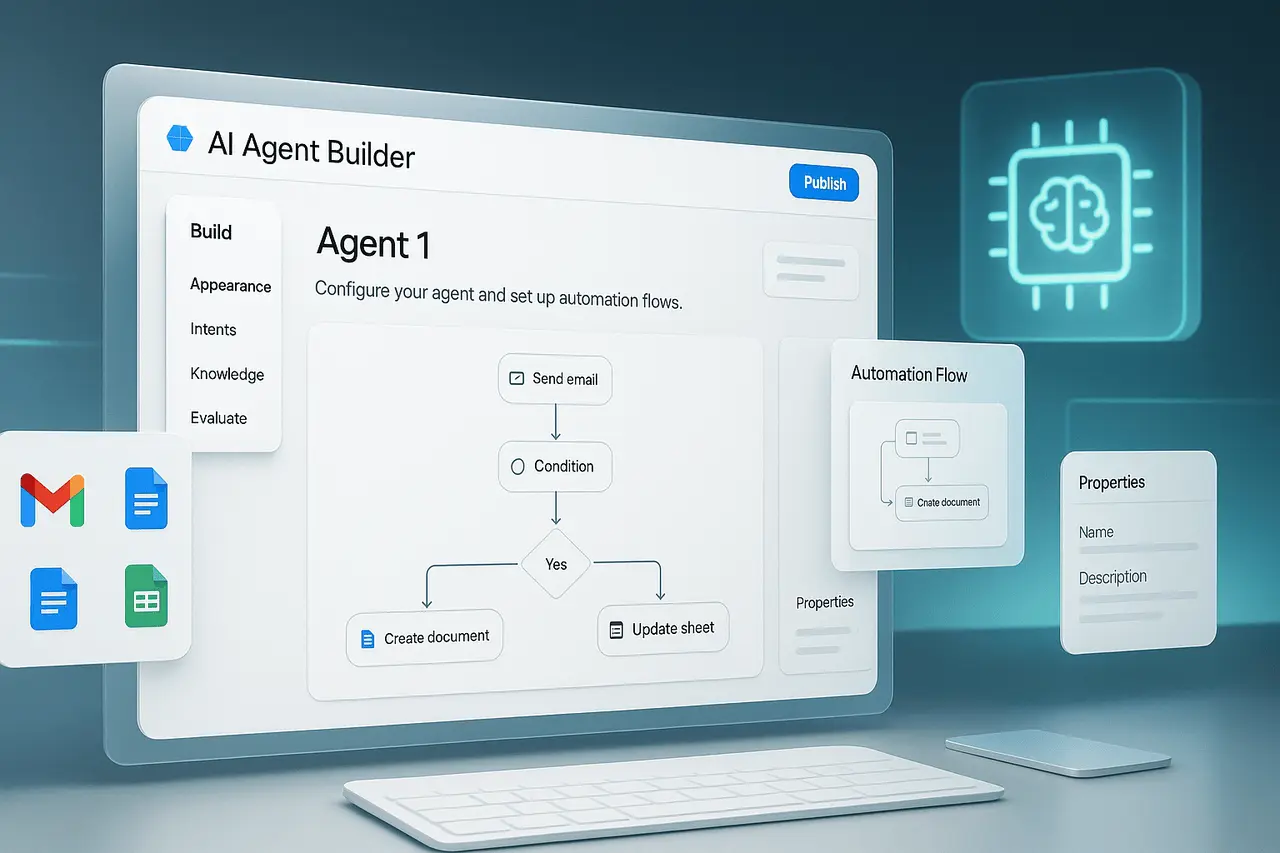
Google Workspace Studio is a recently launched platform within Google Workspace that lets users who are not technical employees develop, manage, and share AI agents they create to streamline workflows. Instead of writing code or creating complex scripts, all you need to do is specify what you would like the agent to perform. The system then builds an automation for you, connecting across Workspace services such as Gmail, Drive, Docs, Sheets, Calendar, Chat, and many others.
Under the hood, Studio leverages Gemini 3, Google’s advanced AI model, to power agent logic, enabling more flexible, agentic automation than traditional, rigid rule-based workflows.
Studio is now available as part of Workspace enterprise and business plans, and organisations that already use Google Workspace can access these new automation capabilities without deploying separate automation software.
Why Google Workspace Studio Matters? From Scripts to Smart Agents

Automation within productivity suites typically meant manually driven workflows or rigid automation via macros, scripts, or add-ons that often required developer expertise. Tools from the past were limited in their capabilities, operating on predefined rules and unable to recognize context, and frequently broke when the data structure or the user’s needs changed.
Workspace Studio represents a shift toward automation; it’s driven by AI agents that think, adjust, and recognise context. This means:
- Users who are not Technical can Automate Complicated Routines: Instead of writing code on a platform such as Google Apps Script, users can “tell” Gemini in plain terms what they want the agent to accomplish -such as, e.g., keep track of approvals as well as sort and tag email messages and reports, or auto-generate reports. Initiate actions if specific requirements are satisfied.
- Context-Aware Workflows: Because agents operate within Workspace and have access to information that the user has access to, and can react based on the current context, such as new files on Drive or incoming emails from Gmail, documents, calendars, shared documents, which allows for intelligent automation instead of weak rules-based triggers.
- Flexibility beyond Pre-Designed Templates: While Studio offers templates for a quick start, Users can also create customised workflows tailored to their business’s specific processes and internal logic.
- Collaboration and Sharing on a Team Level: Once an agent proves to be effective, it can be shared between teams or with colleagues and spread efficiency gains without the need for everyone to use a new system.
Simply put, Google Workspace Studio turns an AI-powered agent that was previously a developer or data scientist-only tool into an overall productivity tool for the workplace.
What You Can Automate? Example Use Cases
Through Google Workspace Studio, a wide range of repetitive tasks can be delegated to AI agents. There are a few instances of companies already investigating:
- Follow-up and Email Triage: Automatically tag or sort incoming emails, mark those that require action, and remind you to follow up or perform tasks when keywords or conditions are met.
- Content Generation and Document Creation: Generate draft reports and summaries or other content based on specific triggers (e.g., when meeting minutes are uploaded onto Drive). With Gemini’s contextual thinking, agents can ensure the output aligns with your team’s fashion and policies.
- Processes of Approval and Project Coordination: Automatically manage multi-step processes -e.g., when someone fills out an application, they can create tasks, alert colleagues, update spreadsheets, schedule calendar events, etc.
- Alerts and Notifications: For instance, send an email or Slack/Chat channel a notification email thread when specific requirements are satisfied (new file created on the server, form completed due date, etc. )
An Example from the Real World: A company remarked that they’d wasted time organizing digital-platform feature evaluations via scattered meetings and notes. With Workspace Studio, they replaced this with an automated process for recording ideas, feedback, and approvals, reducing time and improving the clarity of their work.
How It Works From Prompt to Agent?
Here’s a quick overview of the way Google Workspace Studio works:
- Define your Needs in Plain English: Instead of coding, it is enough to define what you would like to be able to automate (e.g., whenever I get an email with ‘invoice’ in the subject, create a row in this Sheet and notify finance). Studio uses this as the foundation for building an agent.
- Define Triggers, Actions, and Situations: Agents consist of two major components: triggers (what triggers the automation email or file update, form submission, time-based schedule, etc.), and actions (what is required to be accomplished -to send a message, update a document, create a file, and notify someone).
- Agents Operate within the Workspace Context: Agents can access only data that the user initiating them already has permission to access, and Workspace security and data protection rules apply. Google does not use agents’ data (prompts and files accessed) to train its more general AI models.
- Customize or Extend as Needed: For organizations with more advanced requirements, developers can design customized “steps” (e.g., using App Script) to expand agents’ functionality, effectively integrating external tools or customized internal applications.
- Scale and share. Once created, agents can be shared between teams, enabling greater adoption and consistent automation across all departments.
How Google Workspace Studio Compares to Older Automation Methods?
Before the advent of tools such as Google Workspace Studio, organisations used scripting (App Script) macros and rigid automation systems that required programming knowledge. These were fragile and often restricted to basic tasks.
With Studio:
- There’s no requirement to code or write scripts, which lowers the hurdle to automating workflows.
- Agents are context-aware and combine AI with instant access to data from Workspace apps. They are far more efficient than rule-based macros.
- Automations can be maintained, expanded, and shared quickly within teams, helping increase productivity without burdening IT or development teams.
In a way, Workspace Studio democratises agentic AI, which makes intelligent automation available to all, not just developers and engineers.
Google Workspace Studio: Security and Data Privacy Considerations
Since Workspace Studio is part of Google Workspace, it follows the same rigorous security and privacy standards that apply to Workspace as a whole.
- The data accessed by agents remains under the client’s control; agents cannot exfiltrate data beyond what the user has already permitted.
- The information utilized by agents (prompts or documents that are accessed) is in no way used to create Google’s generic AI models outside of your domain.
- Current Data Loss Prevention (DLP) controls within Workspace (e.g., for Drive) are in place.
For integrations with third-party partners or custom steps, administrators must still carefully review permissions, as they may introduce new compliance or security issues.
Google Workspace Studio: Limitations and What’s Yet to Come?
Although Workspace Studio is powerful, it’s not a panacea. There are some limitations to be aware of:
- Integration with third-party tools beyond Workspace (e.g., enterprise tools) is possible; however, it may require specific steps or developer involvement.
- Although Studio is designed to make automation more accessible to people who aren’t technical, creating complex workflows will require a thorough understanding of triggers, requirements, and data flow.
- As with all AI-based tools, the results are only dependent on the prompt and the context you provide. Inconsistent or unclear instructions could lead to unpredictable outcomes.
- The management of permissions and governance is crucial, particularly in larger companies where data access must be controlled.
However, Google is building on existing offerings (e.g., the precursor Google Workspace Flows) and is moving toward more flexible, robust automation.
Who Should Use Google Workspace Studio?
Google Workspace Studio is especially valuable for:
- Small to medium-sized companies that use Google Workspace to accomplish more without hiring developers or building infrastructure.
- Teams that perform routine, high-volume work -for example, HR (onboarding and approvals) and finance (invoices and reporting), Sales (follow-ups as well as tracking of data), Operations (logging and alerts), etc.
- Team leads or managers seeking to standardize processes across teams, without excessive manual oversight.
- Businesses are exploring artificial intelligence-powered efficiency but lack in-house AI and engineering capabilities.
Google Workspace Studio Getting Started: What You Should Do?
- Review your Google Workspace plan: Workspace Studio is available on both Business and Enterprise plans.
- Find Routine Tasks: Look for tasks that people are spending a lot of their time manually performing, like sorting emails, data entry, reporting, notifications, and approvals, as the best potential candidates for automation.
- Begin with Templates: Google offers templates that cover the most common automation scenarios. It’s an ideal way to test without reinventing the wheel.
- Examine and Modify: Because agents work with real data and have real-time context, Test with care, and be sure to monitor the outputs as well as permissions. Teams may want to test testing agents with a small group before rolling out the whole system.
- Consider Security and Governance: Ensure permissions and data access are correctly configured, especially if agents handle sensitive data.
What does this mean for the Future of Work?
By launching Google Workspace Studio, Google is betting that the use of agentic AI, intelligent, contextually aware, adaptable automation, will be the most critical factor in near-term efficiency. By putting this power directly in the hands of everyday customers, Google is lowering the hurdle for companies around the world to implement AI for everyday workflows.
If widely implemented, Google Workspace Studio could shift how office work is conducted, focusing on more advanced, strategic, and creative work and leaving employees free to focus on what is truly important.
In the same way, the rapid democratization of AI automation raises new concerns about data security, governance, and responsible usage. Companies will have to balance the advantages of automation while maintaining shrewd supervision.
Conclusion
Google Workspace Studio marks an essential milestone in workplace automation. By incorporating AI-driven assistants directly into Google Workspace and eliminating the need for coding, this allows users of all ages to automate tedious, repetitive, and time-consuming tasks.
For businesses, this can improve productivity, reduce manual work costs, and enable more consistent processes, all without requiring dedicated developer resources. As companies explore possibilities, the line between manual office work and automated workflows may shift significantly.
The future will reveal how widely it will be used, yet Workspace Studio offers a compelling glimpse of a future in which AI agents will be as prevalent in workplaces as spreadsheets and email.
Frequently Asked Questions (FAQ)
1. Do I have to be able to code to use Google Workspace Studio?
No. One of the main benefits of Workspace Studio is that you can create agents with natural language, without scripting or programming.
2. What Google services are compatible with Workspace Studio?
Workspace Studio integrates with the main Google Workspace apps, including Gmail, Drive, Docs, Sheets, Chat, Calendar, and more. It can also be extended to third-party or external services by implementing customized steps.
3. Is my information secured? Do you think Google utilizes it to develop the AI models?
The data that is processed or accessed by agents is under your control. Google has made it clear that the data it collects is not used to develop its broader AI models outside your company’s field of operation. Permissions and current DLP controls are still in place.
4. Can agents handle complex, multi-step workflows?
Yes. Agents created in Studio can manage multi-step tasks using triggers, conditions, and actions (document creation and notifications, as well as approvals and updates), which effectively automate the entire business process.
5. What person in my organization should develop and oversee the agents?
Since no programming skills are required, only non-technical users (managers, team leads, and administrators) can create agents. However, for more complex workflows or when integrating third-party apps, collaboration with IT and development teams can be helpful, particularly for managing permissions and governance.

