Artificial intelligence is rapidly transforming the creative industries, with filmmaking at the forefront of this revolution. One of the most talked-about developments is Flow, a dynamic AI filmmaking system designed to help filmmakers create cinematic video content using the latest machine learning algorithms.
Blending storytelling freedom with robust automated processes, Flow is shaping how scripts are visualised, scenes are created, and innovative workflows are implemented across a wide range of projects. This article explains about Flow AI filmmaking, the basics of Flow, how filmmakers are incorporating it into their workflows, and what it will mean for the next generation of visual storytelling.
What Is Flow AI?
Flow is an AI-powered filmmaking tool designed to help creators create films, scenes, and narratives utilising natural visual assets, language, and interactive control. Based on Google’s top generative models, including Veo 3 for video, Imagen for images, and Gemini for natural language understanding, Flow enables users to create and refine videos in a single environment. The software interprets prompts with descriptive text or reference images, as well as other media sources, to produce top-quality video output with realistic motion, synchronised audio, and adaptive camera controls.
Instead of the typical production bottlenecks with expensive equipment, large teams, and lengthy time-to-turnaround, Flow allows creators to quickly prototype ideas, create storyboards, and explore styles with unparalleled speed and versatility. Although still in its early stages of accessibility and availability in regional areas, the platform is an essential step towards creating filmmaking tools accessible to both professionals and independent filmmakers.
Flow AI filmmaking: Core Features of Flow
1. Text-to-Video Generation
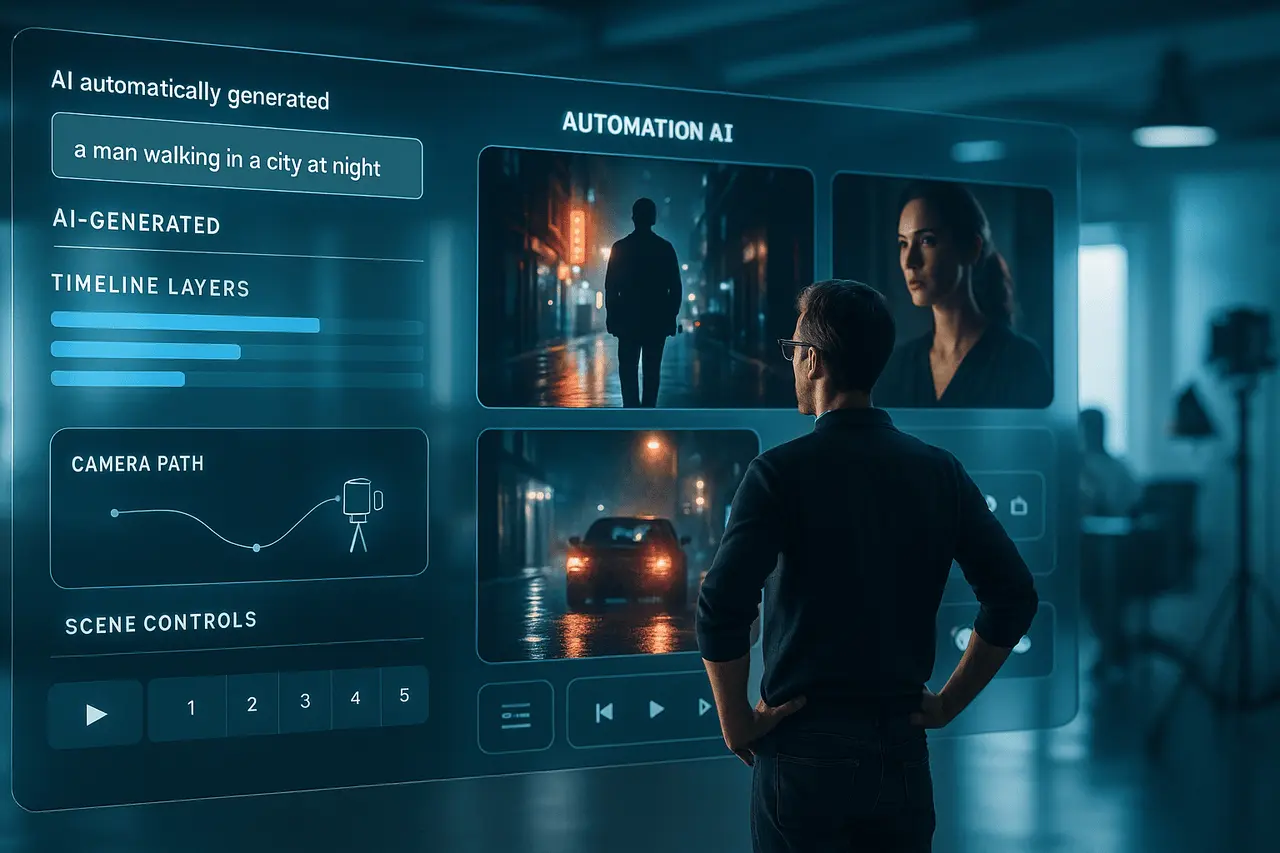
At its heart, Flow translates written descriptions into motion pictures. Creators can type natural-language prompts like “a city street that is rainy at night, with glowing reflections in the night and slow tracking”, and Flow generates a corresponding video clip. This allows rapid iteration of visual concepts without requiring a camera or a set.
2. Asset Integration and Management
Flow allows users to upload their own images, for example, like character models, background images, environmental backgrounds, or props, and then use them continuously across different scenes. This enables asset management to ensure visual continuity throughout the project and to speed the design process through iterative development.
3. Camera and Scene Controls
In contrast to basic video generators, Flow provides direct control over camera behaviour, including framing, motion paths, and lens types. This degree of control allows for a bridge between digital media and conventional cinematography. It gives makers more control over creating the perfect shot.
4. Integrated Creative Assistance
The addition of a sophisticated language model, such as Gemini, implies that prompts are friendly and logical, helping artists develop their ideas and get suggestions for the next steps. This integration improves workflows for creative work by enabling quicker, more fluid iterative adjustments.
Flow in Real Filmmaker Workflows
An increasing number of creatives and filmmakers are integrating Flow into their production workflows through projects and pilot programs. A notable example of this is the Flow Sessions pilot, which provided creatives with an early introduction to the tool, along with workshops and mentorship. Participants noted that the tool was successful when it was paired with an explicit storytelling intention and a desire to try new things. They stressed the importance of directors’ vision when controlling AI tools rather than relying on automation.
These findings reflect a broader trend: filmmakers aren’t using Flow as a substitute for traditional crafts, but instead to improve their creative process. For instance, filmmakers can quickly visualise story ideas, prototype complex scenes, or create concept videos that guide live-action production decisions. The result is faster pre-production, more confident and creative choices, and the capacity to consider multiple narrative paths without risk.
Flow AI filmmaking: Industry Impact and Adoption
The use of AI tools such as Flow is generating a significant debate across the media and film industries. They see AI-assisted filmmaking as a way to lower barriers to entry, speed up production, and offer independent storytellers studio-quality capabilities previously unavailable. These tools can also be used to support hybrid workflows where AI-generated content is mixed with traditional cinematography and live footage to create unique visual effects.
Large tech companies are also investing in competitive and community events that promote exploration by using this technology. For example, international film competitions are now incorporating categories that require the extensive use of innovative AI tools, indicating that the industry is confident in their creative potential and commercial value.
But this rapid integration can also trigger questions. Concerns over the authenticity of content, copyright, and the ethical use of generative models have become increasingly relevant. Industry bodies and creators are discussing ways to balance innovation with accountability, ensuring AI tools enhance rather than replace human creativity.
Flow AI filmmaking: Best Practices for Filmmakers Using Flow
1. Start by telling the Story Then
Effective AI-assisted workflows start with an established narrative basis. Use Flow to support the storytelling process, not to delineate it.
2. Treat Flow as a Collaborative Partner
Use AI as an aid rather than a substitute. Use the AI tool for idea generation, iteration, and visualisation; however, keep your final creative decisions in the hands of a human.
3. Maintain Creative Control
Use the camera controls and the asset library to ensure the content you create aligns with your expectations.
4. Combine AI with traditional techniques
Hybrid strategies that combine AI-generated elements with real-world footage or traditional animation often yield the most distinctive and professional results.
5. Stay Informed on Legal and Ethical Standards
As technology advances, be aware of rights and licensing, as well as the industry standards that govern AI-generated media.
Final Thoughts
AI tools for filmmaking, such as Flow, have revolutionised creative workflows by making cinematic-quality film production more affordable and adaptable. Combining generative video technology with nimble controls, advanced camera manipulation, and asset management, Flow allows storytellers to create and test ideas more quickly than ever. While legal and ethical issues remain paramount in the process, the inclusion of AI tools into creative pipelines is a sign of a larger trend towards hybrid workflows that combine technological efficiency and artistic authenticity.
Frequently Asked Questions
1. What’s Flow AI used for in making films?
Flow AI is a generative filmmaking platform that uses advanced AI models to convert natural language prompts and other visual images into videos, enabling creators to prototype and produce cinematic content.
2. Who do you think Flow is designed for?
Flow is a tool for filmmakers, visual storytellers, content creators, and media professionals who wish to learn more about the possibilities of AI-assisted video production. It’s designed for experienced creators and newcomers to filmmaking.
3. Does Flow have the potential to take over traditional moviemaking?
It’s not, but Flow was designed to improve workflows for creative work. It speeds up and enhances the filmmaking process; however, the human eye and storytelling are the primary focus.
4. What kinds of content can Flow create?
Flow can create cinematic scenes, concept images, storyboard designs, and narrative clips that feature camera movements, synchronised audio, and visual continuity.
5. Is Flow accessible worldwide?
In the year 2025, Flow is still in early access and is available via subscription plans. More international support is anticipated as the platform grows.
6. What is Flow’s method of connecting to different AI software?
Flow integrates generative videos (Veo) and imagery (Imagen) as well as Natural Language (Gemini) models. Creators can import external resources to improve workflows.
Also Read –
DeepMind UK AI Partnership: Science, Education and Safety
Google Gemini Audio Updates: Live Translation and TTS Upgrades