
Cognition has brought Devin Cloud directly into the terminal, allowing developers to create, steer, resume, and monitor cloud-based Devin sessions without leaving their command-line workflow. The update, announced on September 21, 2026, also introduces full SSH access to Devin’s dedicated cloud development environments.
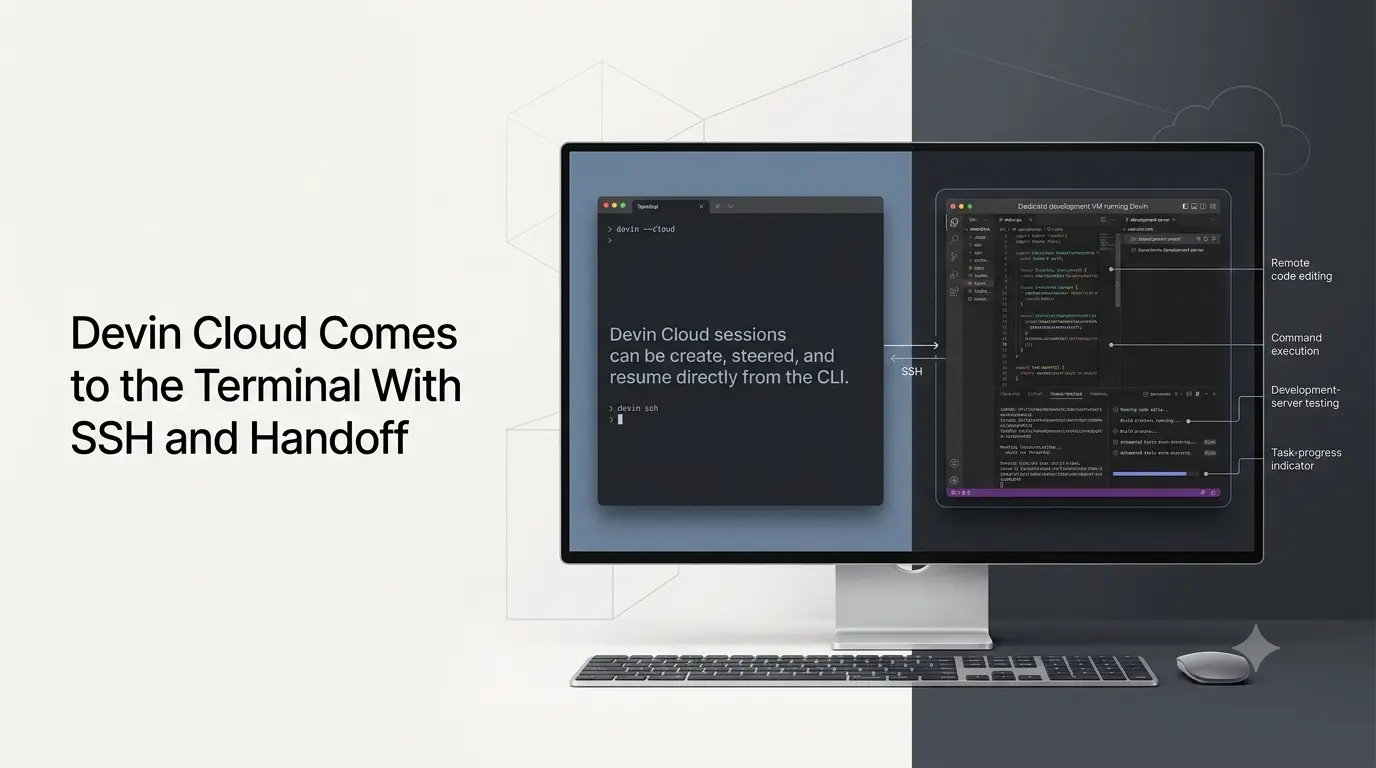
The changes connect Devin’s autonomous coding environment more closely to local development. Developers can start a cloud session with devin –cloud or /cloud, hand local work to Devin with /handoff, and continue monitoring or steering the agent from their terminal.
The updated SSH capability extends further by allowing developers to connect directly to the virtual machine running in their Devin Cloud environment. That makes it possible to inspect and edit code, run development servers, forward ports for testing, and transfer files between the remote environment and a local machine.
Quick Summary
- Devin Cloud can now be launched and controlled directly from the terminal.
- Developers can use the Devin CLI to create, steer and resume cloud sessions.
- The new
devin sshcommand provides direct SSH access to Devin’s remote development VM. - Developers can inspect code, run development servers and forward ports from the remote environment.
- The
/handoffworkflow connects local development with Devin Cloud. - Work can move between a developer’s local machine and Devin’s cloud environment.
- The update gives developers more direct control over where the AI coding agent operates.
Devin Cloud Moves Into the Terminal
Devin Cloud provides Devin with its own development environment rather than running entirely inside a developer’s local workspace.
Previously, a developer could delegate work to Devin Cloud, but the workflow could involve moving between different interfaces. With the latest CLI integration, Cognition makes the terminal another control surface for those cloud sessions.
Developers can launch a cloud session directly from:
Dev -cloud
The /cloud command can also be used from the Devin CLI to create and manage cloud sessions.
Once a session is running, developers can observe its progress and continue steering the agent without opening the web application. Cognition says developers can even close their laptops while the cloud session continues to run in the background.
This makes Devin Cloud more compatible with command-line-centric software development workflows, where developers prefer terminals and local tools over browser-based interfaces.
/handoff Connects Local and Cloud Development
One of the more significant parts of the update is the updated handoff workflow.
A developer can start working locally with the Devin CLI and then use /handoff to transfer implementation work to Devin Cloud. Cognition says the cloud agent then continues the task on its own dedicated VM while the developer can observe and steer it through the terminal.
The workflow also works in the opposite direction.
When developers want to finish the work locally, a /handoff in a cloud session can bring the changes back to their machine. Cognition says the command fetches the session’s pull-request branch, switches the local Git checkout to that branch, and starts an interactive session on the code.
That creates a development loop in which local and cloud agent execution can be used at different stages of the same coding task.
Cloud Sessions Can Continue Beyond the Terminal
Devin’s cloud sessions are not tied to the terminal process that started them.
It says sessions continue after the originating terminal is closed. Developers can return to them later using:
Devin --cloud --resume
The company also provides commands for opening the same session in the Devin web application or Devin Desktop. The terminal can therefore be used for steering. The browser or desktop interface can be used when developers want to inspect Devin’s desktop environment or review a recording.
This separation between the session and the interface is critical for long-running agent tasks. Developers do not have to keep a terminal session open in order for Devin Cloud to continue working.
Devin Adds Full SSH Access To Its Cloud VM
The second major development is full SSH support for Devin Cloud VMs.
When work is handed off to Devin Cloud, Cognition sets up a dedicated development environment on a virtual machine. The updated devin SSH command allows developers to connect directly to that environment.
In the remote environment, developers can:
- Explore and edit the source code
- Launched development servers
- Forward ports for interactive testing
- Copy files between the VM and the local machine with SCP
This is different from monitoring an AI coding agent through a dashboard. SSH access gives developers a more direct way to interact with the environment where Devin performs his work.
For developers working on applications that require running services, inspecting a generated file or testing a web application, direct access to the VM can reduce the need to work exclusively through Devin’s high-level interface.
What the Update Means for AI Coding Agents?
The combination of Devin Cloud, terminal control, SSH access, and handoff moves Devin toward a workflow where the AI agent can operate alongside conventional developer tooling. This is rather than requiring a separate interface.
The developer can begin with local code and delegate a task to Devin Cloud. He can monitor the agent from the terminal, connect directly to its VM when necessary, and eventually bring the resulting branch back to the local environment.
That is particularly relevant for longer-running software engineering tasks where the agent needs an isolated environment to build and test changes. At the same time, the developer remains responsible for reviewing and integrating the results.
It also illustrates a broader direction for AI coding agents: rather than simply generating code inside an editor, agents are increasingly given persistent development environments where they can execute code, run services, and work across multiple stages of a software project.
How to Try Devin Cloud from the Terminal?
Cognition says Devin Cloud can be used from the terminal or through the Devin CLI. The company offers free SWE-2 sessions through October 8, 2026, as part of the launch.
Developers can install the CLI and start a cloud session using dev –cloud. The same workflow supports resuming existing sessions and handling tasks between local and cloud environments.
The addition of SSH access gives developers another layer of control over the remote environment. In addition, /handoff provides a way to move completed or partially completed work back to the local machine.
With Devin Cloud in the terminal, Cognition is effectively making its autonomous coding environment part of the command-line development workflow. At the same time, SSH and handoff capabilities give developers more direct control over where the agent works and where the final code is reviewed.
Also Read –
Devin Autofix: Automated PR Fixes with AI
Source
Cognition – Bringing Devin Cloud to your terminal