Claude Code’s Git worktree support allows developers to run multiple AI coders in parallel, without conflicting files. Using native Git worktrees, Claude Code now isolates each agent’s edits in separate working directories to prevent overlapping edits and repository corruption.
This feature is available across CLI, Desktop, IDE extensions, web, and mobile platforms, providing an AI-assisted workflow that isolates your development from your workflow.
What Is Git Worktree Support in Claude Code?
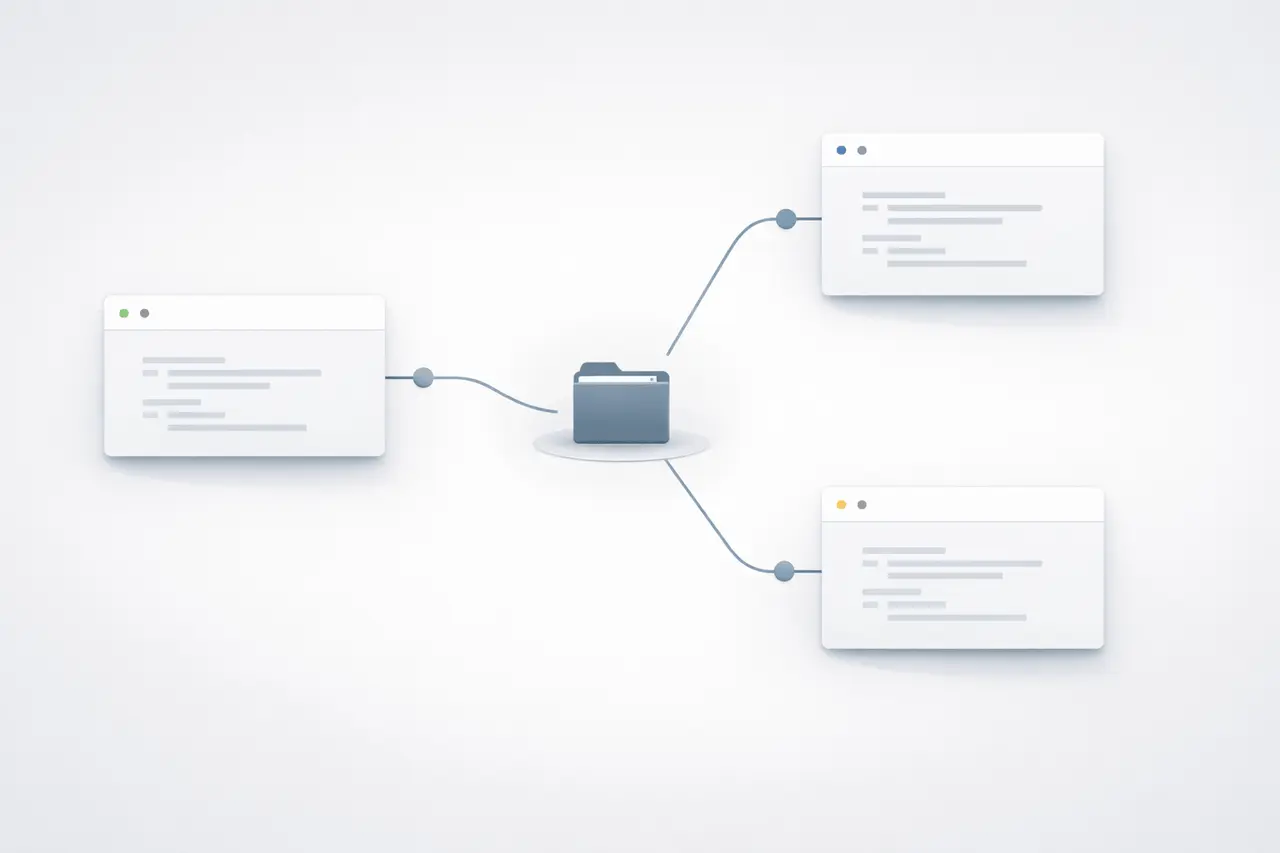
Git worktrees allow multiple directories to exist within a single Git repository. Each worktree can access the branch of another worktree and share the same .git data.
In conjunction with Claude Code, git worktree support, each AI agent session runs in its own worktree. This helps to prevent:
- Overwriting in-progress changes
- Consolidate conflicts arising from concurrent AI edits
- Branch contamination
- Accidental clobbering of files
This results in secure, parallel AI-driven development within a single repository.
Why Worktree Isolation Matters for AI Coding Agents?
AI software for coding is increasingly used as semi-autonomous or autonomous systems. When multiple agents edit the same repository simultaneously, there is a risk of conflicts.
Worktree isolation ensures:
- Independent file systems per agent
- Clean branch separation
- Safer code migrations
- Scalable automation
It is crucial for teams operating:
- Large refactors
- Batch code transformations
- Test generation at scale
- Multi-feature parallel development
In isolation, the risk of concurrency increases significantly.
How does Claude Code Worktree Mode Work?
When it is launched with support for worktree enabled, code Claude immediately:
- Creates a brand new Git worktree
- assigns or generates a worktree’s name
- The agent session runs within that directory, isolated
Because Git stores repository metadata centrally, worktrees share history but maintain separate working copies.
CLI Usage: –worktree Flag
Developers who use the CLI may launch isolated sessions by:
- worktree to create a worktree that is dedicated to it.
- Optional name for the tree
- Automatic name generation if unspecified
Multiple CLI sessions can now run simultaneously within the repository safely.
Optional: Tmux Integration
Claude Code can also launch agents within its own Tmux sessions by using the “-tmux” flag.
This is beneficial for:
- Background session
- Long-running tasks
- Monitoring multiple agent workflows
- Persistent terminal workflows
This combination enables highly parallelised AI development pipelines.
Worktree Mode in Claude Desktop
The Claude Desktop application includes built-in support for worktrees in the Code tab. Code Tab.
Designers who prefer a graphic interface have the option of:
- Enable worktree mode
- Start sessions with agents who are isolated
- Control simultaneous AI tasks visually
It provides the benefits of Git Worktree functionality for users who don’t depend on terminal workflows.
Subagents and Parallel Execution
Subagents in Claude Code also support worktree isolation.
This expands capabilities for:
- Large batched code changes
- Multi-module migrations
- Monorepo refactoring
- Automated dependency updates
By asking Claude to use worktrees for agents, subagents can work independently without relying on one another’s edits.
This is particularly powerful for corporate repositories that have hundreds of thousands of documents.
Custom Agents With Isolation: Frontmatter Configuration
Custom-designed agents are set to run in separate worktrees at all times.
This is achieved with the help of:
isolation: worktree
to the frontmatter of agent configuration.
This guarantees:
- Predictable isolation behaviour
- Standardised team workflows
- Reduced configuration overhead
- Safer automation pipelines
For teams developing their own internal AI software development platforms, this gives architects control.
Availability Across Platforms
Claude Code git worktree support is available across:
- CLI
- Desktop app
- IDE extensions
- Web
- Mobile app
This common availability assures an identical separation behaviour across all environments.
Support for Non-Git Source Control Systems
In the same way that Git worktrees are built-in for Git, Claude Code extends the ability to isolate other versions of control systems by enabling hooks to be configured.
Supported systems include:
- Mercurial
- Perforce
- SVN
Developers can create hooks for worktrees that provide similar isolation advantages without having to switch into Git .
This is crucial for companies using legacy or central version control systems.
Feature Comparison Table
Claude Code Worktree Capabilities
| Feature | Description | Benefit |
|---|---|---|
--worktree CLI flag | Launch agent in isolated Git worktree | Prevents file conflicts |
| Worktree naming | Custom or auto-generated names | Better session management |
--tmux integration | Launch in separate terminal session | Persistent parallel workflows |
| Desktop worktree mode | GUI-based isolation | Easier adoption |
| Subagent worktrees | Parallel internal agent execution | Scalable automation |
| Frontmatter isolation | isolation: worktree config | Standardized behavior |
| Non-Git hooks | Isolation for Mercurial, Perforce, SVN | Enterprise compatibility |
Traditional Workflow vs Worktree-Isolated AI Workflow
| Aspect | Traditional AI Session | Worktree-Isolated Session |
|---|---|---|
| Parallel execution | Risky | Safe |
| File overwrites | Possible | Prevented |
| Branch management | Manual | Automated |
| Batch migrations | Conflict-prone | Isolated |
| Multi-agent support | Limited | Scalable |
Benefits of Claude Code Git Worktree Support
1. True Parallel AI Development
Multiple agents can collaborate simultaneously on various branches or features.
2. Reduced Merge Conflicts
Isolation minimises accidental file overwrites.
3. Improved Refactoring Safety
Large-scale migrations can continue to run without interfering with continuing development.
4. Enterprise Scalability
supports complex repositories and large teams.
5. Cross-Platform Consistency
Isolation is compatible with CLI, desktops, web, IDEs, and mobile.
Limitations and Practical Considerations
While powerful, worktree isolation requires:
- A properly initialised repository
- Understanding of Git branch workflows
- Storage space for additional working directories
For systems that are not Git, an additional hook configuration is needed.
Teams must also use:
- Branch naming conventions
- Cleanup processes for stale worktrees
- Monitoring of outputs from automated agents
Worktrees can reduce the risk of conflicts. However, they are not a substitute for code review.
Real-World Use Cases
Claude Code worktree support is particularly helpful to:
- Test generation is automated at a scale
- Multi-feature sprint development
- AI-assisted monorepo maintenance
- Large-scale dependency upgrades
- Cross-team parallel refactors
Organisations that are building AI-first development pipelines benefit the most.
My Final Thoughts
Claude Code’s Git worktree support is a major advancement in AI-assisted software development. Combining native Git worktrees and multi-agent workflows enables secure parallel execution without interfering with the repository.
from CLI isolation with the –worktree option for desktop integration and subagent support, this feature improves flexibility, automation, and enterprise-readiness.
As AI agents become more autonomous and cooperative, isolation mechanisms such as worktrees are essential to ensuring code integrity in today’s development environments.
FAQs
1. What is the git worktree support for in Claude Code?
It allows each AI agent to operate on a separate Git worktree, preventing file conflicts when multiple agents run simultaneously.
2. How can I start Claude Code in worktree mode using CLI?
Start it with the flag –worktree. You may also identify the worktree and let the program create one for you automatically.
3. Can subagents benefit from worktree isolation?
Yes. Subagents can run in their own isolated worktrees, enabling safe parallel execution during large code modifications.
4. Worktree support is available within the Desktop application?
Yes. Worktree mode can be enabled in the Code tab of the Desktop application.
5. Does Claude Code support non-Git repositories?
Yes. Mercurial, Perforce, and SVN users can define hooks for worktrees that achieve the same isolation behaviour.
6. Does worktree isolation eliminate merge conflicts?
It greatly reduces the risk of conflicts in concurrent sessions; however, the regular Git merge rules still apply when merging branches.
Also Read –
Claude Code Desktop: App Preview, Code Review and CI Automation