Anthropic has released Claude Code Auto Mode, an innovative feature that speeds up AI-assisted design by enabling the AI model to decide on permissions autonomously. This update eliminates the need for continual user approval when performing file changes and terminal commands, while ensuring safety through built-in security. Initially launched as a research preview for Team users, the feature signals a significant shift toward more autonomous AI programming agents under risk management control.
What Is Claude Code Auto Mode?
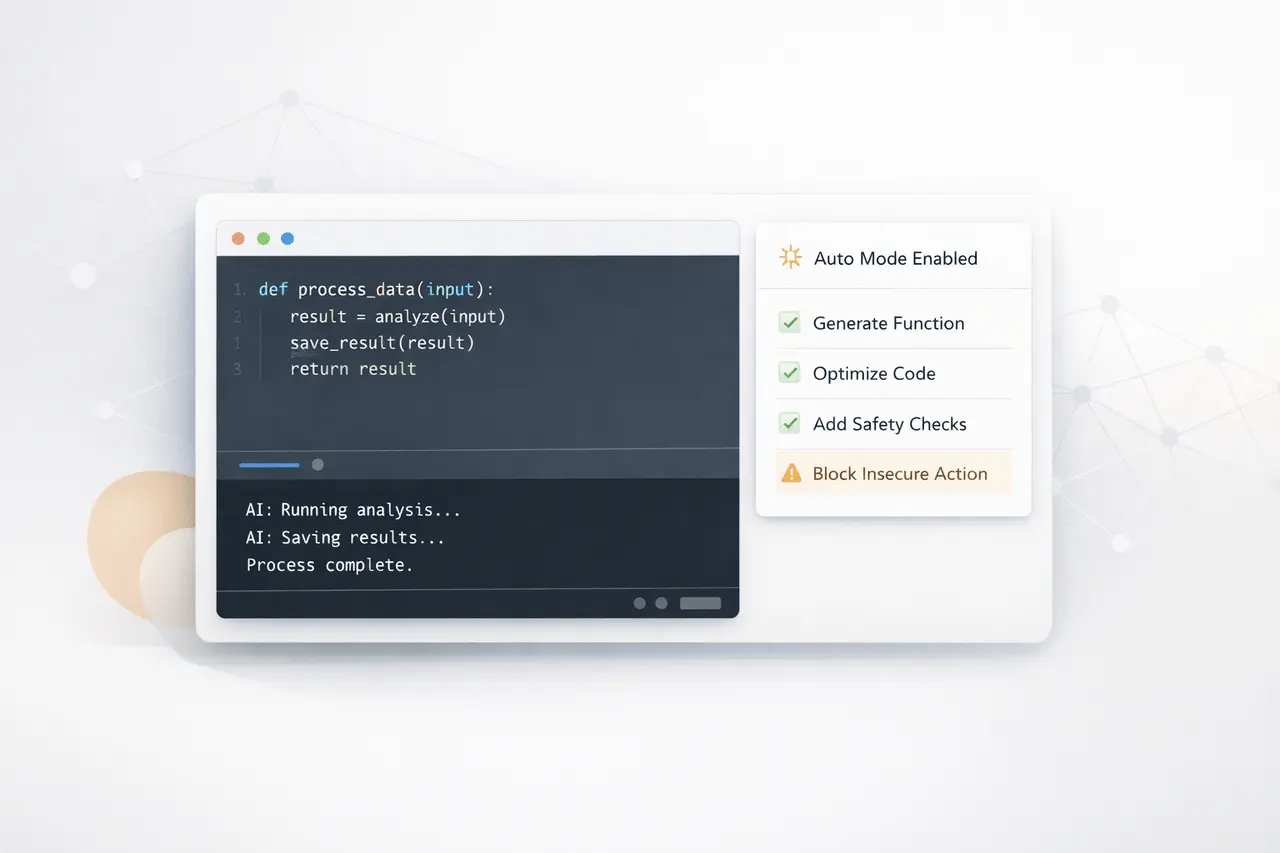
Claude’s Auto Mode offers a fresh feature within the Anthropic Claude ecosystem that allows an AI to
- Execute file writes without the need for manual approval
- Run shell (bash) commands autonomously
- Determine if an action is appropriate or safe and requires intervention
Typically, AI coding assistants require developers to sign off on each sensitive operation. Auto Mode reduces the need for approval by transferring these choices to the AI itself while still performing security checks.
This puts Claude Code on the path to becoming a fully independent artificial intelligence agent to assist in software development, rather than a passive assistant.
How does the Safety System Work?
Built-in Risk Classification
Before performing any procedure, Claude Code Auto Mode employs a classification system to assess the job’s risk.
The process involves:
- Evaluation of the pre-action: Every file or command modification is evaluated
- Secure activities: Executed continuously, without interruption
- Dangerous actions: Blocked or rerouted to alternative routes
This security layer ensures that automation does not compromise the system’s security.
Not Fully Risk-Free
Despite these safeguards, Anthropic explicitly notes that:
- This system reduces risks but doesn’t eliminate them.
- Developers should use Auto Mode for isolated and Sandboxed environments.
This reveals a fundamental aspect of autonomous AI systems: human oversight is reduced but not entirely outdated.
Why Claude Code Auto Mode Matters?
1. Reduced Developer Friction
One of the most significant problems with AI-assisted programming is the constant request for permission. Auto Mode:
- Speeds up workflows
- Reduces interruptions
- allows developers to concentrate more on the higher-level logic
2. Step Toward Autonomous AI Agents
Auto Mode is an alteration from:
- Reactive assistants – Proactive agents
Instead of waiting to receive instructions, the AI can:
- Plan execution steps
- Modify strategies if blocked
- Continue workflows in a different way
This aligns with the broader development in AI machines and agents.
3. Safer Automation Compared to Full Autonomy
Unlike unrestricted execution modes, Claude Code Auto Mode:
- Creates guardrails using classification
- Prevents destructive operations
- Encourages controlled experimentation
Key Features of Claude Code Auto Mode
| Feature | Description |
|---|---|
| Autonomous Execution | Runs commands and edits files without manual approval |
| Risk Classification | Evaluates each action before execution |
| Safe Action Automation | Automatically proceeds with low-risk operations |
| Risk Mitigation | Blocks or reroutes potentially harmful actions |
| Developer Control | Can be enabled or disabled via CLI |
How to Enable Claude Code Auto Mode?
Developers can enable Auto Mode directly by using the Claude CLI.
Steps:
- Make the feature available:
- Claude –enable-auto-mode
- Switch modes:
- Use Shift + Tab to cycle to Auto Mode
At present, the feature is:
- Available in research preview
- Limited to Team plan users
- is expected to be expanded into Enterprise and API accessibility in the near future.
Claude Code vs Traditional AI Coding Assistants
| Capability | Traditional AI Assistants | Claude Code Auto Mode |
|---|---|---|
| Command Execution | Manual approval required | Automated with safeguards |
| Workflow Continuity | Frequently interrupted | Continuous execution |
| Risk Handling | User-managed | AI-managed classification |
| Autonomy Level | Low | Moderate to high |
This test shows that Auto Mode bridges the gap between manual AI assistance and autonomous Coding technology.
Real-World Use Cases
Rapid Prototyping
Developers can:
- Generate code
- Execute scripts
- Test outputs
… without having to stop and approve each step.
DevOps and Automation
Auto Mode may aid in:
- Running deployment scripts
- Controlling configurations of the system
- Automating repetitive workflows
AI-Powered Development Environments
Integrated with terminals and IDEs, Auto Mode may allow:
- Continuous Coding sessions
- Self-correcting scripts
- Intelligent debugging workflows
Limitations and Considerations
While it’s promising, Claude Code Auto Mode has some important limitations:
Potential Risks
- False classification of potentially dangerous commands
- Unintentional system modifications
- Over-reliance on automation
Recommended Best Practices
- Use in sandboxed environments
- Monitor execution logs
- Beware of production systems that are sensitive in the beginning
It lets developers be confident in exploring the feature without risking the stability.
Bigger Picture: Rise of AI Coding Agents
The Claude Code Auto Mode is a reflection of a larger market trend:
- Transition from aidive AI instruments to fully autonomous AI agents
- A growing integration of large model languages into workflows for development
- A growing focus on security-conscious Frameworks for AI Automation
The other platforms are investigating similar paths; Anthropic’s approach is unique in insisting on safety-first autonomy.
My Final Thoughts
Claude Code Auto Mode marks a major step towards an autonomous AI-powered software development process that combines efficiency and the safety of design. By reducing manual approvals while maintaining system safety, Anthropic is advancing AI software tools toward becoming fully autonomous agents.
As AI assistants evolve into proactive systems capable of running complex workflows, features such as Auto Mode will likely become the core of the modern development environment. The main challenge for the future is balancing automation and confidence, control, and the reliability of the system, which is an equilibrium Claude Code is now actively trying to find.
FAQs
1. What is Claude Code Auto Mode?
Claude’s code Auto Mode is a function that allows AI to complete coding tasks in a controlled manner while using safeguards to prevent dangerous actions.
2. Is Claude Code Auto Mode safe to use?
It has risk classification and protections, but it is not safe. It is recommended to use it in isolated environments.
3. Who can access Claude Code Auto Mode?
It is available as a test for Team plan members, with Enterprise and API accessibility to be available shortly.
4. What is the process that lets Auto Mode decide which actions are secure?
A classifier examines every action before it is executed, allowing safe actions while stopping or altering risky ones.
5. Can Claude Code Auto Mode replace developers?
It does not improve productivity but requires human supervision, particularly for critical systems.
6. How do I turn on Claude Code Auto Mode?
It is possible to enable it with the command claude -enable-auto-mode, then switch modes using Shift+Tab.
Also Read –
Anthropic Launches Claude Community Ambassadors Program