

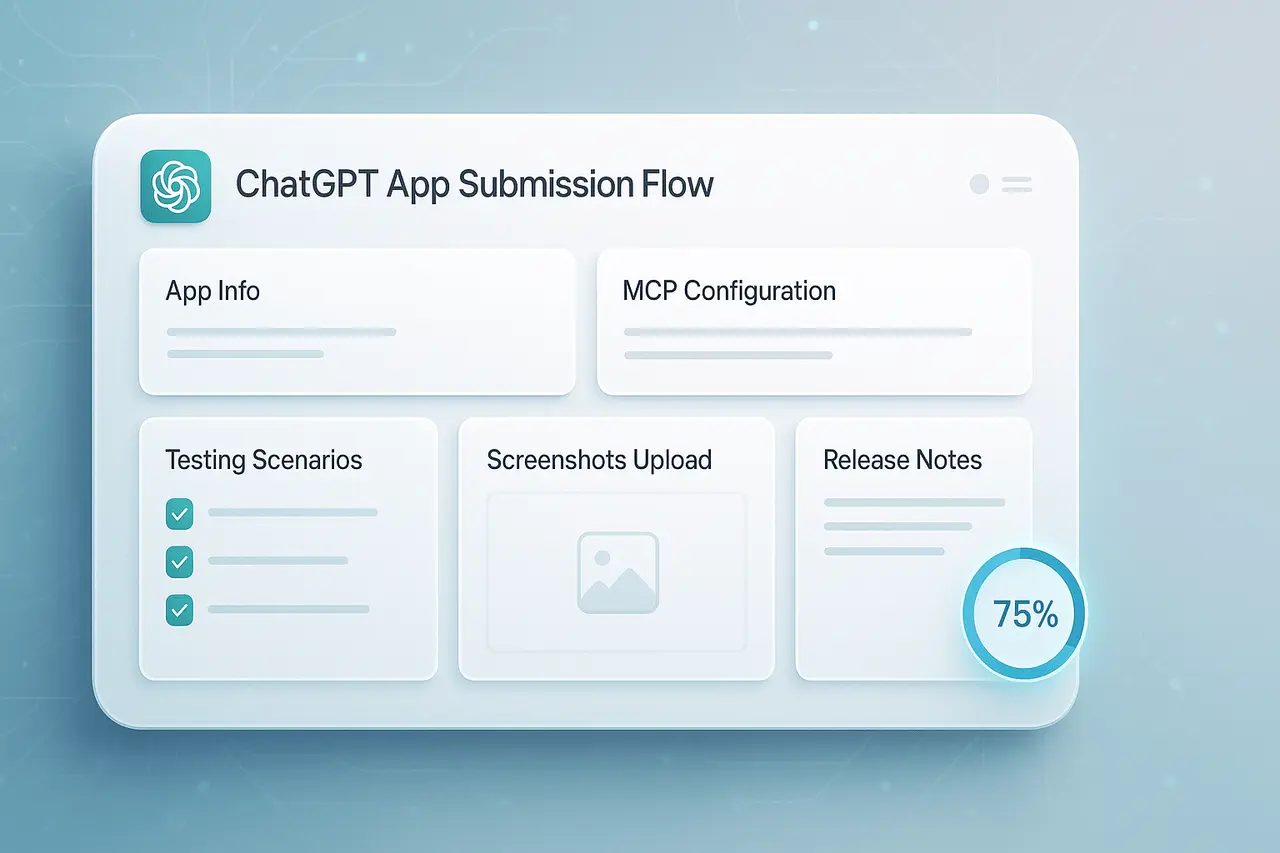
The process of submitting an app to ChatGPT on the OpenAI platform is becoming more organised and comprehensive. The company is preparing for a wider launch of its forthcoming “app directory,” and developers can expect a multi-step application process that focuses on clarity, consistency, and high quality.
This is a comprehensive review of ChatGPT App Submission Flow, and what we know about the things builders should be prepared for.
What’s Changing: The New Submission Workflow?
Sources within the platform have revealed that the submission process requires developers to follow several steps. This will not just upload code or metadata, but give an entire explanation of how their application functions and is experienced by users. The process will include:
- App Information: Basic information about the application: name, description, probable categories, the purpose, and additional high-level fields.
- MCP Information: Setting up the backend interface with the Model Context Protocol (MCP). Developers need to define how their application integrates with the tools or endpoints it provides, what information it expects and returns, and how ChatGPT should communicate with it.
- Testing Scenarios: Test cases that developers expect users (or ChatGPT) to run. They assist users and automated systems in verifying that the application functions as intended, handles edge cases, and remains stable.
- Screenshots or UI Previews: Visuals that show what the app appears like within ChatGPT. Because apps created with the Apps SDK run within an iframe integrated into ChatGPT, displaying a functional UI preview or a screenshot can give reviewers confidence that the interface is rendered correctly.
- Notes on Release / Notes for Reviewers: The information includes what’s new in this release and any limitations that are known, disclaimers, as necessary. In essence, the release notes are a “what you should know” for reviewers.
This multi-step approach is more thorough than the typical app store submission, reflecting the complexity and difficulty of integrating tools from other sources directly into a chat interface powered by AI.
Why OpenAI Is Doing This?
This change is the result of the following strategic and practical factors:
- Privacy, Security, and Quality Control: Since ChatGPT applications can access external APIs, read user data, and even display interactive components — all within a chat, it’s essential to ensure standards are enforced to prevent abuse, privacy breaches, or security flaws. The structured submission will help OpenAI ensure that every app adheres to the rules before release. This is in line with the guidelines set out by the formal Apps document for SDK.
- Improved user Experience: By requiring testing of scenarios and UI previews, developers are urged to create apps that perform well in the ChatGPT environment. This reduces the chance of crashing or unresponsive applications.
- Scalability and Discovery: As developers develop more applications, a uniform submission format can help standardize how apps are evaluated, listed, and viewed, similar to the traditional app store. This will help transform ChatGPT into a more comprehensive platform, not just an experimentation tool.
What Developers Must Do: Preparing Your App?
If you’re planning to submit your app to ChatGPT for consideration, here’s an approximate checklist based on the latest submission process and the existing guidelines for creating apps using the Apps SDK.
- Create with MCP SDK and Apps SDK
- Use the Apps SDK test (available from 2025) to establish the logic of your application. The backend needs to include the MCP server that can expose “tools” (the actions ChatGPT can trigger) and, if desired, frontend widgets for UI components.
- Check that an iframe protects your frontend user interface. It should adhere to the UI and security guidelines. Widgets and UI components must comply with the style and security rules outlined in the developer guidelines.
- Locally test in Developer Mode
- Before submitting your app, test it using ChatGPT’s Developer Mode. This allows you to simulate actual usage, such as sending prompts to users and validating tool calls, checking edge cases and error handling, and verifying UI rendering. Many developers already use this technique to spot issues before they become serious.
- Collect the metadata required and assets
- Prepare app info: name, description, categories/use-cases, icon, etc.
- Snapshots or previews of the UI to show how the app works within ChatGPT.
- Create a release note or submission note that explains what the app can do and its limitations. You may also include security or privacy considerations, as well as any dependencies.
- Define test scenarios, including edge cases
- Provide realistic use cases or tests for users (or an automated system for validation) to assess safety and functionality.
- Be aware of boundary conditions such as unexpected input, API failures, and error responses to see how your application can handle them gracefully.
- Conform to rules and regulations
- Be sure your app complies with OpenAI’s guidelines on data collection, content privacy, and user safety. Apps should only collect needed data, communicate about permissions, and be aware of prohibited content.
- Give a clear privacy statement along with a usage description. Also, specify what information is stored and shared, if any.
What This Means for the ChatGPT Ecosystem?
The new flow of submissions is a significant milestone, indicating that the platform is evolving from a private or closed playground to a publicly managed directory of third-party apps. Once it’s live:
- Users will be able to access an online Directory (or “store”) of discoverable, searchable, and selectable ChatGPT apps, just like the app stores available on mobile platforms.
- Developers will have a transparent process for creating, distributing, and publishing tools, opening up possibilities for specific utilities, including productivity tools, integrations with SaaS frontends, and much more within ChatGPT.
- The ecosystem is likely to grow rapidly as developers develop tests, publish, and create applications compatible with ChatGPT. This will significantly broaden what ChatGPT can do beyond scripted prompts or plugin-like integrations.
For small and large teams alike, this opens the possibility of a new distribution method that lets users download and install apps directly in ChatGPT without the need for traditional client app installations (iOS/Android/Web).
Potential Challenges and What to Watch Out For
Although the structured flow has many benefits, developers must be aware of some obstacles:
- Review Stricter Standards: Not all apps can pass the examination. Applications with insufficient metadata, no test cases, or unclear privacy policies may be denied or delayed.
- Privacy and Handling of Data Responsibility: Since ChatGPT apps can handle user data or use APIs from external sources, developers must be clear and minimal about the collection of data, which could limit specific usage scenarios or create more engineering effort.
- Maintenance and Quality Commitments: Once listed, applications could face scrutiny from users. Developers must ensure that their apps are safe, work as promised, and stay up to date with platform changes (MCP APIs and security updates).
- Security Issues Inherent to Apps from Outside: As the ecosystem expands, vulnerabilities may be discovered. Previous research on LLM apps has identified the potential for false descriptions, inappropriate content, or unsafe behavior when integrations are not thoroughly vetted.
Final Thoughts
The soon-to-launch application flow for ChatGPT apps is a significant moment in the process: what started as an experiment in integrations is becoming a fully-fledged ecosystem, its ChatGPT app directory. With a structured five-step submission process that requires metadata, test scenarios, MCP UI preview configurations, and release notes, OpenAI is focused on safety, quality, and clarity.
For companies and developers developing apps, this represents a significant opportunity. Create once, and your app will be discovered by millions of potential users directly within ChatGPT, with little impact compared to traditional app distribution.
If you’re a developer interested in joining the Apps SDK program, now is the best time to explore it, design your backend and UI, and get ready to meet the submission requirements.
Frequently Asked Questions (FAQ)
1. What is the difference between Apps SDK apps and existing integrations (like plugins or built-in tools)?
Apps developed with the Apps SDK utilize MCP. Model Context Protocol (MCP), which allows ChatGPT to connect backend tools that process structured data and display custom UI components within the chat. This is more seamless than a standard plug-in or API-based tool since the UI and the logic are “in-chat” and feel native to ChatGPT.
2. Who can submit apps once the directory opens?
In 2025, the Apps SDK will be available for developers to test. When the submission system is open generally, any developer who complies with the guidelines (metadata privacy, metadata, UI standards) should be eligible to submit.
3. Do I need to host the backend publicly before submission?
Yes. To use ChatGPT, your MCP server must be accessible via HTTPS. During development, tools such as ngrok or Cloudflare Tunnel are recommended; however, for submission, you’ll need an accessible public endpoint.
4. Will apps be reviewed before being listed?
Yes. The process of submitting metadata, test scenarios, UI previews, and release notes is designed to enable review. Apps must comply with privacy and security requirements and interface guidelines before being listed in the directories.
5. What kind of apps make sense for ChatGPT?
The best apps include those that bring value to the chat. Examples include: data lookup software and live-time integrations (e.g., calendars or bookings), applications that benefit from conversations (e.g., travel planning tools, summary tools, ticket finders), or interfaces enhanced by customized UI components. The Apps SDK was developed to allow for these types of experiences.

