

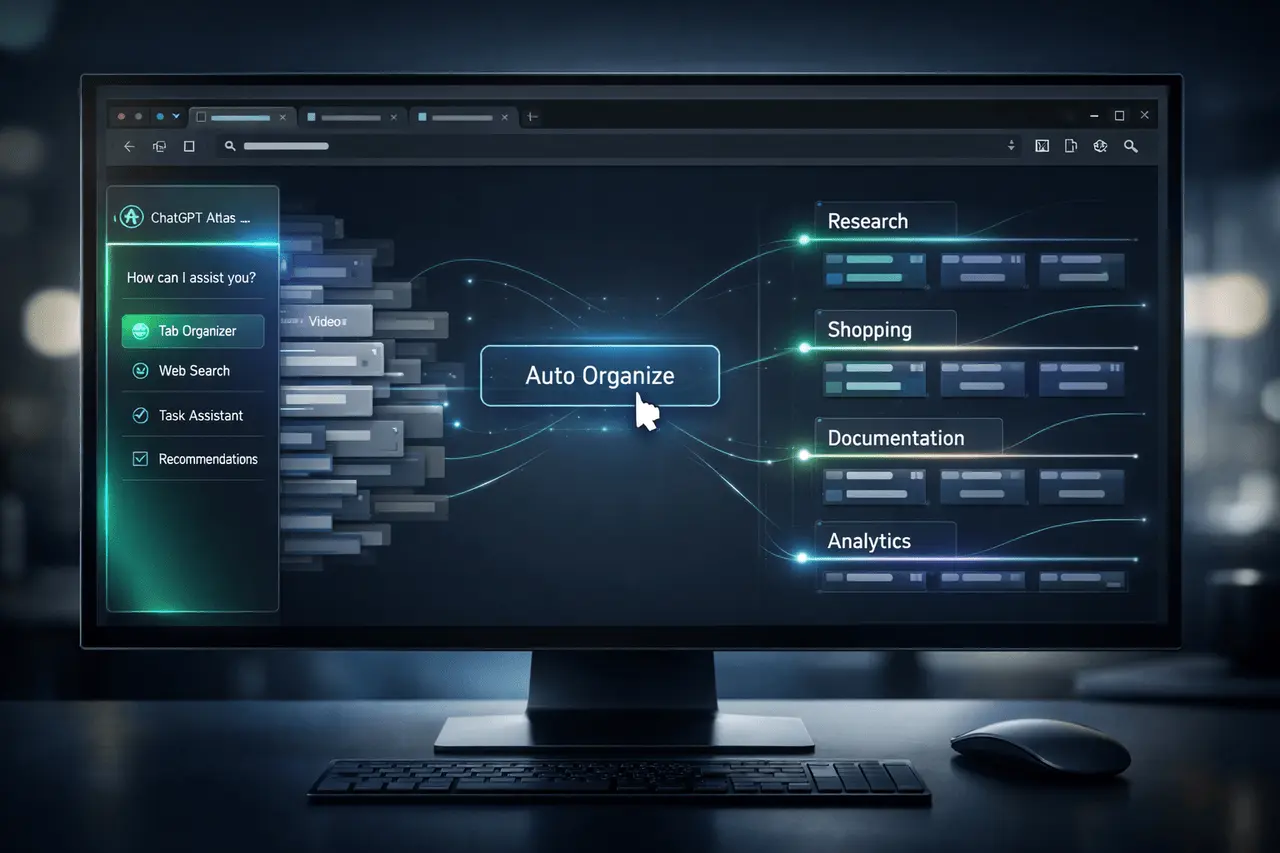
ChatGPT Atlas is a major step toward transforming the current web browser into a smart, action-oriented AI workspace. Instead of being an uninvolved window into the web, ChatGPT Atlas integrates ChatGPT directly into the user experience, transforming it into an agent that can organize and manage the process and eventually act on your behalf.
At its heart, the latest ChatGPT Atlas release centers on one universal issue: tab overflow. With revamped tab search and a brand-new, innovative “auto organize” feature, the browser tackles one of the most enduring productivity issues: the inability to keep tabs open.
This article explains the basics of what ChatGPT Atlas does, how it functions, why it’s important, and how the AI-powered tab control will change the way you browse.
What Is ChatGPT Atlas?
ChatGPT Atlas is an AI-integrated web experience built on ChatGPT as an operating layer, not an individual chatbot. It integrates conversational AI and active browser features and is moving towards an AI that not only answers questions but also performs tasks.
Instead of having to manage many open pages manually, users can count on ChatGPT Atlas for:
- Search across tabs immediately
- Remove duplicate tabs
- Merge multiple browser windows
- Automatically group tabs related to ChatGPT Atlas
- Create browsing sessions that are logically organized
The objective is clear. The goal is to evolve the web browser into an AI that assists with workflows and makes decisions.
Why ChatGPT Atlas Matters?
Modern browsers are built for viewing pages, not for managing cognitive load. But today’s users are operating with:
- Research-intensive workflows
- Multi-window multitasking
- Multi-platform stacks of productivity
- AI-assisted research sessions
Tab clutter isn’t only an issue. It can distract you, slow performance, and scatter attention.
ChatGPT Atlas takes on this fundamental usability issue as it prepares the way for a broader AI-based future.
Revamped Tab Search in ChatGPT Atlas
One of the most important improvements in the latest release is a better Tab search.
How does it work?
Instead of visual scanning the dozens of title tabs, users can:
- Search using the page title
- Search using semantic meaning
- It is quick to surface buried tabs.
- Jump straight to the right window.
Since it is based on ChatGPT, it can interpret intent rather than relying solely on exact keywords.
Why This Is Important?
Traditional tab search engines rely heavily on literal text matches. AI-enhanced tab searches provide contextual understanding, reducing the time it takes to find details.
The “Auto Organize” Button: AI-Powered Tab Grouping
The most notable feature of the ChatGPT Atlas version is an auto-organize tabs function.
In one mouse click, ChatGPT could:
- Remove duplicate tabs
- Merge multiple open windows
- Tabs in the Group tabs based on the subject
- Sessions for structure browsing that are logically
Example Use Case
When a person:
- Five documentation pages
- Three e-commerce product comparisons
- Multiple research articles
- Social media dashboards
ChatGPT Atlas can automatically group the chats into groups of significance, such as:
- “Product Research”
- “Documentation”
- “Shopping Comparison”
- “Social Platforms”
It transforms the chaotic browsing into a structured workflow.
Feature Comparison Table
Traditional Browser vs ChatGPT Atlas
| Feature | Traditional Browser | ChatGPT Atlas |
|---|---|---|
| Manual tab grouping | Yes | Yes |
| Duplicate tab detection | Limited | AI-assisted |
| Window merging | Manual | Automated |
| Semantic tab search | No | Yes |
| AI-driven organization | No | Yes |
| Agent-based task execution | No | In development |
This comparison demonstrates the way ChatGPT Atlas shifts from static browsing to smart workflow management.
How ChatGPT Atlas Moves Toward AI Agents?
The bigger picture behind ChatGPT Atlas extends beyond tab management.
From Assistant to Agent
Traditional ChatGPT use cases:
- Answering questions
- Writing content
- Summarizing documents
ChatGPT Atlas’s goal is to:
- Perform actions within the browser
- Manage digital environments
- Reduce friction in workflows
This aligns with the overall market trend towards AI agents, systems that accomplish multi-step tasks on their own within software-based environments.
Use Cases by Industry
| Industry | Use Case | Benefit |
|---|---|---|
| Software Development | Managing documentation, GitHub tabs, testing dashboards | Cleaner workflow |
| Research & Academia | Organizing papers, references, datasets | Reduced cognitive load |
| E-commerce | Comparing product listings | Faster decisions |
| Marketing | Managing analytics, ads, content drafts | Centralized tab grouping |
| Finance | Monitoring dashboards and reports | Structured oversight |
To automate electronic organization, ChatGPT Atlas can support workflows with high tab density common in professional environments.
Benefits of ChatGPT Atlas
1. Reduced Cognitive Overload
AI grouping reduces the mental effort needed to monitor available resources.
2. Improved Productivity
Quicker tab retrieval and automated cleanup decrease friction.
3. Streamlined Research
Topic-based groups help keep research sessions in order.
4. Better System Performance
Removing duplicate tabs can reduce memory usage.
5. Foundation for AI Automation
Sets the foundation for future action-taking AI agents embedded in browsers.
Limitations and Practical Considerations
Although extremely powerful, users should take into account:
- AI groupings may necessitate manual modifications
- Privacy concerns are based on the implementation structure
- The use of heavy browser extensions could be a hindrance to performance
Tab management is the initial step, but it is not the final design of the AI-powered vision for browsers.
SEO Context: Related Technologies
ChatGPT Atlas is part of the larger ecosystem of:
- AI agents
- Artificial-powered web browsers
- Tools for automation of productivity
- Context-aware assistants
- Semantic system of search
It is a bridge between conversational AI and practical implementation in a web-based environment.
My Final Thoughts
ChatGPT Atlas is a significant transformation in the evolution of browsers. Instead of merely showing websites, the browser transforms into an intelligent partner.
By addressing everyday problems like tab overload with improved search functionality and AI-powered auto-organization, ChatGPT Atlas delivers immediate practical benefits while pointing toward the future of a bigger picture, where AI agents work directly within digital spaces.
As browsing becomes more complex, tools that reduce cognitive friction will become vital. ChatGPT Atlas has shown that even the most basic features, such as tab management, can be improved by AI.
The next browser won’t simply display information. It will be able to comprehend the context, manage complexity, and act accordingly.
ChatGPT Atlas marks a relatively new but important step in this direction.
Frequently Asked Questions (FAQs)
1. What is ChatGPT Atlas?
ChatGPT Atlas is an AI-integrated browser experience that integrates ChatGPT directly into the browser, enabling intelligent tab management and automatic organization.
2. What is the auto-organize feature function?
With a single mouse click, ChatGPT examines open tabs, eliminates duplicates, joins windows, and groups similar pages into clusters that can be logically linked.
3. Is ChatGPT an Atlas chatbot inside a web browser?
No. Unlike the basic chatbot integration, ChatGPT Atlas is designed to act as an AI agent that can take actions in the browser.
4. Can ChatGPT Atlas replace tab grouping?
It makes it more efficient. Users can still organize tabs manually; however, AI-powered grouping can reduce time and effort.
5. Can ChatGPT Atlas boost productivity?
Yes. Through reducing clutter on tabs as well as enabling semantic search and automating the process of organizing to streamline research, as well as multitasking workflows.
6. Are you sure that ChatGPT Atlas is appropriate for use in a professional setting?
Yes. Marketers, developers, researchers, and analysts with many tabs open could greatly benefit from AI-powered tools.
Also Read –
ChatGPT Apps: Features, Use Cases, and How They Work?

