

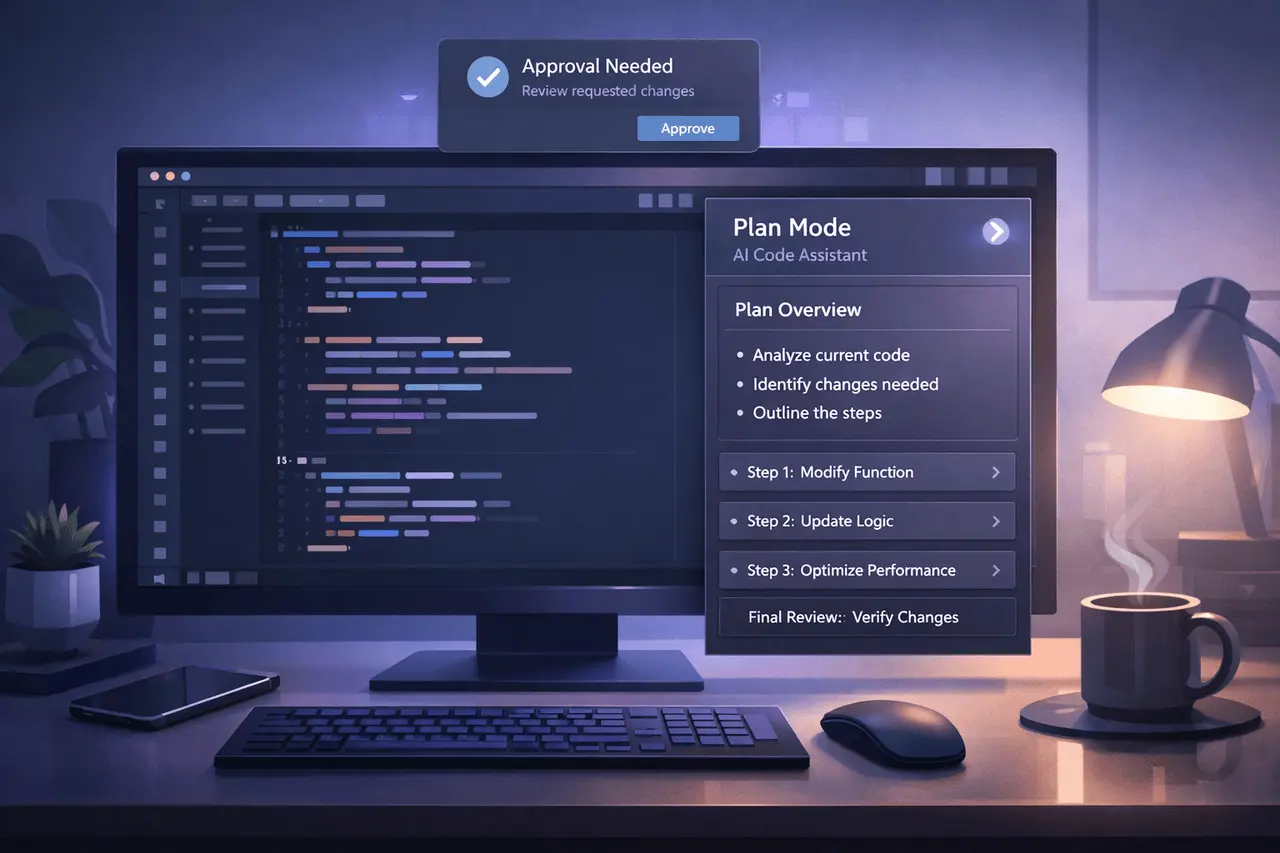
The most recent Claude Code Desktop updates introduce two features focused on workflow, designed to make AI-assisted development more reliable and less disruptive: Planning Mode and real-time alerts. These updates make it easier for developers to work with Claude in the desktop environment, particularly during lengthy or complex programming tasks.
In addition to giving users greater insight into the Claude Code Desktop approach and eliminating the need to switch between apps, these improvements bring Claude Code Desktop towards becoming a background-first, user-friendly, and developer-friendly assistant.
What Is Claude Code Desktop?
Claude Code Desktop is a desktop app that allows developers to utilise Claude for coding tasks such as refactoring, debugging, and feature implementation. In contrast to chat-only interfaces, the desktop application is designed to support ongoing, hands-on development workflows in which Claude can work alongside other developers.
The latest updates concentrate on transparency, control, and the conAI coding desktop apptinuity of workflow, three crucial demands for software professionals who use AI for production.
Why These Updates Matter?
As AI programming tools become more efficient, developers will require stronger protection and more effective coordination methods. Inadequate implementation of changes or poor performance monitoring of an AI assistant could delay teams rather than speed them up.
These new capabilities address the issues:
- Clarifying Claude’s intention before any code changes start
- allowing developers to work on multiple projects while Claude runs in its own way
- Context switching and fatigue due to interruptions are reduced.
These enhancements are beneficial for teams working with massive code bases or in environments where oversight and approval are crucial.
Plan Mode in Claude Code Desktop
What Is Plan Mode?
Plan Mode lets Claude sketch out the desired method before making any changes in the source code. Instead of making changes immediately, Claude first presents a detailed plan of how it intends to proceed.
It is accessible directly from the desktop application.
How Plan Mode Works?
If Plan Mode is enabled, the Claude
- Analyses the job or request
- Creates a step-by-step guideline
- It waits for the user’s review before taking action.
This creates a “think-first” process similar to how experienced developers think about their work.
Benefits of Plan Mode
- Increased transparency into Claude’s logic
- Easy detection of false assumptions
- More secure handling of sensitive or extensive modifications
- Better alignment with team standards for coding
Plan Mode can be especially beneficial for refactors, architectural changes, and multi-file updates, where unintended consequences can be costly.
Notifications in Claude Code Desktop
What does the Notification System do?
The latest major update includes desktop notifications. Claude Code Desktop now informs users when Claude requires approval before proceeding.
Instead of having the app remain focused, Claude can run in the background and alert users only when input is needed.
How do notifications improve workflow?
With notifications, developers can:
- Continue to code or review other tasks
- Avoid constant app monitoring
- Respond only at crucial decision points
This allows Claude appear more like an independent collaborator rather than a tool that needs constant monitoring.
When Notifications Trigger?
Notifications get sent out when:
- Claude seeks approval for planned actions
- A user’s signature is required to proceed
- Intervention is necessary before the continuation of execution
This allows users to remain in control and avoid productivity loss.
Feature Comparison: Before vs After the Updates
| Aspect | Before Updates | After Updates |
|---|---|---|
| Visibility into actions | Immediate execution | Plan reviewed first |
| User attention required | Continuous | Only when approval is needed |
| Background operation | Limited | Fully supported |
| Workflow interruptions | Frequent | Reduced |
How These Features Work Together?
Notifications and Plan Mode are most effective when used together. Plan Mode outlines what Claude will do, while notifications determine when the user must be engaged.
This combination creates an environment where:
- Claude sits and prepares
- The developer reviews the code at the appropriate time
- Execution is carried out with confidence
It’s a more peaceful and more deliberate AI-assisted development.
Practical Use Cases
Individual Developers
- Reviewing complex refactors before execution
- Allowing Claude run, while focusing on other activities
- Controlling without micromanagement
Teams and Organisations
- Ensuring approval processes in codebases are shared
- Reduces the risk of the production process
- Aligning AI behaviour to Internal review procedures
Long-Running Tasks
- Large migrations
- Multi-file updates
- Analysis of background or cleaning tasks
Advantages vs Limitations
| Advantages | Limitations |
|---|---|
| Greater transparency | Requires manual approval |
| Reduced interruptions | Slightly slower initial execution |
| Better trust in AI actions | Not fully autonomous by design |
Limitations are deliberate trade-offs made to prioritise clarity and safety over speed.
Broader Implications for AI Coding Tools
These changes reflect a larger trend emerging in AI tools for development, moving away from reactive agents toward semi-autonomous collaborators. Similar methods are appearing in AI tools and coding platforms, focusing on transparency and user control.
By integrating notifications and planning, Claude Code Desktop aligns more closely with professional expectations for development.
My Final Thoughts
The most recent Claude Code Desktop updates, Plan Mode and smart notifications dramatically improve the way the developers work with AI when they are working in the real world. In a way, by prioritising control, transparency, and continuous workflows, these functions minimise friction while maintaining user oversight.
As AI-assisted technology continues to improve, these updates point to a future in which AI tools are seamlessly integrated into professional workflows, without requiring continuous attention or blind faith.
FAQs
1. What is Plan Mode in Claude Code Desktop?
Plan Mode enables Claude to describe its plan before making any code modifications and allows users to read and accept it.
2. Does Claude Code Desktop run in the background?
Yes. If you enable notifications, Claude can run in the background and notify users only when approval is required.
3. Do notifications interfere with work?
No. Notifications are designed to reduce disruptions and are displayed only when the user’s input is needed.
4. Is Plan Mode mandatory for all jobs?
No. Plan Mode is an option and is efficient for high-impact or complex modifications.
5. Who is the most benefited by these changes?
Developers working on large codebases, teams that need approval workflows, and users with complex or lengthy tasks will benefit the most from this.
Also Read –
Claude Constitution: Values-Based AI Behavior Framework

