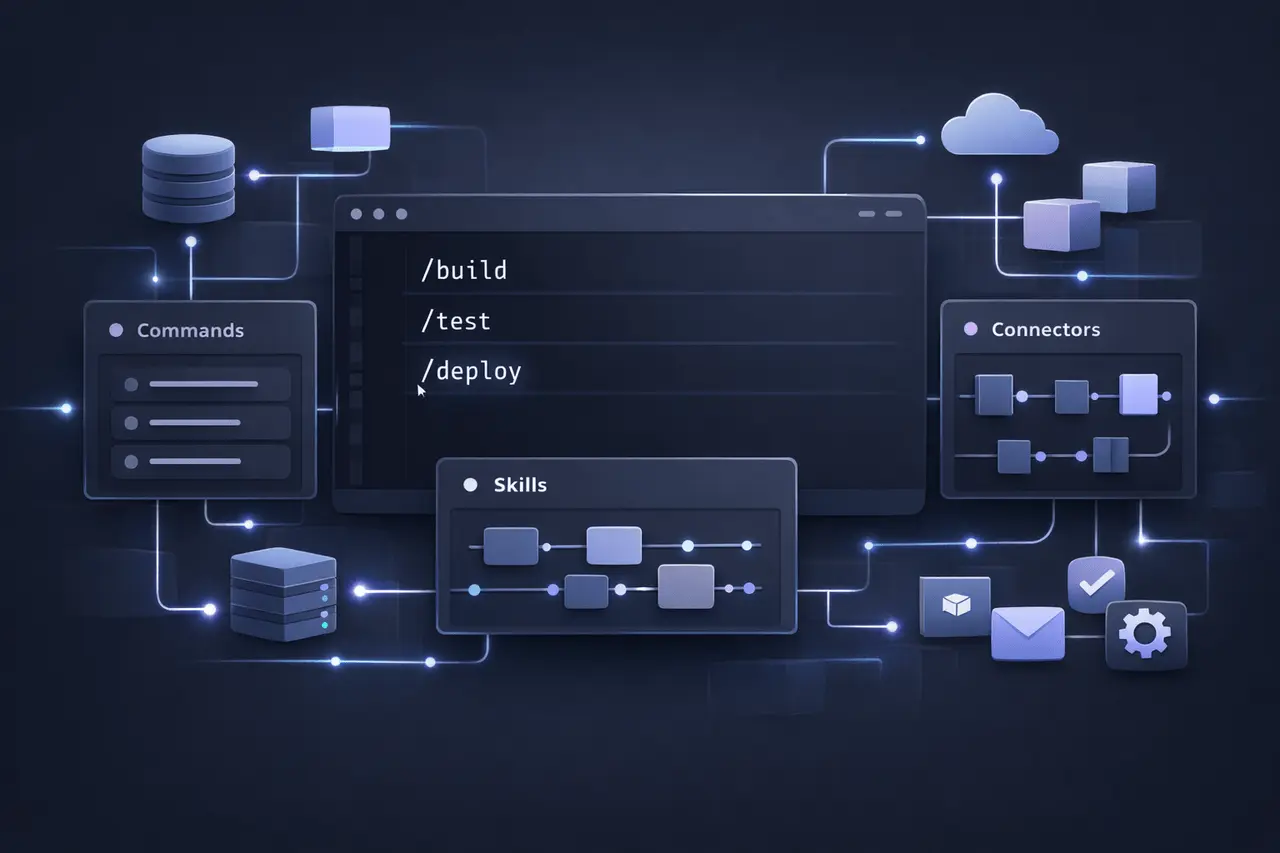
Anthropic continues to improve its Claude platform by adding significant enhancements to Claude Code, including a brand-new Commands feature and a single Customize section that provides access to Skills, Commands, Connectors, and more, enhancing workflows for both developers and non-developers. These improvements strengthen Claude’s position as the next generation of AI systems capable of autonomous task execution, modular modules, and contextually-based integrations.
This article will examine Claude Code Commands, the functions of these features, what they do, why they’re essential, and how they work together to enhance Claude’s capabilities in automation, coding, and agent-based workflows.
What Is Claude Code?
Claude Code is an agentic programming assistant developed by Anthropic that lets developers delegate coding tasks using command-line and IDE workflows. It is an in-built AI agent capable of writing, reading, and editing code, as well as orchestrating complex tasks for developers autonomously within the context of a project.
First released in early 2025 and later expanded to include Slack and web interfaces later in the year, Claude Code is a cornerstone of Anthropic’s overall goal to empower users with intelligent AI robots that are aware of their surroundings.
Introducing Commands: A New Way to Interact
One of the significant upcoming enhancements for Claude Code is the addition of commands, which has been in development since January 2026. Commands provide a structured, slash-style interface for performing regular or standardized operations in Claude Code environments.
Unlike natural language prompts, commands let users enter keywords or other symbols (e.g., build, /test, or /deploy) that Claude Code interprets and executes directly, just as shortcuts or hotkeys tied to specific actions. They are paired with other features, such as Skills and plugins, to ensure consistent and repeatable workflows.
Key Benefits of Commands
- Speedier Process: Quickly initiate complex tasks without long-winded messages.
- Congruity: This ensures the consistency of standard operations.
- Reduction in Friction: Less requirement for lengthy instructions or memorizing scripts.
By integrating Commands directly into the Claude Code interface, Anthropic will increase developers’ productivity and improve workflows at a larger scale.
The New Customize Section: Centralizing Capabilities
Anthropic has also rolled out a brand new customization area in the Claude interface, which combines:
- Skills
- Connectors
- Commands (upcoming)
This hub helps users design, manage, and use extensions that can tailor Claude’s behavior to specific situations.
What’s in the Customize Section?
| Feature | Purpose | Why It Matters |
|---|---|---|
| Skills | Modular instructions and resources for repeatable workflows | Enhances task specificity and consistency |
| Connectors | Links to external services and data sources | Enables real-world integrations |
| Commands | Shortcut triggers for common actions | Speeds up interaction and automation |
Understanding Skills: Modular Task Expertise
Skills are reusable modules. They are, in essence, folders of instructions, assets, and scripts that teach Claude how to complete specific tasks efficiently. When Claude recognizes that a task is related to a Skill’s context, it automatically loads the Skill to deliver optimized results.
How Skills Work
- Encapsulation: Skills package procedural knowledge or domain expertise (e.g., data analysis, report generation).
- Progressive Loading: Claude will load only the relevant components in the order needed, avoiding excessive context overload.
- Expandable: Custom Skills may reflect an organization’s workflows or an individual’s preferences.
Skill Benefits
- Consistency: Eliminates variability in outcomes.
- Automation: Reduces manual prompt refinement.
- Scalability: It is applicable across outputs – codebases, documents, and analysis.
Connectors: Bridging Claude to the Real World
Connectors enable Claude to connect to external data sources and apps via standardized connections. These connections tap into the Model Context Protocol (MCP), an open interface that enables the integration of AI and other tools.
With Connectors, Claude could:
- Read from cloud storage or databases.
- Integration with productivity software (e.g., Asana, Notion)
- Utilize services such as payment processing, messaging, or even payment.
It significantly extends Claude’s capabilities beyond isolated outputs to actual-world enterprise processes and systems.
How Commands, Skills & Connectors Work Together?
The coming Customize hub connects the elements into a single experience:
- Commands let users trigger actions quickly.
- Skills are specialized and provide reliable logic.
- Connectors permit integrations with external sources that bring real-time data into the Claude context.
Together, they provide a flexible yet robust foundation for automated, domain-specific workflows that range from task coding to report generation and decision assistance.
Real-World Applications
For Developers
- Automated building and testing via Commands
- Expertise is modularly embedded into Skills
- Integration with systems for project management by using Connectors
For Businesses
- Automating workflows for CRM, knowledge, and other systems
- Business logic that you can customize, which is encapsulated in Skills
- Task execution is integrated with a cloud service
Benefits of Anthropic’s New Approach
- Scalability: Flexible features allow companies to expand their knowledge and automation.
- Flexible: Developers and non-technical users alike can design custom workflows and agents.
- Efficiency: Commands and Skills reduce the frequency of prompts for engineering.
- Integration: Connectors bring contextual data into Claude’s responses.
Challenges & Considerations
- Complexity: The user may need onboarding to use Skills and Connectors effectively.
- Governance: Companies must control how connectors access sensitive information securely.
- Maintenance: The Skills and Commands need to be updated to keep pace with evolving workflows.
My Final Thoughts
Anthropic’s updates to Claude Code, including the forthcoming Commands features, the new Customize section, and the ongoing development of Skills and Connectors, are a sign of a shift towards more modular, smart, intelligent, and context-conscious AI workflows. These tools allow developers and teams to build efficient, automated, and data-driven solutions with no friction.
By bringing these capabilities together, Anthropic has bolstered Claude’s value not just as a chat-based AI but also as a comprehensible foundation for real-world task automation and integration. In the future, as AI agents become a key component of software workflows and productivity, these flexible frameworks will likely serve as the basis for industry-leading platforms.
FAQs
1. What are Claude Code Commands?
Commands are predefined triggers that allow users to perform structured actions directly within Claude Code, boosting workflow speed and predictability.
2. What is the difference between Skills and Commands? different from commands?
Skills contain the knowledge of procedural processes for specific tasks. Commands are shortcuts that trigger actions with minimal input, and Skills provide more control over the execution of the logic.
3. Can I create custom Skills?
Yes, Custom Skills allow users to modify Claude’s behavior based on specific workflows or requirements within their organization.
4. What are Connectors employed to do?
Connectors connect Claude to third-party applications or data sources, allowing real-time, integrated AI actions.
5. What is Customize? Where is it located?
The Customize section is in Claude’s sidebar. It groups Connectors, Skills, and upcoming Commands into a single Central hub.
6. Does it mean I have to write code to utilize this feature?
The most technical users benefit from Code Skills, and Commands are now accessible to non-developers via integrations and UI improvements.
Also Read –
Claude Mobile Health Connector: Apple & Android Integration