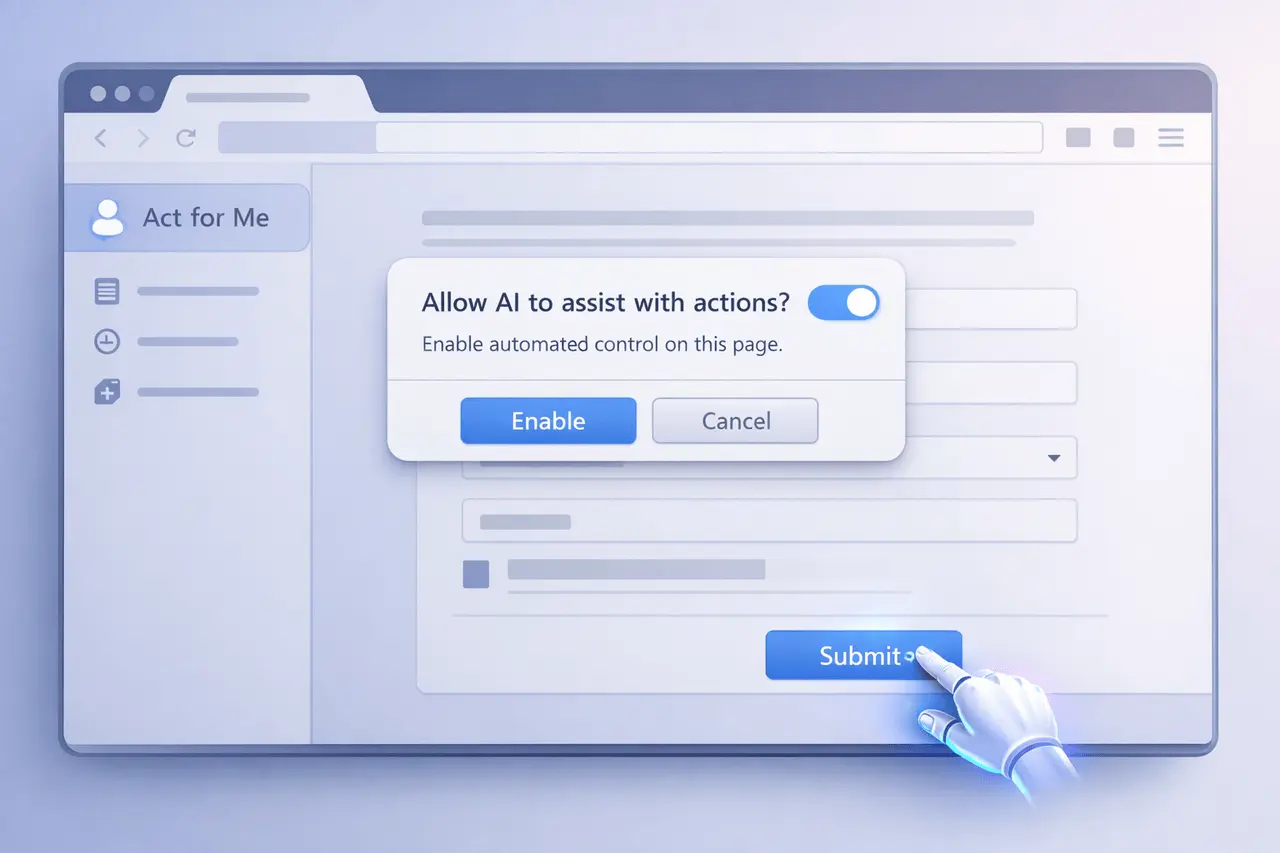
The Comet browser’s Act for Me feature introduces a more straightforward, more controlled way for users to assign jobs to an artificial intelligence-powered assistant. Instead of relying on inferred intent, this feature lets users explicitly instruct Comet to take control of the screen and complete the task directly from the browser’s sidebar. The transition from implicit to explicit user permission emphasizes transparency, security, and the predictability of AI-powered web browsing.
In this article, we explain the Comet browser Act for Me feature, what it is, why it’s important, how it works, and where it is a good fit in real-world workflows. We also discuss the advantages, drawbacks, and practical aspects.
What Is the Comet Browser “Act for Me” Feature?
The Act for Me feature is a sidebar option in the Comet Browser that lets users let the browser manage on-screen actions. When enabled, it is when the user provides explicit instructions, and Comet executes the task in their name.
In contrast to passive AI suggestions and background support, this feature is consciously and clearly visible. The browser doesn’t assume what the user is looking for; it is waiting for an explicit request.
Key characteristics
- An explicit user instruction before the action
- Screen-level control that executes tasks
- Sidebar-based activation that allows for simple access
- designed to minimize confusion in AI behavior
Why Explicit AI Control Matters in Browsers?
AI-powered browsers are increasingly automating tasks such as form filling, navigation, and data search. However, implicit automation — where the system predicts user intentions–can result in mistakes, trust issues, or even unintentional actions.
The Act for Me feature addresses these issues by establishing precise control.
What is the significance of this method?
- User trust: Clear permission reduces surprise actions
- Security: Less chance of accidental submissions or clicks
- Accounting: Users know precisely what happens when AI is performing
- Clearness: Instructive statements are explicit, not inferred.
This aligns with broader developments in responsible AI design, where user consent is more critical than silent automation.
How Does the “Act for Me” Feature Work?
When a user clicks Act for Me in the Comet sidebar, the browser enters execution mode. In this mode, the AI follows the given instructions step by step and interacts with the visible elements of the screen.
Typical workflow
- The user opens the Comet sidebar
- Selects Act for Me
- Provides an explicit, task-oriented instruction
- Comet can take over the screen and perform the job
- User monitors or interrupts if required
The focus will be on instructions-first implementation rather than assistance based on suggestions.
Explicit vs Implicit Browser Automation
| Aspect | Implicit Automation | Act for Me (Explicit) |
|---|---|---|
| User permission | Assumed | Clearly given |
| AI behavior | Predictive | Instruction-driven |
| Transparency | Limited | High |
| Risk of errors | Higher | Lower |
| User control | Partial | Strong |
Practical Use Cases for Act for Me
This feature is handy for repetitive tasks where clarity is crucial.
Common scenarios
- Navigating multi-step web workflows
- Completed structured online forms
- Managing dashboard-based tools
- Repeating routine research steps
- Guided web actions during demonstrations
By requiring explicitly defined commands, Comet ensures the AI stays within the task’s bounds.
Benefits of the Comet Browser Act for Me Feature
Clear advantages
- Higher Predictability Acts follow instructions
- Improved Usability: Less back-and-forth correction
- More Substantial Confidence: Users stay in control
- Reduced Cognitive Load: Delegate execution, not decisions
For professionals, this could result in quicker task completion, without losing control.
Comet browser Act for Me: Limitations and Considerations
Although powerful, Act for Me is not suited for every situation.
Important considerations
- It requires clear guidelines
- Not the best choice for ambiguous or creative tasks.
- The user must remain attentive during execution
- Dependent on the visible screen context
Users should think of it as an implementation aid, not an actual decision-maker.
Where Act for Me Fits in the AI Browser Landscape?
AI browsers are evolving from passive tools to active agents. Act for Me represents a middle ground between manual and complete autonomy.
It complements:
- Built-in AI assistants
- Other AI algorithms for reasoning, and a summary
- Similar technologies that focus specifically on the automation of tasks
With its emphasis on explicit control, Comet positions this feature as a secure way to enter agent-based browsing.
Future Relevance of Agentic Browsing
As AI browsers mature, features like Act for Me could redefine online productivity by turning passive browsing into proactive, autonomous assistance. With ongoing updates, Comet aims to expand capabilities, potentially including deeper integrations with enterprise applications such as Gmail, Outlook, and calendars, as well as enhanced background assistants for proactive task handling. This evolution underscores the need for balanced innovation, prioritizing user control, robust security measures, and ethical AI use to address emerging challenges such as agent vulnerabilities and privacy concerns.
Looking ahead into 2026 and beyond, agentic browsing is poised to capture growing market share as it evolves from experimental tools to essential components of daily digital workflows, driven by continuous advancements in AI reliability and cross-platform accessibility.
My Final Thoughts
The Comet browser’s Act for Me feature highlights the fundamental shift in AI-assisted surfing: being explicit is more effective than implicit. By requiring clear user directions before allowing them to control the display, Comet improves the trust, security, and predictability of automated browsers.
As AI-powered browsers continue to improve, features such as Act for Me demonstrate that user-first design can balance efficiency and control. In the future, the explicit execution algorithms are expected to play a significant part in shaping responsible, user-driven web experiences.
FAQs About the Comet Browser Act for Me
1. What exactly does “Act for Me” do in Comet Browser?
It lets users expressly tell the browser to take control of the screen and complete an action.
2. What is Act for Me different from the usual AI assistance?
Normal assistance can suggest actions, whereas Act for Me performs actions only upon direct user instruction.
3. Is Act for Me always active?
No. It only activates when the user selects an option from the menu and issues the command.
4. Can the user interrupt or stop the action?
Yes. Users are in control and may interrupt the execution at any moment.
5. Is Act for Me suitable for the most delicate of work?
It is best suited to structured, observable tasks in which the user can observe actions in real time.
Also Read –
Perplexity BlueMatrix Partnership: AI Equity Research for Buy-Side