In the modern workplace, Meetings are where new ideas emerge, decisions are taken, and tasks are assigned. However, understanding the core of these conversations, such as who was speaking, what discussions were made, and which actions are to be taken next, is a constant issue. Meet Meeting Minutes, the latest feature from Manus, designed to convert real-time conversations into a structured, actionable output. Available to every Manus client, this feature can bridge the gap between conversation and actual work, eliminating the need to take notes by hand and accelerating the team’s productivity.
In this article, we will explain Manus Meeting Minutes, how it works, its key capabilities, and how it helps teams transform real-time conversations into structured notes, actionable tasks, and ready-to-use deliverables in a single, seamless workflow.
What are Manus Meeting Minutes?
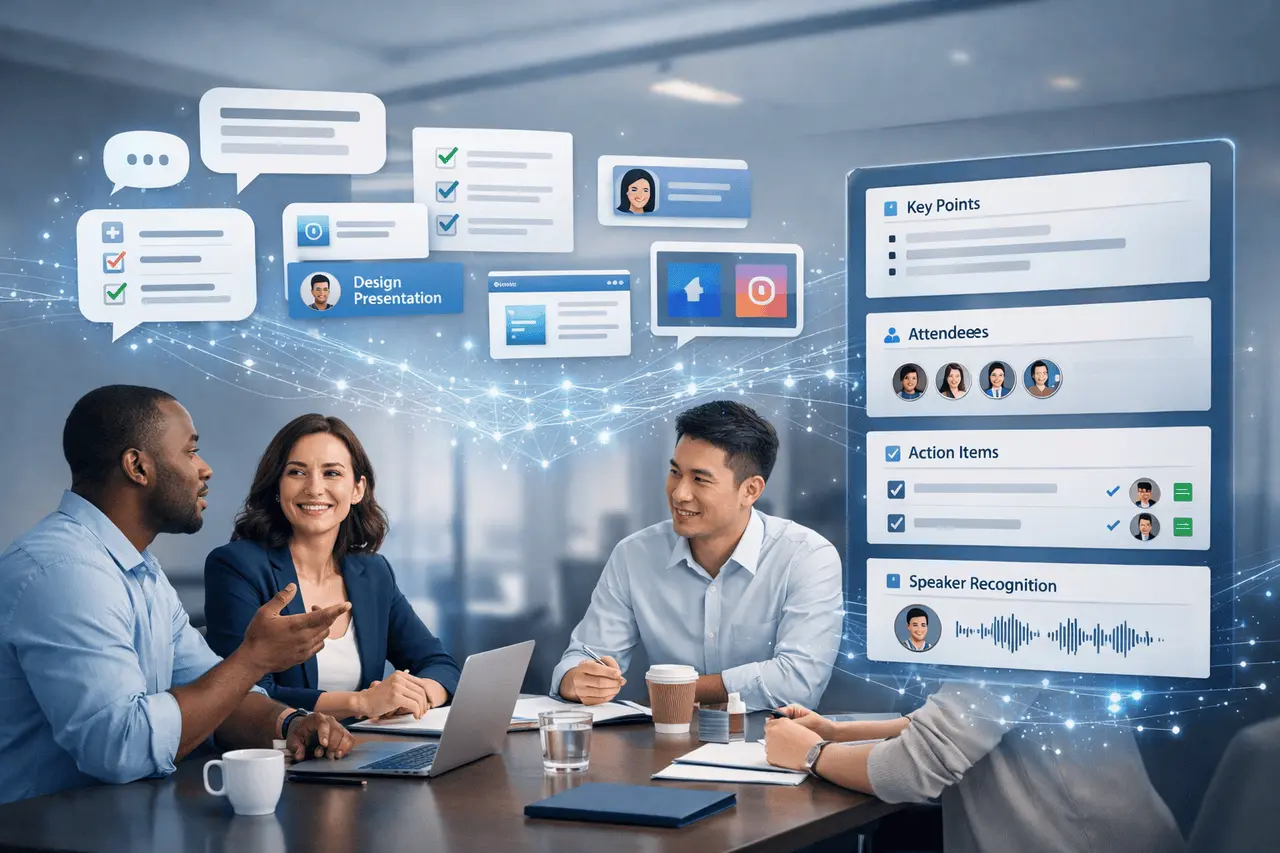
The Meeting Minutes feature is an AI-powered feature integrated in Manus. Meeting Minutes is an AI-powered feature that’s built into the Manus platform. It records live in-person conversations, transcribes spoken words, and automatically generates structured summaries. This tool can move from a live discussion to final deliverables, such as slide decks, websites, and social media collateral, in one workflow. Manus Meeting Minutes highlights key elements and identifies the attendees. It also organizes items that can be used for action with speaker attributions, making meetings more efficient and less time-consuming.
Unlike conventional note-taking software, which requires a keyboard or prompts, Manus Meeting Minutes listens in real time and takes extensive notes after the meeting. This allows teams to move from conversation to action without re-running steps swiftly.
How Meeting Minutes Work: Step-by-Step
Meeting Minutes was designed to be reliable and straightforward so that you can remain focused on the conversation, instead of the technology:
- Start Recording: Tap the Meeting Recording icon in Manus to start recording your meeting. The software begins transcribing speech immediately, creating a live transcript as participants speak.
- Automated Summarization: At the conclusion of the session, press Finish, and Manus automatically analyzes the transcript for essential points, participants’ decisions, actions, and items.
- Uninterrupted Capture: If the internet connection fails while recording, the feature continues recording audio offline until connectivity returns.
- Deliverable Generation: Use the summary generated as a reference point to create slide shows, websites, slide decks, or social media content as part of the same process, which can streamline output creation.
This makes manual minutes-taking, with its tedious notes and typing, a thing of the past. Instead, teams receive organized results tailored to the task at hand.
Key Capabilities: Beyond Basic Transcription
Meeting Minutes extends beyond the simple text-to-speech. Its main capabilities include:
Speaker Recognition and Assignment
Meeting Minutes can identify individuals who speak and attribute statements with precision, and accurately assign items. This is because it knows not only what must be accomplished, but also who is accountable.
Structured Summaries
After the session is over, Manus produces a clear outline of the main points discussed, the decisions taken, the issues raised, and the assignments assigned. Manus handles many speakers and complex discussions with ease.
Actionable Outputs
One of the most significant benefits is the ability to use meeting notes to frame projects that produce deliverables. For instance, after capturing an idea-sharing session for an upcoming product launch, Manus can take the notes and make:
- A slide deck highlighting strategic goals and timelines.
- The webpage summarizes the results for internal and external viewers.
- Media collateral for social media is specifically designed to convey the main messages that the topic is discussed.
This complete workflow removes the hassle of switching between platforms and tools.
Collaboration and Shared Execution
Meeting Minutes aren’t just for recording individual conversations. It also promotes collaboration within teams. Meeting participants can be invited to join Manus. Manus task and allow everyone to participate in the common workspace. The shared environment helps achieve coordination and makes it easy to review summaries, modify actions, and develop deliverables with others.
Reliability and Use Cases
Meeting Minutes is designed to facilitate live discussions, not for online meetings. It’s great for team meetings, strategy meetings, whiteboard discussions, or any situation where people are physically present and active in real time.
A notable feature of resilience is the ability to handle unstable connectivity. Once recording begins, it will continue even when the internet is down. This makes it ideal for areas with weak network coverage, such as remote workshops or field meetings.
In practical scenarios, Teams can use meeting minutes to
- Record brainstorming sessions and convert the decisions into action-oriented reports
- Record requirements meetings and generate project plan slides.
- Develop Marketing content based on discussions about strategic planning and reduce the time to turn around.
- Updates from the team are synchronized into structured documents that can be shared across the company.
Practical Tips for Best Results
to maximize the benefit of meeting minutes:
- Participants should be invited early, and everyone should speak clearly to increase transcription accuracy.
- Use a structured agenda in meetings to help Manus identify topics more effectively.
- Examine and modify summary documents after the generation process to fine-tune action items and clarify before sharing.
- Connect to other Manus functions, such as slide creation or web generation, to completely streamline downstream delivery of output.
Availability
Meeting Minutes are accessible today to all Manus users. You must start the recording through Manus. Manus interface. It is seamlessly integrated with the larger Manus ecosystem, which supports tasks ranging from content creation and data analysis to presentation and visualization.
My Final Thoughts
Manus Meeting Minutes represents a significant change in how teams conduct meetings, shifting from passive documenting to active implementation. By combining real-time transcription with the ability to recognize speakers and structured summaries with built-in content creation, it eases the inconsistency between discussing work and actually executing it. Its emphasis on in-person discussions, offline resilience, and collaborative workflows makes it efficient for teams that depend on face-to-face conversations and quick follow-up. While reviewing outputs to ensure accuracy is crucial, the real value lies in the speed saved, the clarity achieved, and the ability to keep momentum. Teams looking to transform conversations into tangible results without the hassle of juggling multiple software solutions can benefit from Meeting Minutes, an efficient and highly effective solution.
Frequently Asked Questions
1. What kind of meetings can Meeting Minutes capture?
Meeting Minutes is specifically designed to facilitate in-person conversations and real-time chats rather than video-based online calls. It is ideal for group huddles, face-to-face meetings, and workshops.
2. Can Meeting Minutes pause and resume during a session?
No. When a recording begins and is paused, it can’t be stopped and then resumed. If you want to stop the recording, you’ll need to start a new session.
3. What is the outcome if my internet is interrupted during a meeting?
The recording will remain offline and sync with Manus after connectivity is restored.
4. Are there any limits to what Meeting Minutes can generate?
Transcription and Capture are free; however, creating deliverables and structured summaries consumes credits based on the Manus plan.
5. How precise are the speaker assignments?
Meeting Minutes uses AI to identify participants and assign tasks based on who spoke first; however, a review of the final output to ensure accuracy before distribution is highly recommended.
6. Do I require additional software to use Meeting Minutes?
There are no additional tools required. All gathering and recording is done within Manus. Manus platform.
Also Read –
Manus AI Agent Use Cases: Research, Design and Development
Manus 1.6 Max: What’s New in Performance, Mobile Apps & Design?