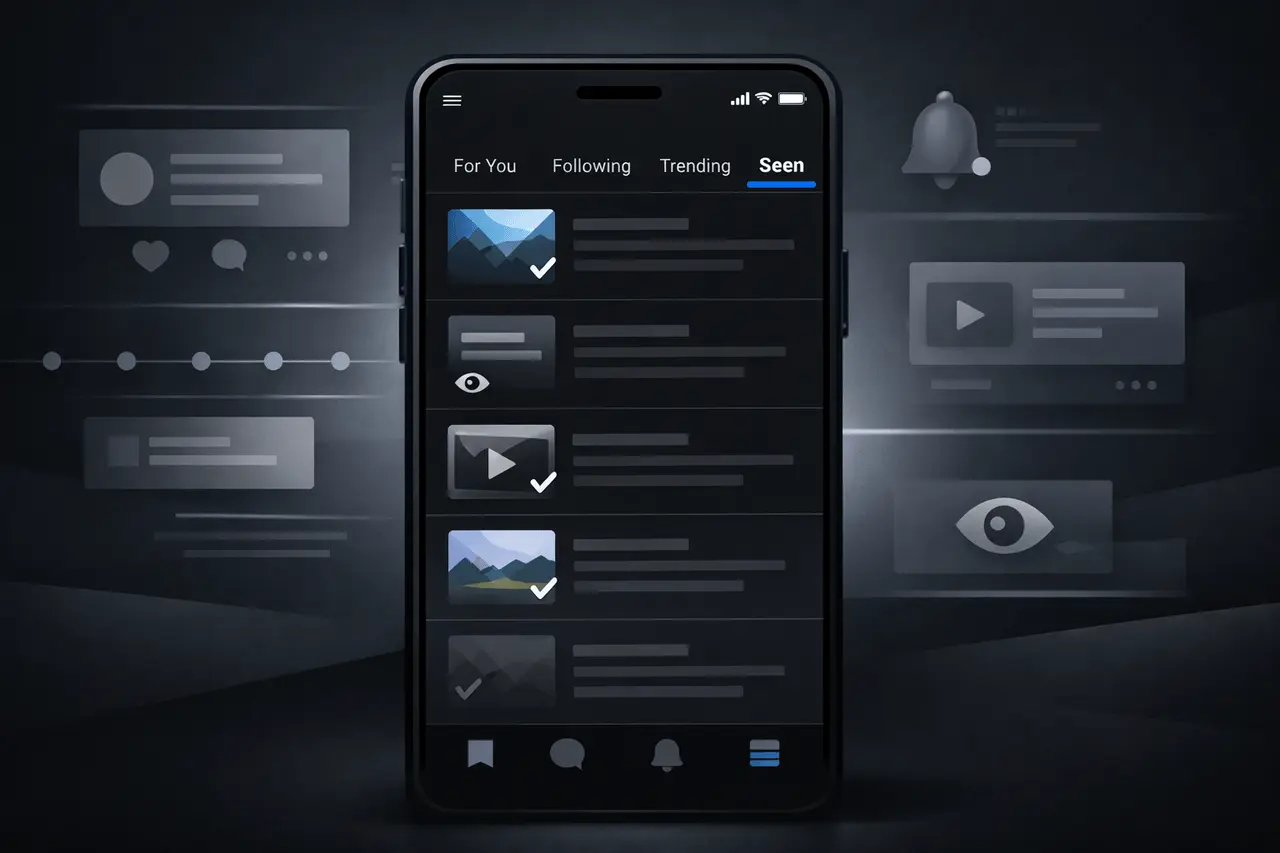
X The social platform, which was previously called Twitter, has been working on a brand new feature called the “Seen” tab, designed to allow users to track and revisit the content they’ve visited within the application. This new feature is intended to alleviate a common annoyance: users losing track of their posts while scrolling, particularly in a constantly changing feed.
The concept is simple rather than having to rely on memories or bookmarks manually created for pages, users could access the dedicated section within X which aggregates their previous posts that they have viewed. This could include articles that you’ve read, videos that you’ve seen, or other content that you’ve interacted with on your timeline.
Although X has consistently improved its features and interface, which prioritize recommendations, relevance, and exploration, the X Seen tab could be one of the platform’s more user-centric navigation tools. It makes it easier to return to previously discovered content without having to bookmark it or search.
Why the X Seen Tab Matters?
Feeds from social networks are naturally intermittent. For platforms like X postings are swiftly circulating especially on timelines that are busy where current topics and real-time updates are the most popular. Users tend to scroll fast in a hurry, ignoring the content they want to interact with, for example, the latest tutorial or article about breaking news, or even a thread they planned to return to in the future. The Seen tab is a direct solution to this issue.
In terms of practicality an Seen tab can:
- Reduce the loss of content Posts you’ve seen before do not disappear after you quit the application or refresh the feed.
- Enhance the rediscovery of content If you’ve forgotten to share, like or post something on social media, you will likely come across it in your library instead of scrolling forever.
- Improve productivity — For users who utilize X for research or professional reasons, the ability to review previously read articles quickly can help to save time.
- Aid in managing memory Instead of relying on screenshots or memory to recall information the platform itself keeps the content you’ve consumed.
The benefits of this provide the Seen tab a potential option for regular users as well as influencers, marketers and anyone else who relies on X to supplement their social media habits.
How the Seen Tab Might Work?
The official technical specifications for X are not yet available however, early reports from users who are testing the feature suggest that it could have a structure:
- History List History List: A chronological or categorized listing of the posts you’ve read through your feed.
- Medium Differenciation: A tab may display different types of media (text images, videos, text) independently or incorporate filters.
- Highlights or Recap: Some mockups that have been shared online suggest X could provide contextual groupings, such as the ability to group Tweets viewed by the type of interaction or topic.
At the moment the precise user interface and the controls aren’t yet fully described. Similar to many platform-based experiments it’s possible that the Seen tab could initially only be accessible to a select group of users, or only in a few markets prior to a wider launch.
X Seen Tab in contrast t Bookmarks and other Tools
X already provides tools such as Bookmarks as well Likes (though they have tried the ability to hide Like counts) to allow users to save content to be saved for future use. But these tools require a deliberate engagement: you must choose in advance whether to bookmark or follow an article.
The Seen tab is a way to eliminate the necessity for planning. Instead of saving posts in a proactive manner the system tracks the content you scroll through naturally which makes it simpler to go back without planning. This slight change can mean for those who desire a seamless record of discovery, rather than an archive of manually saved content.
Broader Context: X’s 2025 Innovation Strategy
This new feature is part of the larger wave of updates X is coming out in 2025. It has also been testing using algorithmic adjustments to prioritize the importance of user feeds as well as by integrating AI to rank and recommend and introducing innovative tools to creators as well as power users.
- Personalization of the algorithm: X continues to improve how posts appear in various timelines.
- New engagement options are available: The platform has tried a variety of interaction icons, views of engagement and tabs that focus on media.
- Content management tools features like video tabs as well as enhanced analytical dashboards are part of X’s mission to make the consumption of content as well as management easier.
In contrast to these features however, unlike these features, the Seen tab is not as focused on interaction and discovery, and more focused on content recall and is a valuable component of the X’s ongoing strategy to improve user experience.
X Seen tab: Potential Challenges and Considerations
Despite the Seen tab is a clear promise of advantages, there are still some doubts in regards to privacy and the practical implementation:
- Data Storage: How long will the recorded history of viewed posts be kept? Does it last forever or will it be limited by data limits or time?
- Privacy Controls: The user might wish to erase their Seen history or opt out of its collection, or alter the types of interactions are recorded.
- The Clarity of the Interface: Ensuring the feature doesn’t overburden users or overflow the app with unnecessary tools is crucial to its successful adoption.
These concerns will be addressed when X improves the feature and collects feedback from the early testers.
Final Thoughts
The new X Seen tab is an intelligent effort to improve the way users organize and discover information they’ve previously encountered. It shifts a portion of the load of manual storage and memory on the platform, giving an easier method of revisiting articles, videos and conversations that matter. Although it is still in the early stages of testing the feature is likely to become an integral part of X’s collection of navigation and organization tools that will appeal to daily users professional users, as well as social media experts alike.
Frequently Asked Questions
1. What is the Seen tab on X?
Its Seen tab features a brand new feature currently being trialled on X that lets users look back at posts they’ve seen before and allowing them to return later and not bookmarking.
2. What is the difference between The Seen tab different from Bookmarks?
Contrary to Bookmarks that need you to save posts manually The Seen tab will automatically track your content that you’ve viewed, thus reducing the requirement for conscious saving.
3. Does the Seen tab save my history for a lifetime?
Information on how long history is kept aren’t fully revealed as of now. Privacy and retention guidelines are expected to be clarified once X extends the features.
4. Does the Seen tab accessible to everyone?
In the beginning the feature might be tested in a limited way for certain regions or users prior to the feature is rolled out to the entire world.
5. Can I delete the history of my Seen Tab history?
Although specifics aren’t yet confirmed but most platforms with similar features let users erase or manage their history, which could be included in this case too.
6. Does this impact the algorithm or recommendations of X?
The Seen tab is a different navigation tool that doesn’t alter the way that the algorithm of the platform recommends content, but it is a complement to other features that focus on organising and rediscovering posts.
Also Read –
X Chat: Encrypted Messaging Upgrade Replaces DMs
X Money: What Elon Musk’s New Payments System Means?