In 2025, OpenAI announced a significant update to its integrated visual AI platform. ChatGPT Images, which are powered by the GPT Image 1.5 model. This upgrade is a substantial advancement in the field of artificial intelligence-powered image editing and creation, offering users better performance, improved instruction compliance, and professional visual quality right within ChatGPT.
Contrary to previous AI image-generating tools, which were primarily exploratory, ChatGPT Images is designed for practical, productive workflows, from concept generation to refined edits to design, business, and the production of content.
This article will explain what it does, how it works, what’s new about it, how to utilise it effectively, how to integrate it, as well as its limitations and how it can be integrated within the larger AI world.
What are ChatGPT Images?
ChatGPT Images is an integrated feature of the ChatGPT platform that enables natural-language-driven image editing and creation within ChatGPT. It also allows editing and creation of images within the ChatGPT User Interface. Users can create brand new images and modify existing ones by simply writing the appropriate prompts.
What is the significance?
Before ChatGPT, users typically needed separate tools for text-based conversations and for AI-generated or edited images. Through this integration, visuals are now an integral part of the experience for conversation, allowing seamless idea iteration in creative processes. This seamless integration will enable images and text outputs to be integrated without switching tools or even contexts.
What’s New with the GPT Image 1.5 Model? GPT Image 1.5 Model?
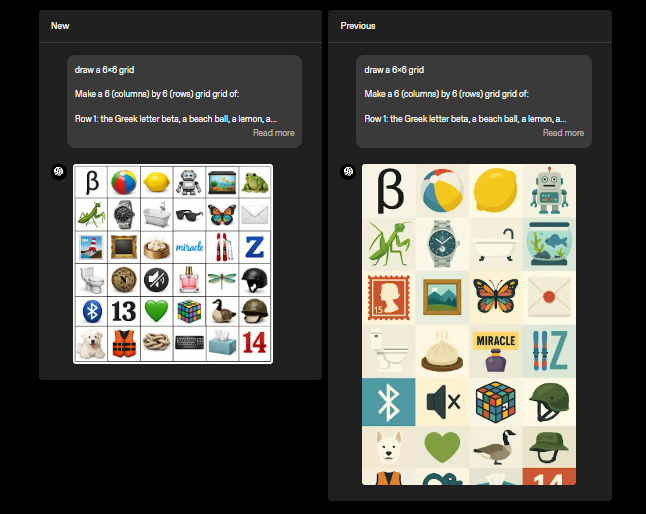
The main component of this update lies in the GPT Image 1.5 model, the latest version of OpenAI’s most popular image-generation system. This model offers a variety of significant enhancements:
1. Enhanced Instruction Compliance
GPT Image 1.5 adheres to user-specific instructions more accurately and with greater uniformity. That means that if you specify the exact details you need to change, such as adjusting lighting, removing an object, or changing hues, the model follows the instructions you provide more closely.
2. Reliable and flexible image editing
The most significant innovation is its ability to handle editing tasks. Instead of generating images from scratch, GPT Image 1.5 supports:
- Adding or removing elements
- Moving the background of objects or backgrounds
- Blending multiple inputs
- The transposition of objects, styles or even designs
- Maintaining the structure and cues that were in the image’s original structure
This allows workflows that previously required manual tools, such as Photoshop and Illustrator, to be completed using natural language.
3. Realism and detail retention
The model can preserve the fine details of visuals, such as lighting, textures, and facial features, while maintaining structural uniformity. This results in more realistic, user-friendly outputs, especially for professional and commercial visuals.
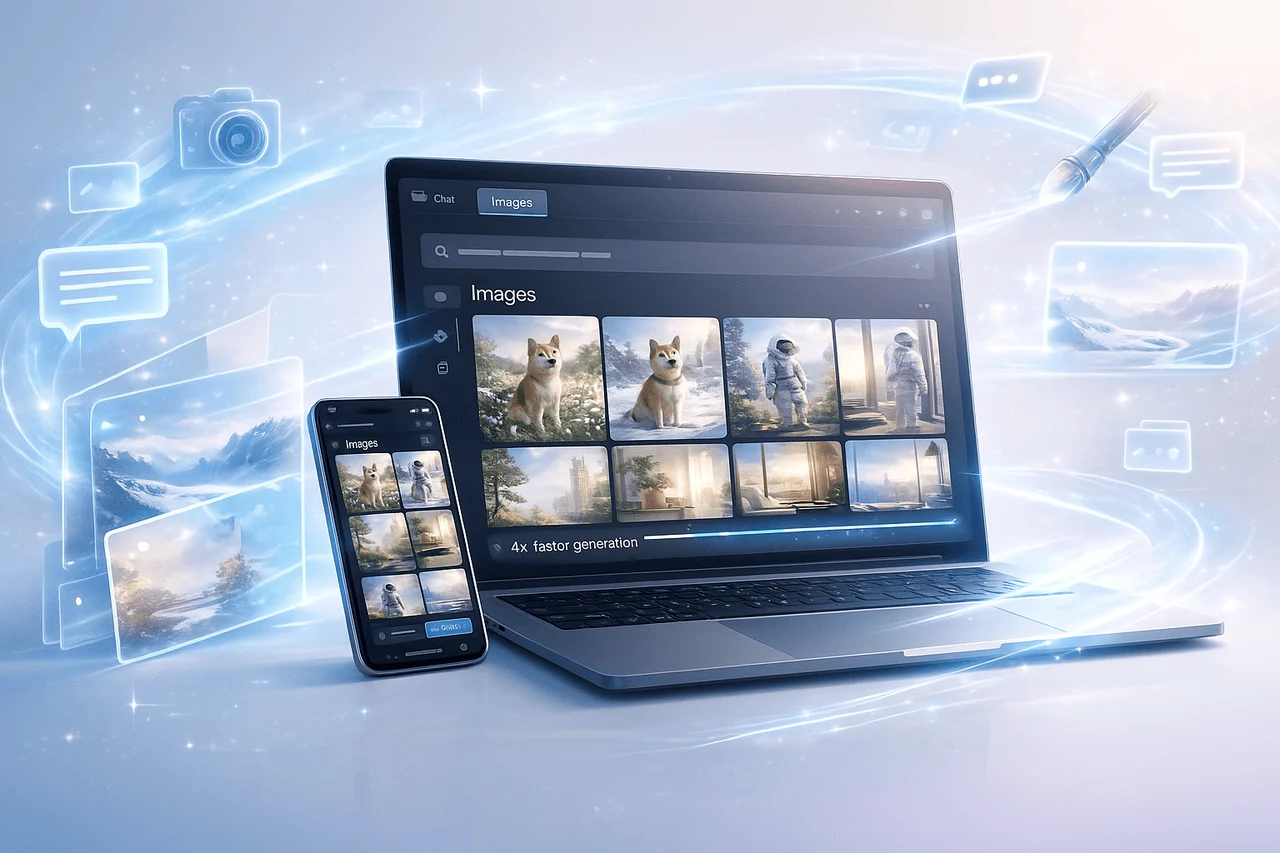
4. Up to 4x Speedier Performance
Editing and generation speeds on GPT Image 1.5 can be up to 4 times faster than on older image models. This dramatically speeds up the creative process and reduces the time required to explore design.
ChatGPT Images: A New Dedicated Images Workspace
OpenAI has redesigned the ChatGPT interface, adding an exclusive “Images” tab on the sidebar. This workspace:
- Centralises image editing and creation tools
- Provides pre-styles as well as filters
- Highlights popular or trending prompts
- Facilitates more straightforward navigation of your visual projects
In this UX update, creating and managing images becomes more logical even for those who aren’t professional designers.
What ChatGPT Images Work From the Prompt to the Output?
Step-by-Step Workflow
- In the “Images” tab: Access all tools related to images in one location.
- Create an image from scratch: Provide a description prompt — e.g., “a high-resolution image of the smartwatch’s product that has subtle shadows.”
- Editing Existing Images: Upload photos and request changes, e.g., “change the background to white.”
- Iterate and enhance outputs by introducing follow-up prompts like “make the watch’s face display 10,10.”
- Downloading: Save the final versions to use in websites, marketing presentations, prototyping, or presentations.
This workflow shows the natural language-to-visual output pipeline, reducing the friction between concept and execution.
ChatGPT Images: Real-World Use Cases
Creative Design as well as Prototyping
Designers can quickly prototype visual concepts at no cost, with minimal software or production time. Imagine a preview of multiple composition variations within minutes by simply responding to prompts.
Advertising and Content Creation
Marketing teams can create campaign graphics that conform to brand visual guidelines by defining parameters such as colour palettes, angles, and message context, all using ChatGPT.
eCommerce and Product Visuals
Online retailers can quickly create consistent product images across categories, including lifestyle photos, backgrounds, and multiple scenes with context, perfect for listing pages and social media ads.
Education and Visualisation
Content creators and instructors can create diagrams, illustrations, and conceptual images to explain complex subjects more effectively than just text alone.
ChatGPT Images: API Access, Developer Integration and API Connectivity
ChatGPT Images isn’t just limited to the ChatGPT user interface. It’s also accessible via the OpenAI API ecosystem.
API Availability
- GPT image 1.5 Model. It is listed on the OpenAI platform’s models page as the most advanced image-generation technology.
- Developers can integrate image editing and generation into their apps by using traditional endpoints.
API Features
The API can support:
- Text-to-image generation
- Editing images using masks
- Variations Based upon uploads
- embedding generation for visual similarity and for search (where available)
It allows businesses to integrate advanced image capabilities into workflows, such as:
- Automated Content Pipelines
- Visual search engines
- Dynamic creative optimisation
Developers can use the API to build products that leverage ChatGPT Images alongside the standard ChatGPT experience, expanding the possibilities for enterprise-level applications.
ChatGPT Images: Integration with Other Tools
Recent developments within the AI ecosystem are the deeper integration with third-party tools for creativity. For instance, Adobe announced that Photoshop, Adobe Express, and Acrobat are now seamlessly integrated into ChatGPT, which will allow editing and adjustments to design and PDF workflows that can be completed within ChatGPT via integrated menus and commands.
Users can leverage GPT’s generative technology, Image 1.5, and professional design tools in a single interactive experience.
ChatGPT Images: Limitations and Practical Aspects
Despite its exceptional abilities, it has some important aspects to consider:
1. Limits to creativity Limits
Although GPT Image 1.5 provides high-quality images, very specific or technical image generation might require specialised design software, or even human improvement.
2. Access and Cost Limits
Heavy use of the API or high-resolution production may result in additional charges, and access levels may vary depending on subscription plans.
3. Compliance and Safety
As with all AI systems, AI outputs may require supervision and moderation to ensure compliance with legal, ethical, and safety standards for brands.
ChatGPT images in the AI Landscape
ChatGPT Images marks a shift towards an integrated, multimodal AI systems that blur the distinction between visual and text intelligence. Earlier image systems, such as DALL-E, were separate, but GPT Image 1.5’s deep integration with text-based AI dialogues is more adaptable and user-friendly.
This is in line with broader market trends towards multimodal AI platforms that can handle text and images, as well as tools in unison interfaces, which facilitate faster workflows and increase AI’s utility in real time.
Final Thoughts
ChatGPT Images and GPT image 1.5 model mark a significant advancement in AI technology for image generation. With a focus on faster performance and professional-grade tools for precise intent alignment and editing, OpenAI has transformed image generation into a tool that supports real workflows rather than just a creative experiment. The introduction of an exclusive Images interface, along with API accessibility, enhances its utility and allows both individuals and organisations to incorporate visually based AI into their everyday workflows.
While there are some concerns about access restrictions cost, as well as the requirement for humans to supervise in high-risk or brand-sensitive situations, the direction is obvious. ChatGPT Images hints at an era in which images, text, and tools are integrated into an intelligent interface that makes it easier to think about ideas and their implementation. If you’re looking for efficient, flexible, scalable, and adaptable methods to develop and improve visual content, this new update is a significant step forward in how AI can enhance creativity and professional projects.
Frequently Answered Questions (FAQs)
1. What distinguishes ChatGPT Images from older image models like DALL-E?
ChatGPT Images is based on the GPT image 1.5 model, which offers greater adherence to instructions, better preservation of details, and integrated editing features within ChatGPT, as opposed to standalone models such as DALL-E.
2. Can businesses use these images for commercial projects?
Yes, the control and realism provided by GPT Image 1.5 make it appropriate for commercial advertising, branding, and product images, as long as they adhere to the platform’s and license terms.
3. Do I require coding skills to make use of the API?
The API provides simple endpoints for accepting images and prompts, and a variety of SDKs simplify implementation.
4. Is there a no-cost rate that allows ChatGPT Images?
The availability may differ by subscription level, including limitations on free content access and more quota-based use for paid tiers.
5. How does GPT Image 1.5 handle multiple edits?
The model ensures the same visual appearance across edits while preserving lighting composition, object features, and lighting.
6. What’s the direction that AI is heading in for AI Image tools?
Expect deeper multimodal integration tools, partnerships with tool providers (e.g., Adobe), broader API use cases, and enhanced capabilities for audio and video as part of an integrated system of generative technology.