

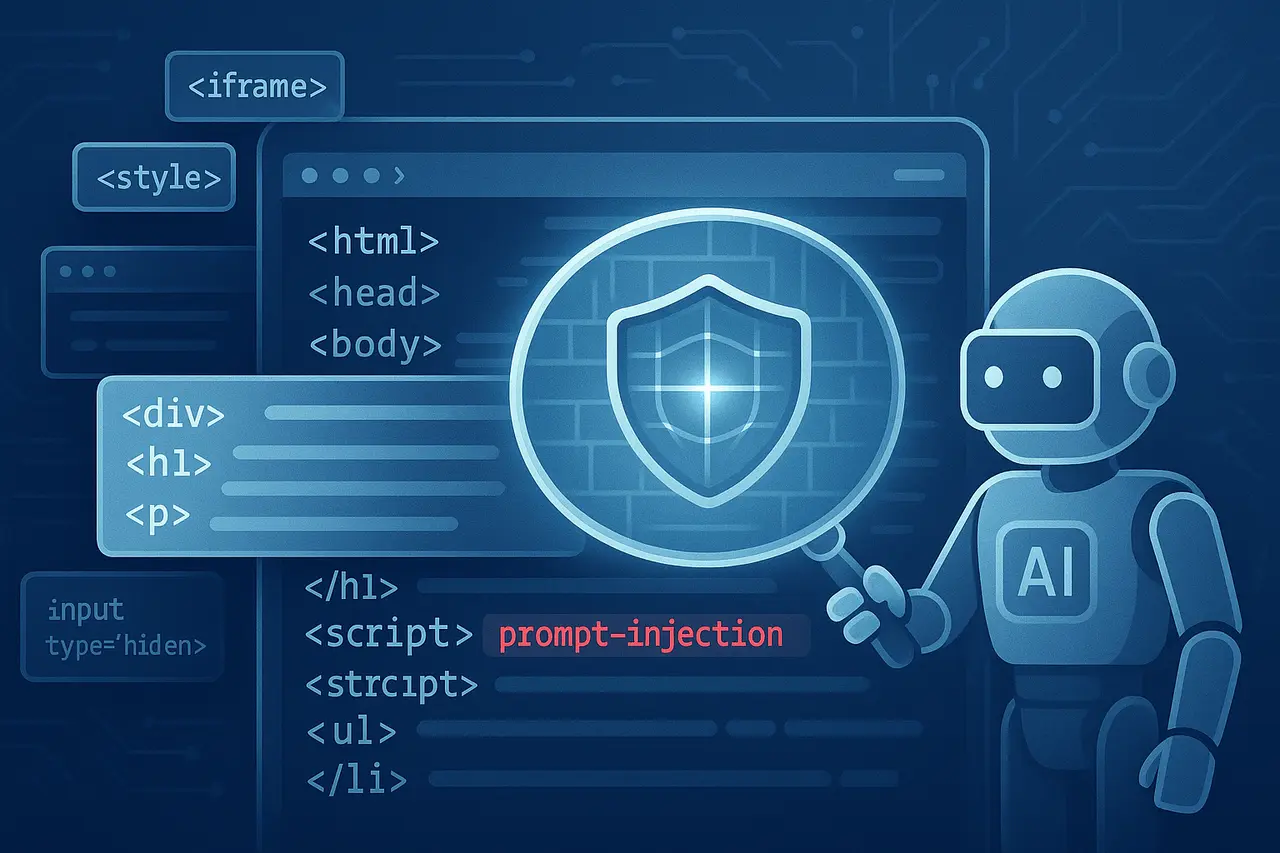
As AI-powered browsers become more prevalent, capable of reading pages, summarising information, filling out forms, clicking links, and completing various tasks for users, they create a new attack surface. One of the biggest dangers in this agentic web model is prompt injection – malicious instructions embedded in a website page (often concealed or hidden) that an agent implements to alter its behaviour.
To combat this threat, the Perplexity AI team has just released BrowseSafe and BrowseSafe-Bench. BrowseSafe is a unique detection system that scans the entire HTML content of websites and flags harmful instructions targeted at the agent. BrowseSafe-Bench is a vast, open benchmark, a set of real-world illustrations (both benign and nefarious) designed to assess how agents (or defence mechanisms) deal with prompt injection attacks.
Both are open source. Developers who build browser-based agents can incorporate BrowseSafe to secure their systems against prompt injection, without rewriting security from scratch.
What is the urgency of the issue, Prompt Injection in AI browsers?
From traditional browsing to “agentic browsing.”
Traditional web browsers display pages and let users engage with the site manually. Contrary to this, modern AI-powered browsers include agents – AI systems that function independently to read content, navigate hyperlinks, fill out forms, and summarise pages, for example.
This transformation promises efficiency and convenience; however, it also dramatically alters the security landscape. What was previously just content is now executable instructions.
What is a prompt injection?
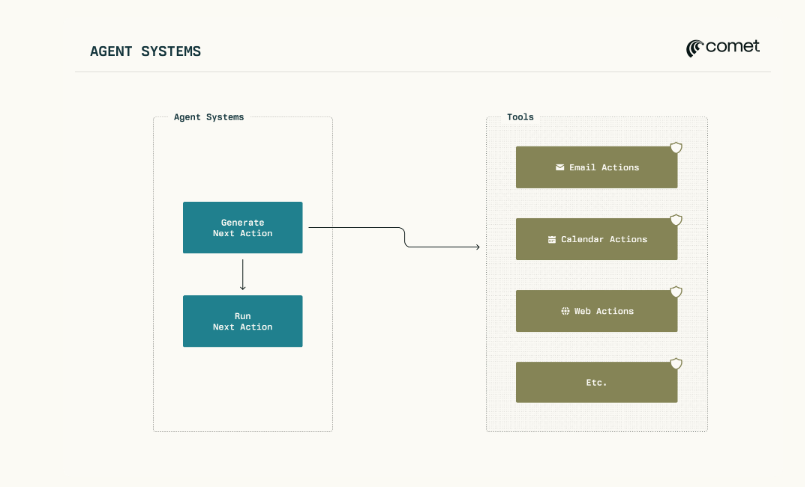
In prompt injection, malicious instructions are embedded in the text the AI agent reads. Since the agent processes the entire page (including hidden or “invisible” portions), it can accidentally execute instructions.
Some examples of how attackers could cover up instructions include:
- HTML comments.
- Invisible HTML elements (e.g., hidden HTML elements), e.g., as hidden fields on forms, data attributes, hidden form fields, or semantic attributes, are misused.
- Table cells, footers, paragraphs, inline, footers, or other content visible disguised as standard text.
- In the case of images, there are almost invisible or camouflaged words that agents could read using OCR -the vector is shown in previous attacks.
Since these instructions are discrete, they can be embedded in legitimate content that produces noise. Since agents typically operate with the full power of the user (logged-in accounts’ access to sensitive information), prompt injection can be hazardous. It could lead to unintentional actions such as transferring user information, altering settings, buying, or accessing sensitive websites.
What are BrowseSafe and BrowseSafe-Bench? Do
BrowseSafe: Real-time scanning & detection
BrowseSafe is a refined classification model that has been fine-tuned to a specific task. When presented with an unstructured HTML content of any webpage, it will output a binary choice (“yes” and “no”)-is the webpage containing dangerous instructions for an agent?
Important technical aspects:
- Based on the Mixture-of-Experts causal model of language (specifically the Qwen-3 30B, A3B modeling).
- It can process lengthy HTML contexts (up to 16384 tokens). This is important since real-world web pages are vast and complicated.
- It is designed to run fast, fast enough to support “agent loops”; that is, it will scan webpages in real-time without causing significant slowdowns to the user experience.
- Effective in separating malicious instructions from harmless but noisy HTML (e.g., accessibility attributes, hidden form fields, and the typical structure of webpages) that could confuse detectors.
BrowseSafe-Bench: Realistic, rigorous, large-scale benchmark
BrowseSafe-Bench is a collection of 14,719 HTML samples divided into 11,039 examples for training and 3,680 testing examples.
- It includes 11 types of attacks that range from simple directions (e.g., “Ignore previous instructions, now perform the following”) and more sophisticated strategies (e.g., the role manipulation system-prompt exfiltration engineering command-line manners that are based on URLs).
- It employs nine injection techniques (a variety of ways hackers can insert malicious instructions at the same time, “hidden” (comments, hidden fields, semantic-attribute misuse) as well as “visible” (footers and visible paragraphs, text inline).
- It covers a variety of linguistic styles: indirect, explicit, and stealth (camouflaged or hidden instructions), illustrating how hackers might try to evade detection by using obvious, suspicious keywords.
- It contains real “distractor” content, including legitimate noise from multilingual website text and HTML with a structure that makes it more difficult for detectors to rely solely on trigger terms or weak algorithms.
Due to its diversity and realism, BrowseSafeBench has become perhaps the most comprehensive public benchmark for evaluating defenses against rapid injection into AI Browser agents.
What Research has Found: BrowseSafe Performance and Insights?
The team responsible for BrowseSafe conducted a comprehensive analysis of empirical evidence: current open- and closed-weight LLMs, as well as off-the-shelf safety classifications, were evaluated against the BrowseSafe Bench. The results showed that a lot of frontier models are at risk of being exposed to real-world sophisticated payloads -specifically, disguised or indirect attacks, or infiltrations concealed in content that is visible, such as feeders and table cells.
Comparatively, BrowseSafe achieved state-of-the-art detection capability and reported a ~90.4 percent F1 score in the benchmark’s test set.
The high precision, together with its real-time synchronization, suggests that BrowseSafe can effectively block malicious code before it reaches the core agent logic, permitting safer browsing without affecting the user experience.
Additionally, the assessment identified several significant patterns:
- Direct attacks (e.g., explicit commands such as exfiltrate the system, navigate to URL, and so on) are pretty easy for detection models to spot.
- Indirect, multilingual, and stealthy attacks are more difficult because they don’t use obvious trigger words and blend into harmless content.
- The placement of Hidden injections (in comments, hidden fields, or data attributes) is typically recognized more quickly than injections that are visible in footers, tables, or even inline content, underscoring a “structural bias” in detection methods.
These data show that the prompt injection threat is complex, not just about malicious content, but also about the way and location the text is embedded, and that weak defenses that rely on keyword detection or basic heuristics are most likely to be ineffective.
BrowseSafe: What’s the point? For Users, Developers, as well as the AI Industry
BrowseSafe: For developers building AI browser agents
- BrowseSafe offers an out-of-the-box, open-source defense that eliminates the need to build security from scratch. Incorporating BrowseSafe is the initial line of defense, allowing agents to view websites as untrusted inputs.
- BrowseSafe-Bench is a robust assessment tool. When testing their software with this test, programmers can evaluate how they handle complex, real-world prompt-injection attacks and adjust accordingly.
- Since BrowseSafe is designed to scan in real time (long HTML contexts, asynchronous scanning, effective classification), it is suitable for deployment in production. It does not require costly analysis for a complete LLM for each page.
BrowseSafe: For users (end-users for AI browsers)
- The introduction of BrowseSafe is a sign of growing awareness and a reduction in prompt-injection threats—a positive development if you’re concerned about data security, privacy, and secure browsing.
- It also highlights that AI browsers are inherently at risk: any software that performs decisive actions based on insecure, random web content could be abused. Prompt injection may never be entirely removed.
- In the meantime, until measures to protect users such as BrowseSafe are made standard for all AI browsers -and only content that is trusted is permitted for actions by agents Users must remain wary of granting wide-ranging access for AI browsers (especially when it comes to sensitive tasks such as accessing bank accounts, emails, or personal information).
BrowseSafe: For the larger AI and security community.
- The introduction of BrowseSafe and BrowseSafe-Bench is an essential step towards standardizing the security assessment of AI web browsers. With a publicly accessible benchmark and open detection models, researchers can now evaluate defenses, identify weaknesses, and create more secure solutions.
- It emphasizes the necessity of a defense-in-depth strategy that extends beyond protections at the model level to include constraints on architecture, tools, and permissions, as well as strict separation between trusted and untrusted environments.
- As more organizations and open-source projects develop agent-based browsers or AI assistants that interact with the internet, BrowseSafe sets a baseline of security hygiene; however, it poses a problem. Prompt injection is a constantly evolving threat that requires defenders to evolve continually.
Challenges and Limitations: What BrowseSafe Can’t (Yet) Find?
While BrowseSafe is a solid defense, the Research recognizes that prompt injection is an ongoing, challenging issue. There are some shortcomings:
- It is not guaranteed: it’s not 100% effective in detecting indirect, stealthy, or multilingual attacks, which will remain more difficult to spot, and attackers could discover new ways to inject or exploit methods that aren’t included within the standard (e.g., images with embedded instructions or malicious scripts, as well as more complex encryption techniques).
- False Positives/Usability Tradeoffs: A shrewd detection system could flag innocent but complex HTML (with numerous form elements and hidden or attribute-based elements) as malicious, rendering agents preoccupied or even refusing to process legitimate sites. The balance between usability and security is delicate. (This is a common problem for all guard-rail systems. earlier studies highlight the danger of excessive defense.)
- Reactive but not Proactive: BrowseSafe detects malicious instructions once they are embedded in HTML; however, it doesn’t stop hackers from embedding them. It does stop agents from acting upon the instructions. The root issue (untrusted content embedded in agents’ contexts) persists.
- It isn’t a Magic Bullet: Browsers may be vulnerable to other threats beyond prompt injection (e.g., malicious code execution, cross-site vulnerabilities, and data leakage through misuse of tools). BrowseSafe offers only one threat source, but it’s a very important one.
What’s next on the Road to safer AI-based browsing?
The launch of BrowseSafe and BrowseSafe-Bench is an important milestone, but it also raises crucial questions about the community’s next steps. A few possible directions
- Wider use of BrowseSafe (or similar defenses) by AI-browser developers. If more agents adopt real-time, immediate detection, the prompt injector might become more challenging to exploit at scale.
- Continuously expanding benchmarks to remain ahead of attackers. The community will have to expand the range of benchmarks, such as BrowseSafe-Bench, to include new languages and attack types, attack modalities (e.g., images that contain hidden audio or text embedded in scripts), and innovative injection strategies.
- The combination of defense model-based protection (like BrowseSafe) is just one layer. The most secure long-term approach will likely require a “defense-in-depth” strategy that includes architectural sandboxing, strict authorization systems, user verification for high-risk actions, tool-level restrictions, and more. The creators of BrowseSafe themselves present their model as a component of a layered defense stack.
- Collaboration with the community and transparency. Since BrowseSafe can be used as a free-of-cost benchmark and is open, security researchers can examine, test, improve, and even develop new security measures. A transparent, collaborative approach is crucial to staying ahead of the adversaries.
- Education for users and responsible use. As long as AI browsers are mature and widely protected, users must remain aware of the risks. The developers and vendors must be clear about limitations, seek explicit consent before taking high-risk actions, and refrain from granting agents unnecessary privileges.
Final Thoughts
The introduction of BrowseSafe and BrowseSafe-Bench marks a significant milestone in safeguarding the next generation of web-based interactions. With an unrestricted, well-designed security system and a rigorous, real-world test for prompt injection attacks, Perplexity’s team has provided developers and the broader AI security community with the tools they need to protect their agents ahead of launch.
However, prompt injection isn’t an issue that is solved as the threat grows, as attackers discover new and innovative methods to inject malicious code. BrowseSafe is a crucial step, but ensuring long-term security will require continuous monitoring of layered defences and community cooperation.
As AI browsers become more powerful and more widespread, their importance for security (and tools such as BrowseSafe) will only increase. Developers developing agents should seriously consider adopting BrowseSafe (or similar defenses). Users must be aware of the risks and insist on transparency and security from any browser agents used.
Frequently asked questions (FAQ)
1. What do you mean by prompt injection?
Prompt injection is the embedding of malicious instructions in text (such as web pages) that an AI agent can read. Since the agent treats this content as its input, it could adhere to the instructions, even if they weren’t accessible to the reader (e.g., hidden in HTML comments, hidden fields, or disguised to appear as genuine text).
2. What makes BrowseSafe different from previous security features?
Traditional “safety classifiers” or general-purpose LLMs can detect harmful or unsuitable content; however, they are often not fast or precise enough to operate on all websites in real time. BrowseSafe is specifically tuned to detect prompt injection, optimized to handle long HTML input, and designed to run at a speed sufficient for use in browsers.
3. What does BrowseSafeBench provide that other benchmarks don’t?
Many prior benchmarks focused on simple text injections. BrowseSafe-Bench, on the other hand, focuses on realistic attacks embedded in complex HTML, including an array of injection techniques (hidden fields, visible footers, invisible cells, multilingual text), attack types, distractor contents, and linguistic style. It’s also large-scale (14,719 examples) and a good representation of what AI agents could encounter on the actual web.
4. Does BrowseSafe guarantee complete safety?
No. Although BrowseSafe substantially raises the bar, prompt injection is an ever-changing threat. Hackers can create new injection methods, exploit non-textual modalities, or discover ways to evade detection. Other security risks (such as malware, phishing, or misuse of tools) are still present. BrowseSafe is an essential component of an overall defense-in-depth plan. It is not a complete security solution.
5. As a user, what should I do to stay safe when using AI browsers?
Until defences are widespread and well-established, be wary of the broad access granted to AI browsers (such as access to email accounts, private accounts, banking, or other sensitive services). Choose agents that view web pages as suspicious and enforce strict permissions systems, and demand explicit user consent before taking any sensitive action. When possible, segregate “agentic surfing” (AI performing steps)from normal surfing.

