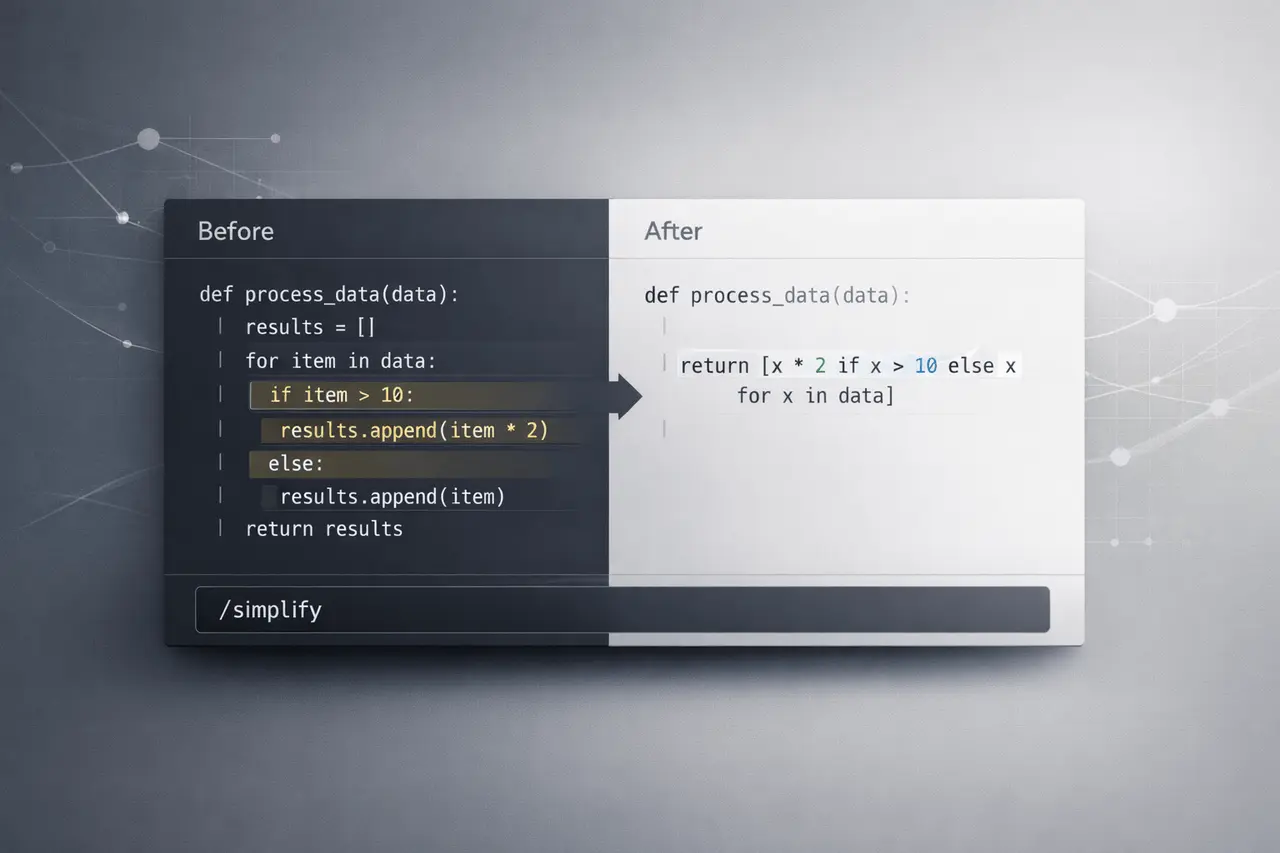
Claude Code 2.1.63 introduces a powerful new built-in command,/simplify. Created to automate the review and improvement of the code that has been modified, this feature goes well beyond simple suggestions. It examines your code for duplicates, structural problems, and inefficiencies. It implements fixes immediately.
For developers working in a fast-paced environment, particularly when conducting Pull Request (PR) reviews, this is a step towards AI-aided refactoring that can be both practical and production-oriented.
Instead of simply alerting you to potential problems, Claude Code now edits your code with precision after reviewing the most recent modifications.
What Is Claude Code?
Claude Code is a development-focused AI code assistant designed to be integrated directly into developers’ workflows. In contrast to the browser-based AI tools, Claude Code operates closer to the codebase and terminal and allows it to:
- Analyse diffs, not whole repositories
- Work within active branches
- Edit directly on the files
- Support PR review workflows
With the release of version 2.1.63, Claude Code strengthens its position as an AI pair programmer capable of self-cleaning code.
What Does the “/simplify” Command Do?
The brand new “/simplify” function assesses the recent changes to your code and will look for three key areas of improvement:
1. Reuse Opportunities
It identifies:
- Duplicated logic
- Extractable helper functions
- Patterns that repeat may be abstracted
This promotes DRY (Don’t repeat yourself) principles and helps reduce technical debt.
2. Code Quality Improvements
The system looks for:
- Poor variable naming
- Complex logic blocks
- Structural inconsistencies
- Readability concerns
Instead of vague suggestions, it restructures and changes names when needed.
3. Efficiency Enhancements
The browser flags it and corrects:
- Redundant operations
- Not necessary nesting
- Overcomplicated logic
- Refusable computations
The aim is to make the code leaner, cleaner, more streamlined, and easier to maintain.
How “/simplify” Works in Practice?
Utilising this feature is intended to be straightforward:
- Change your code as you normally would.
- Run /simplify.
- Claude Code analyses your differences and implements improvements directly.
Since it is focused on the diff rather than the whole project, it narrows the scope and makes it more pertinent. This makes it perfect for use after finishing an aspect or completing an evaluation of a PR.
Additionally, the system can create multiple lightweight analysis agents in parallel, driven by optimised model variations such as Haiku 4.5, enabling rapid and efficient processing.
Feature Comparison Table
| Capability | Traditional Linting Tools | AI Suggestions | Claude Code /simplify |
|---|---|---|---|
| Detect duplicated logic | Limited | Sometimes | Yes |
| Suggest refactoring | Basic | Yes | Yes |
| Automatically apply fixes | Partial | Rare | Yes |
| Diff-aware analysis | No | Sometimes | Yes |
| Structural improvements | Minimal | Yes | Yes |
| Efficiency optimization | Limited | Yes | Yes |
This position, Claude Code 2.1.63, is more than just a linter. It acts as an autonomous aid in refactoring.
Why Claude Code 2.1.63 Matters for Developers?
AI-assisted coding is evolving away from suggestion engines to more action-oriented tools. The Claude Code /simplify command is a reflection of three major industry shifts:
1. From Suggestions to Execution
Many AI code assistants offer suggestions, but they leave their implementation to programmers. Claude Code implements changes following analysis, reducing friction and speeding things up.
2. Diff-Centric AI Workflows
By focusing on only changed code, the tool prevents excessive refactoring and limits edits to the current project. This helps build trust with developers and reduces the risk of unintended negative side consequences.
3. Parallel Agent Architecture
The ability to create multiple lightweight agents enables faster review cycles without dramatically increasing computational costs. This is particularly beneficial for large teams or environments that integrate CI.
Real-World Use Cases
The Claude Coding 2.1.63, using /simplify, is particularly useful in:
Post-PR Cleanup
After analysing feedback, developers can simplify or run the code to:
- Consolidate duplicate fixes
- Enhance readability before merging
- Ensure consistent naming conventions
Feature Finalization
Before the commitment of a new feature
- Remove any unnecessary complexity
- Extract reusable utilities
- Optimise loops and processing logic
Continuous Refactoring
Teams focused on code quality can incorporate Claude Code into development workflows to prevent the accumulation of technical debt.
Benefits of the “/simplify” Command
- Reduces manual refactoring time
- Improves code maintainability
- Encourages consistent patterns
- Helps enforce clean code principles
- Enhances the efficiency of the runtime in small, yet meaningful ways
It serves as an extra polishing layer before the code is put towards production.
Limitations and Practical Considerations
While it’s powerful, developers must bear these things in mind:
Human Oversight Still Matters
Automated refactoring needs to be reviewed before the final merge. Ununderstood structure changes can impact business logic.
Context Sensitivity
AI Refactoring tools rely on algorithms and patterns. Edge cases specific to a particular domain may require manual modifications.
Version Awareness
Make sure you’re running the Claude code version 2.1.63 or higher, as earlier versions do not support the/simplify command.
Traditional Refactoring vs Claude Code Automation
| Aspect | Manual Refactoring | Claude Code /simplify |
|---|---|---|
| Time Required | Moderate to High | Low |
| Risk of Overlooked Duplication | High | Low |
| Structural Consistency | Developer-dependent | Pattern-aware |
| Immediate Code Edits | Yes | Yes |
| Scalability Across Teams | Varies | High |
This is not a substitute for a thoughtful design, but it significantly minimises the time spent cleaning.
How Claude Code Fits into Modern AI Development?
The launch of ClaudeCode 2.1.63 signifies larger developments in AI Coding tools:
- Change to an action-based automation
- Integrated PR workflow intelligence
- Cost-efficient parallel model usage
- Real-time structural improvements
As AI code assistants develop tools that can alter code responsibly and appropriately, they are likely to become commonplace in modern development technology stacks.
My Final Thoughts
Claude Coding 2.1.63 brings a significant improvement through its /simplify command, moving beyond passive suggestions into real-time, automated refinement.
By analysing changes, identifying reuse opportunities, and improving code quality and efficiency, developers can deliver cleaner code more quickly. Human oversight is vital; this release shows how AI code assistants are transforming into active collaborators.
As AI tools for development continue to improve, features such as “/simplify” offer an effective step towards scalable and high-quality AI-enhanced Software Engineering.
FAQs
1. What is Claude Code 2.1.63?
The Claude Code 2.1.63 is a variant of the Claude Code AI development assistant that introduces the /simplify function to automate code refactoring and optimisation.
2. What is the way in which the command /simplify performs?
It analyses your latest code changes (diff) and identifies duplicate quality issues, duplication, and inefficiencies, then makes changes directly to your code files.
3. Does simplify replace the linters?
No. Linters enforce formatting and rules, while /simplify makes structural and logical enhancements beyond static rule enforcement.
4. Can /simplify break my code?
Although it is designed to enhance structure and efficiency, developers must always review changes before merging, particularly complex logic.
5. Does /simplify have to be limited to certain languages?
Code can be used with different programming languages; its efficiency depends on the structure and context of the code being altered.
6. When should I use/simplify?
It’s most beneficial when you have completed the work of a feature or completed the PR review as an additional step to increase the readability and effectiveness.
Also Read –
Claude Code Remote Control: Seamless Cross-Device Coding