
Krea is expanding its AI creative agent with custom apps, giving users a way to create specialized creative tools from natural-language instructions. The capability extends Krea Agent beyond generating individual images and videos toward building interfaces and workflows tailored to specific production tasks.
Krea’s Agent is designed to plan creative work, select appropriate generative models, create assets, review results and make edits. The company now positions the agent as a way to build more specialized tooling around those workflows, including applications for creative effects, visual experimentation and repeatable production tasks.
The development is part of Krea’s broader effort to make AI-assisted creative production more workflow-oriented. Instead of requiring users to select a model and manually configure every stage, Agent can coordinate different tools around a creative objective.
Quick Summary
- Krea Agent is expanding beyond standard image and video generation with custom creative apps.
- Users can describe the type of creative tool they want and have Krea Agent build it.
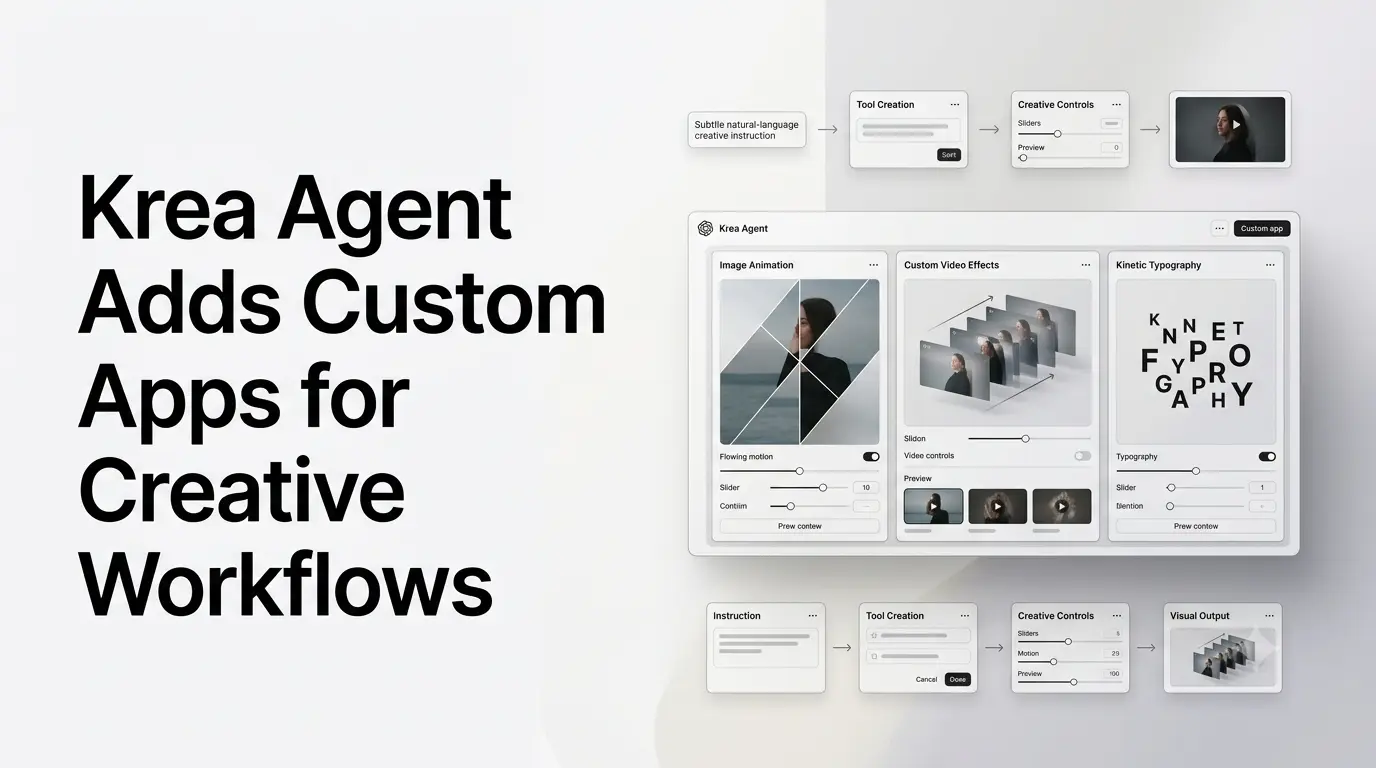
- Demonstrated examples include image animation, custom video effects and kinetic typography.
- Krea’s broader Agent can already plan multi-step creative workflows, select models, generate assets and edit results.
- Krea also maintains a community AI Apps ecosystem where users can run and customize mini-apps.
- The development makes Krea Agent more relevant to creators who need specialized workflows rather than one-off generations.
What Krea Agent Custom Apps Are Designed to Do?
The basic concept behind custom apps is straightforward: users describe the type of creative tool they want, and Krea Agent can construct a specialized application around that request.
Krea has demonstrated the approach with examples involving character-oriented tools, 3D visualization and motion effects. These applications are different from simply asking an image or video model to produce an asset because they can provide controls and a repeatable interface for a particular operation.
That distinction is important for creative workflows. A creator who repeatedly applies a certain animation treatment or visual effect may benefit more from a dedicated tool with adjustable parameters than from writing a new prompt for every asset.
Krea’s current Agent documentation describes the broader system as a chat interface across Krea’s creative tools. Users can provide a brief, references and project context, while the agent plans the work and determines which image, video or other models to use.
Custom Apps Extend Krea’s Agentic Approach
Krea AI has been moving toward agent-based creative workflows throughout 2026.
Earlier in the year, the company introduced Prompt-to-Workflow in Krea Nodes, allowing users to describe a desired workflow in a sentence and have the system construct the corresponding node graph. Krea says the Node Agent reads the existing canvas, plans the pipeline, connects the nodes and runs the workflow after approval.
Krea also distinguishes Node Agent from its separate Krea Agent product. Node Agent focuses on building node-based workflows, while Krea Agent is the chat-based production system that works across Krea’s tools and handles creative tasks directly.
Custom apps represent another layer of that progression. Rather than only generating a sequence of operations, the agent can create a more focused interface around a particular creative task.
For creators, that can turn an idea for a small production utility into something usable without requiring conventional software development.
From Image Generation to Creative Tool Building
The shift matters because generative AI products have traditionally focused on producing individual outputs.
A user provides a prompt and receives an image, video, enhancement or other asset. More advanced systems have started coordinating several operations, but the interface itself generally remains fixed.
Krea’s custom-app approach changes that relationship by allowing the tooling around the generation process to become more adaptable.
A creator might want an application that applies a particular motion effect to an image, provides controls for repeated visual transformations or organizes a specialized design workflow. Rather than waiting for a dedicated feature to be added to the product, the user can describe the desired behavior to an agent.
The resulting tool can then become part of the creative process.
This is particularly relevant for specialized workflows that may not have enough demand to justify a conventional standalone feature. An AI agent can potentially create smaller, task-specific interfaces without requiring the product team to build each one manually.
Krea’s Existing Agent Infrastructure Supports the Model
Custom apps are being added to an Agent that already coordinates multiple generative capabilities.
Krea’s current Agent page describes a system that can research a brand, build a context library, select appropriate models and work through image and video production. It can also edit existing assets and work from reference material supplied by the user.
The company’s 3D visualization workflow provides another example of this approach. Krea Agent can use sketches, product photographs or screenshots from 3D software as references, then explore materials, lighting, environments and motion through generated images and videos. Krea explicitly notes that this workflow produces visual outputs rather than editable 3D meshes.
That distinction is important. Krea Agent is increasingly acting as an orchestration layer across creative models and tools rather than functioning as a single-purpose image generator.
Krea Already Has a Growing Ecosystem of AI Apps
The custom-app direction also connects with Krea’s existing community-app ecosystem.
Krea currently lists hundreds of community-created mini-apps that users can open and customize. The collection includes tools for photoshoots, cinematic camera-angle generation, image transformations and other specialized creative tasks.
This provides a useful context for understanding where custom apps fit within Krea.
Instead of every creative workflow being represented by one large, general-purpose application, the platform can support smaller tools designed around individual tasks. Agent-generated applications could make that model easier to create because the interface and workflow can be described rather than manually assembled.
The exact availability and capabilities of individual custom apps can vary, so the examples demonstrated by Krea should not be treated as a guarantee that every requested application will have the same controls or output quality.
Examples Show How Custom Creative Tools Can Work
Krea’s demonstrations include applications for image animation and video effects.
One example involves dividing an image into a grid and animating the individual sections with different motion treatments. Another demonstrates a video effect that creates repeated or trailing visual elements with adjustable parameters.
Krea has also shown a kinetic-typography workflow in which text is transformed into animated letter patterns.
These demonstrations are useful because they show the distinction between prompting an AI model and building a creative tool around an AI model. The latter can expose specific controls that allow the creator to experiment with the effect instead of generating a single fixed result.
The demonstrations should nevertheless be understood as examples of the system’s capabilities rather than a comprehensive list of officially supported custom-app functions.
What Custom Apps Could Change for Creative Workflows?
The practical value of the feature is likely to be greatest for creators who have repeatable but highly specific production processes.
Potential applications include:
- Custom image-animation tools
- Specialized video effects
- Character-development interfaces
- 3D visualization workflows
- Typography experiments
- Reusable branding tools
- Creative prototyping utilities
- Small production tools for agencies and studios
The common thread is that the creator needs more control than a conventional text-to-image or text-to-video prompt provides, but does not necessarily need a full standalone software application.
Krea’s existing Agent infrastructure makes this possible within a broader creative environment where models, references, editing and generation can be combined.
The Limits of Krea Agent Custom Apps
The feature should not be interpreted as Krea turning every natural-language instruction into a production-grade software application.
Generated tools still depend on the capabilities of Krea’s underlying models and creative infrastructure. Specialized professional workflows may also require controls, integrations or precision that an automatically generated application cannot provide.
Krea’s own documentation also makes clear that its Agent-based 3D workflow, for example, produces images and videos rather than editable 3D geometry. Precise modeling therefore remains a separate workflow.
The same principle applies more broadly: custom apps can make creative experimentation and workflow construction easier, but they do not eliminate the need for conventional production software where precise control or deterministic output is required.
Why Krea Agent’s Custom Apps Matter?
The larger development is a move from AI-generated content toward AI-generated creative tooling.
Krea Agent already coordinates models and creative operations. With custom apps, the agent can increasingly shape the interface around the task itself, allowing creators to build specialized tools for workflows that may otherwise require manual development.
That makes Krea Agent part of a broader shift in generative AI: agents are beginning to operate not only as assistants that produce content, but also as systems that assemble the tools needed to produce that content.
For Krea, custom apps extend the company’s existing emphasis on agentic creative production, workflow automation and model orchestration. For creators, the practical opportunity is the ability to describe a specialized creative process and turn that description into a usable tool within the Krea environment.
Also Read –
What is Krea Agent? Features, AI Capabilities & Use Cases
Krea AI: What Is It? Features, AI Tools, Models & Use Cases
Sources
- Krea Agent
- What Is Krea Agent?
- Krea Node Agent: Build a Workflow From One Sentence
- Prompt-to-Workflow
- Krea Community AI Apps
- Krea 3D Visualization Agent