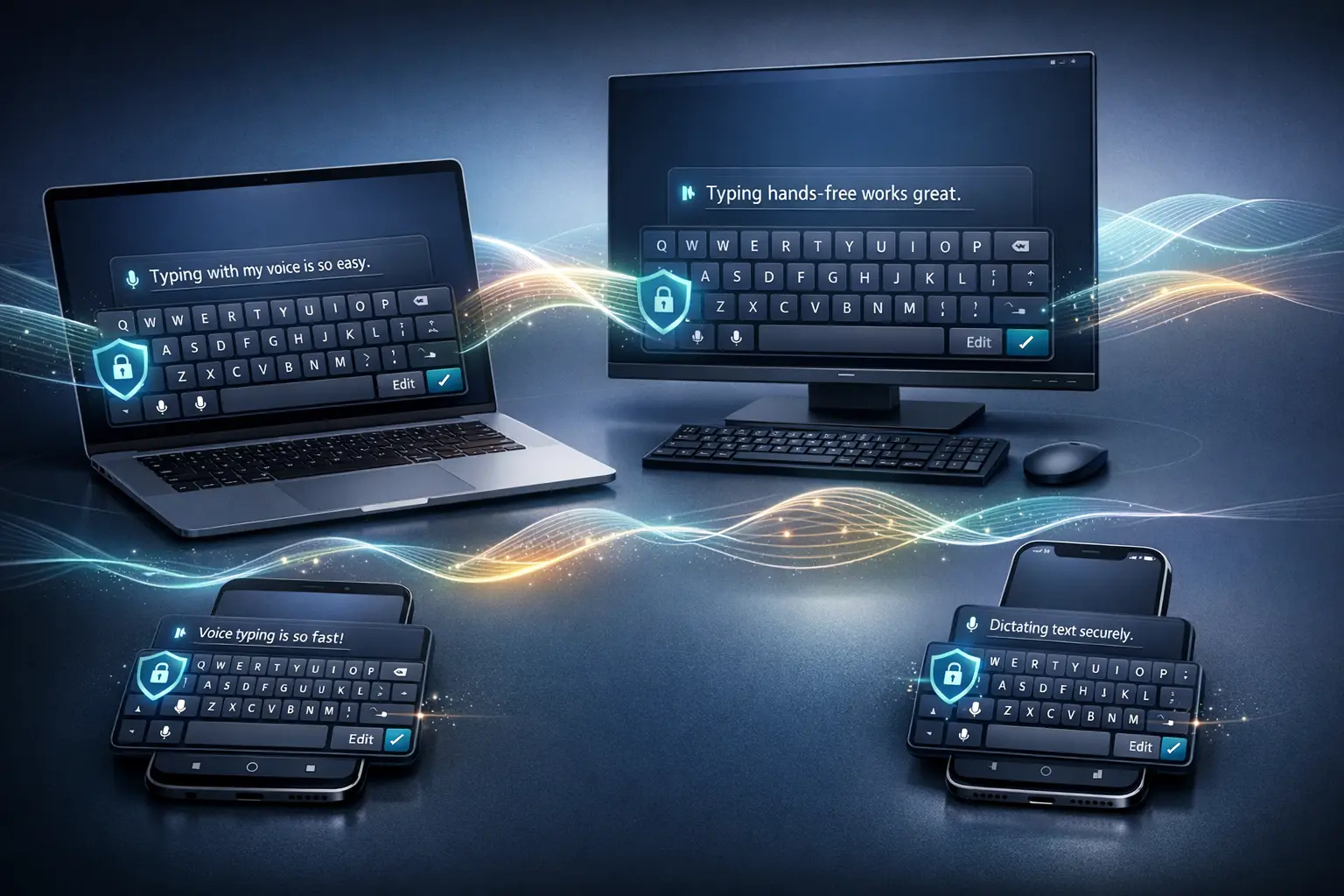
Typeless AI voice keyboard is becoming a useful device for those who depend on speedy, precise typing across all devices. The keyboard is optimized to work on Mac, Windows, iOS, and Android. Typeless combines voice transcription with keyboard editing in an absolute zero-data-retention policy. This method addresses increasing privacy concerns while enhancing everyday productivity for professional writers and mobile-first users.
This article provides an unambiguous, factual outline of what Typeless is, why it’s important, how it functions, and how it is integrated into real-world workflows, without any speculation or unnecessary hype.
What Is Typeless AI Voice Keyboard?
The Typeless AI keyboard lets users dictate text instead of typing. Contrary to conventional voice input devices that rely in large part on cloud computing, Typeless has been designed to process data directly on the device, ensuring that content dictated remains local to the user’s device.
Key characteristics include:
- Voice-based text input on the major operating systems.
- On-device processing with zero data retention
- Editing tools are integrated directly into the interface of keyboards
- Consolidated performance on mobile and desktop platforms
This combo positions Typeless as both a productive tool and a privacy-oriented alternative to traditional voice keyboards.
Why Typeless Matters in Modern Workflows?
It is no longer just a niche function. It has become a requirement for:
- Professionals who are in the field
- Researchers and writers looking for quicker input
- Accessibility-focused users are reducing reliance on physical keyboards
However, some AI voice tools make trade-offs, especially regarding privacy and data storage. Typeless addresses this issue by ensuring that user-entered information is not stored on external storage or reused in the cloud, in line with users’ growing expectations for secure AI tools.
Cross-Platform Availability and Consistency
Supported Platforms
Typless AI voice keyboards are accessible on:
- macOS
- Windows
- iOS
- Android
Performance tests on Android are comparable to those on other supported platforms, meaning users can expect the same experience regardless of their device.
Why Cross-Platform Support Matters?
Many users use multiple devices during the middle of the day. Typeless eases the process by providing:
- A familiar interface across systems
- Consistent dictation quality
- Unified editing behavior
This consistency is especially beneficial for professionals who have to move between mobile and desktop environments.
How Typeless Works?
Voice Dictation
Users can naturally speak, and Typeless converts speech to text through its keyboard interface. The transcription occurs directly on the device, eliminating the need for data transmission via an external device.
In-Keyboard Editing
A standout feature of Typeless is its built-in editing mode:
- A button at the lower right of the keyboard allows editing
- Text that is dictated or selected is displayed directly in the space for keyboards
- Users can define changes without switching to a conventional text keyboard
It helps reduce context switching and accelerate revisions.
Zero Data Retention Model
Typeless adheres to a strict policy of privacy:
- There is no cloud storage for the dictated text
- There is no retention of text or voice data after the device
- Processing remains local
This type of model is particularly suitable for people who handle sensitive information or work in controlled environments.
Core Features at a Glance
| Feature | Description |
|---|---|
| Cross-platform support | Works on Mac, Windows, iOS, and Android |
| Voice dictation | Converts speech to text in real time |
| In-keyboard editing | Edit dictated or selected text without switching keyboards |
| Zero data retention | Data stays on the device only |
| Consistent performance | Comparable accuracy across all platforms |
Practical Use Cases
Content Creation and Writing
- Draft articles or notes faster using voice
- Edit quickly directly on the keyboard
- Reduce typing fatigue during long sessions
Professionals and Knowledge Workers
- Respond quickly to messages across all devices
- Capture ideas in a flash without the need to open any other tools
- Keep your privacy in mind when you dictate sensitive content
Mobile Productivity
- Hands-free input when working, commuting, or multitasking
- Smooth transition between desktop and phone work
- High-quality performance regardless of mobile devices
Benefits of Typeless AI Voice Keyboard
Speed and Efficiency
Voice input is significantly quicker than typing, particularly when writing longer texts. Typeless’ typing experience is enhanced by instant editing control.
Privacy-First Design
The zero-retention method eliminates the uncertainty about the destination of user data, an issue common to the use of AI to control keyboards.
Reduced Context Switching
Editing directly within the keyboard reduces interruptions and helps keep users focused on their work.
Platform Parity
The same performance across all devices guarantees consistent behaviour and is essential for everyday use.
Limitations and Considerations
While Typeless provides many benefits, users must be aware of the following practical issues:
- Voice quality is dependent on the clarity of the microphone and the environment
- Users used to traditional keyboards might require an adjustment time
- Offline performance is contingent on the hardware capabilities of your device
These are the typical limitations for voice systems on devices and are not exclusive to Typeless.
Typeless vs Traditional Voice Keyboards
| Aspect | Traditional Voice Keyboards | Typeless AI Voice Keyboard |
|---|---|---|
| Data handling | Often cloud-based | Fully on-device |
| Editing workflow | Requires switching keyboards | Built-in keyboard editing |
| Privacy control | Limited visibility | Zero data retention |
| Cross-platform consistency | Varies by platform | Consistent across devices |
Practical Tips for Getting the Most Out of Typeless
- Use natural, clear speech to ensure the highest accuracy in dictation
- Make use of the editing button to place the text
- Use a good microphone for use on desktops
- Use in environments with a focus on cutting down background noise
My Final Thoughts
The Typeless AI voice keyboard represents an innovative advancement in voice-based text input. By combining cross-platform compatibility with on-device processing and enhanced editing capabilities, it solves major issues that plague traditional voice keyboards. The zero-retention model also fits with growing expectations about AI security and privacy.
As voice interactions become increasingly important in digital workflows, applications such as Typeless demonstrate how thoughtful design can enhance speed, usability, and trust without compromising security. For those who want a reliable, private, secure Voice typing service across all devices, Typeless sets a clear standard for where this area is headed.
FAQs About Typeless AI Voice Keyboard
1. What exactly is the Typeless AI voice keyboard used to do?
Typeless can be used to dictate and edit text with voice across mobile and desktop devices. It stores data exclusively in the devices.
2. Are Typeless Available to download on Android or iOS?
Yes. Typeless is compatible with Android, iOS, Mac, and Windows, delivering the same performance across all platforms.
3. What are the ways that Typeless guarantees privacy to users?
Typeless is a zero-data-retention model, meaning that dictated information is processed and saved only on the user’s device.
4. Can I edit text after dictation?
Yes. The built-in edit button lets you display written or selected text in the keyboard area for simple changes.
5. Does Typeless need to be switched to a standard keyboard to make editing?
No. Editing can be done directly in the Typeless keyboard, eliminating the need to switch input modes.
Also Read –
Typeless for Android: Smart Voice Keyboard Explained