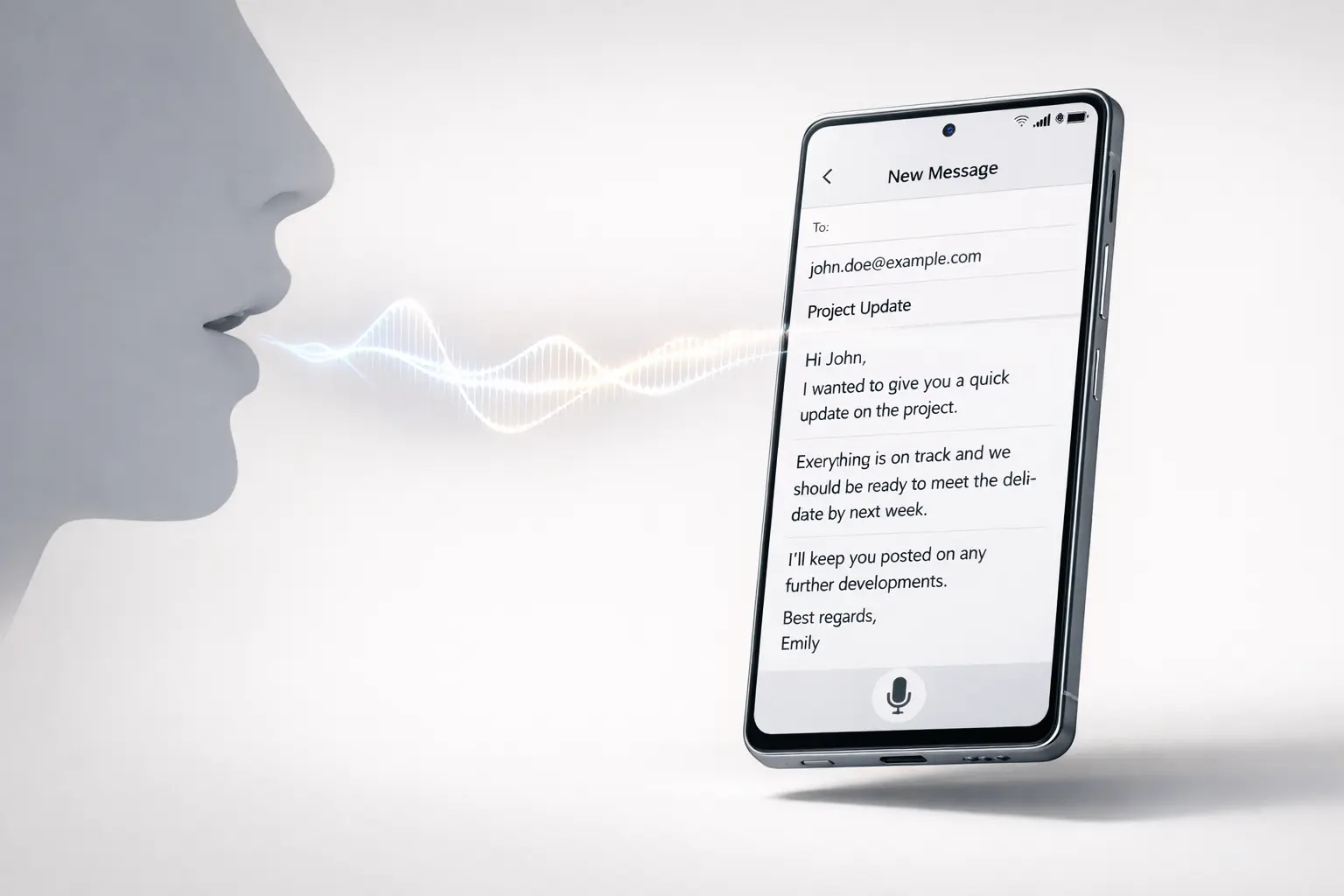
Typeless for Android offers a fresh approach to mobile typing, replacing traditional on-screen input with a voice-controlled interface. Created as an intelligent voice keyboard, it lets users speak naturally and converts speech into crisp, clean writing that is instantly ready to send. This is part of an overall shift in human-computer interaction. Voice is being promoted as the following type of input device for mobile devices.
Instead of considering voice as a simple transcription, Typeless focuses on intent clarity, structure, and style. This results in writing that feels deliberate and not just transcribed.
What Is Typeless for Android?
Typeless on Android is a voice-controlled keyboard that is a replacement or supplement to the conventional onscreen keyboard. Instead of pressing keys, users talk in a natural voice. The system transforms spoken words into refined text suitable for messaging, emails, and other forms of communication.
This method goes beyond the basic speech-to-text. Typeless interprets how people talk and translates it into writing that reads as if it were written with care.
Key Characteristics
- Voice-first input is intended to be used in everyday writing
- Natural speech converted to uncluttered structured text
- The output is prepared to be sent without any manual editing
- explicitly designed to work with Android devices
Why a Voice-First Keyboard Matters?
The keyboard on the screen was a transitional interface for mobile phones. As screens grew smaller and user-friendly scenarios became more common, keyboarding became an issue. Voice provides a quicker, more natural way to communicate, particularly on mobile.
The smart keyboard is crucial because:
- Reduces friction in daily communication
- Enables hands-free interaction in real-world scenarios
- is in line with the way people express their ideas naturally
- Enhances accessibility for those who have difficulty typing
Voice is not viewed as an add-on but rather as the primary method of input.
How Typeless for Android Works?
Typeless is a simplified process that prioritises clarity and intention over pure transcription.
Step-by-Step Flow
- Natural Speech Input: Users talk naturally without pausing or typing punctuation.
- Processing and Understanding: The system evaluates the tones, phrasing and structure to determine the intent.
- Text Refinement: Spoken languages are converted into readable, clean writing.
- Ready-to-Send Output: The finalised text appears in the input box, ready for immediate use.
This method will eliminate the need for continual corrections, which are typical of traditional voice transcription.
Typeless for Android: Core Features at a Glance
| Feature | What It Delivers |
|---|---|
| Smart voice understanding | Converts natural speech into structured writing |
| Clean text output | Removes filler and spoken-language artifacts |
| Keyboard replacement | Functions as a full alternative to on-screen typing |
| Android-native experience | Optimized for Android input workflows |
These features make Typeless more than just a productivity tool. It’s an interaction shift.
Typeless vs Traditional Mobile Keyboards
The ability to input voice has been available on Android for a long time, but Typeless uses it differently.
| Aspect | Traditional Keyboard | Typeless for Android |
|---|---|---|
| Primary input | Touch typing | Natural speech |
| Editing effort | High | Minimal |
| Speed | Moderate | High |
| Accessibility | Limited | Strong |
| Learning curve | Familiar but slow | Intuitive speech-based |
This comparison reveals why Typeless frames the keyboard onscreen as a temporary option rather than an interface that will last.
Real-World Use Cases
Typless on Android is a natural fit for daily mobile device workflows.
Messaging and Chat
- Faster responses without typing
- Clear, polished messages
- Reduction of errors caused by small keyboards
Professional Communication
- Emails can be written while on the move
- Sending concise updates
- Maintaining an elegant tone with clean text output
Accessibility and Mobility
- Hands-free interaction during multitasking
- Facilitates communication for those who have visual or motor challenges
- A reduced strain on repetitive typing
These cases show how smart voice keyboards can be integrated into both professional and casual situations.
Benefits of Using Typeless for Android
Typeless provides tangible benefits to mobile phone users.
- Speed speaking is more efficient than typing for most people.
- Clarity: Output reads like intentional writing, not dictated speech
- Simple: No need to switch between vocal and keyboard modes
- Comfort: Reduced physical strain during prolonged use
By insisting on the quality of its users’ writing, Typeless differentiates itself from traditional voice-output software.
Limitations and Practical Considerations
While Typeless represents a significant leap ahead, practical considerations remain.
- Requires a still environment to ensure the best quality of accuracy.
- Users might require a short adaptation time to rely on voice-first input
- Performance depends on the device’s microphones and the permissions granted by the system.
These features are typical of voice-based interfaces, and don’t diminish the fundamental benefit proposition.
Broader Implications for Mobile Input
The trend towards typing is broader in AI-driven and mobile interfaces. As intelligent systems improve at understanding context and intention, it is evident that direct manipulation interfaces such as keyboards are becoming less important.
Voice-first input is compatible with:
- The development of speech-based AI
- Hands-free device usage is increased
- Need for faster and more natural interaction
Typeless is positioned within this new paradigm by treating voice as the standard, not the fallback.
My Final Thoughts
Typeless for Android is a significant advancement of mobile-based input. By focusing on speech as the principal interface and on clear, deliberate writing, it challenges the dominance of the keyboard on screen. The ability to communicate naturally and create polished text aligns with how people speak in real life.
As voice recognition improves, advanced voice keyboards such as Typeless suggest a future in which typing is no longer essential as interaction becomes more human.
Frequently Asked Questions
1. What is it that makes Typeless to Android different from normal voice typing?
Typeless is focused on recognising natural speech and turning it into clean writing, rather than just transcribing verbatim.
2. Could Typeless replace my keyboard on screen completely?
Yes. It was designed as an alternative to a full keyboard, and it is not just a simple dictation function.
3. Do I have to talk at a slow pace or dictate my punctuation?
No. Typeless is designed for natural speech, so you can speak as you normally would without any special instructions.
4. Is Typeless appropriate as a professional writer?
It is ideal for daily professional communications, such as work emails and messages, because of its clear output.
5. Does Typeless require constant editing?
The system requires minimal editing, since it translates spoken language into text ready to send.
Also Read –
Typeless Keyboard for iOS: A Smarter AI Dictation Keyboard